Metadata Dictionary
The business definition of table and column entities of ods_table, ods_column, sds_table and sds_column types is captured against the Description attribute. Metadata related to ODS and SDS tables are synchronised with atlas, creating entities of the following types.
| Type | Description |
|---|---|
| ods_table | Sorts information related to ODS table |
| sds_table | Sorts information related to SDS table |
| ods_column | Sorts information related to ODS column |
| sds_column | Sorts information related to SDS column |
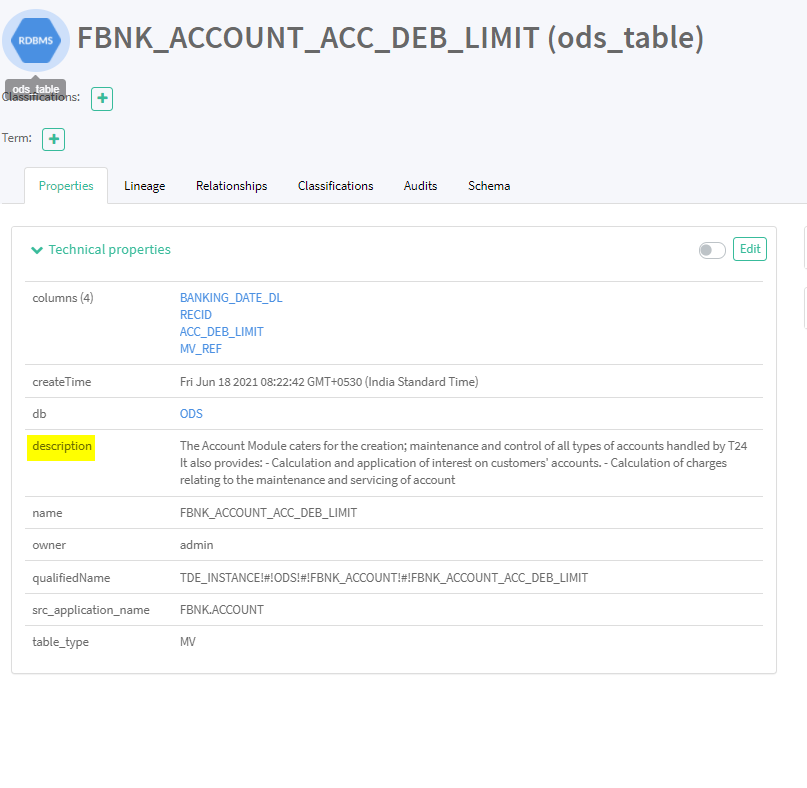
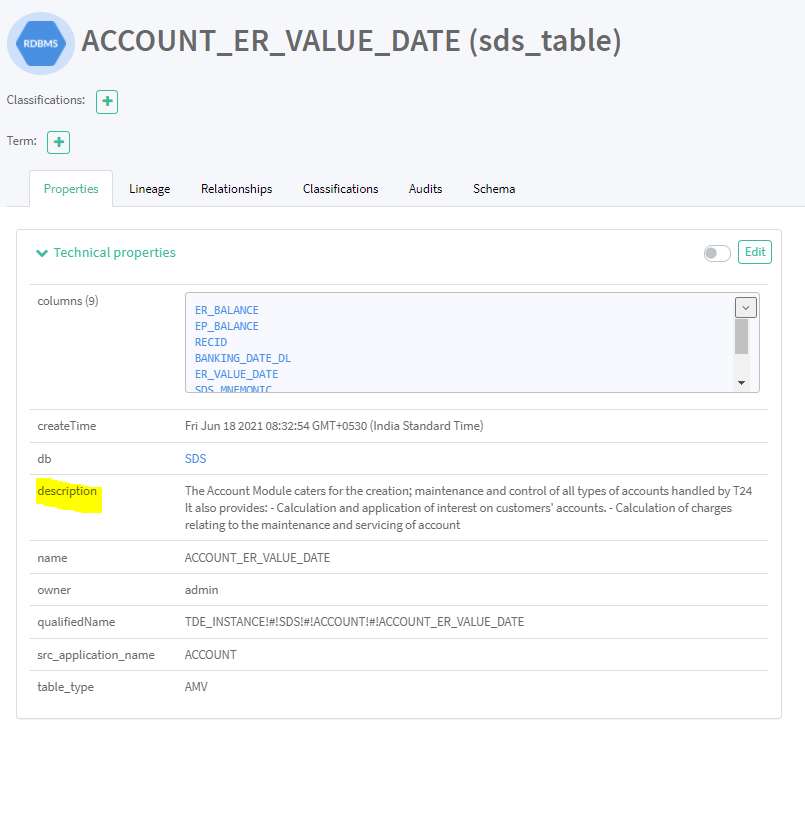
Every table and column of ODS and SDS has business related information that are captured in the Description attribute of Technical properties section of each entity.
Architecture
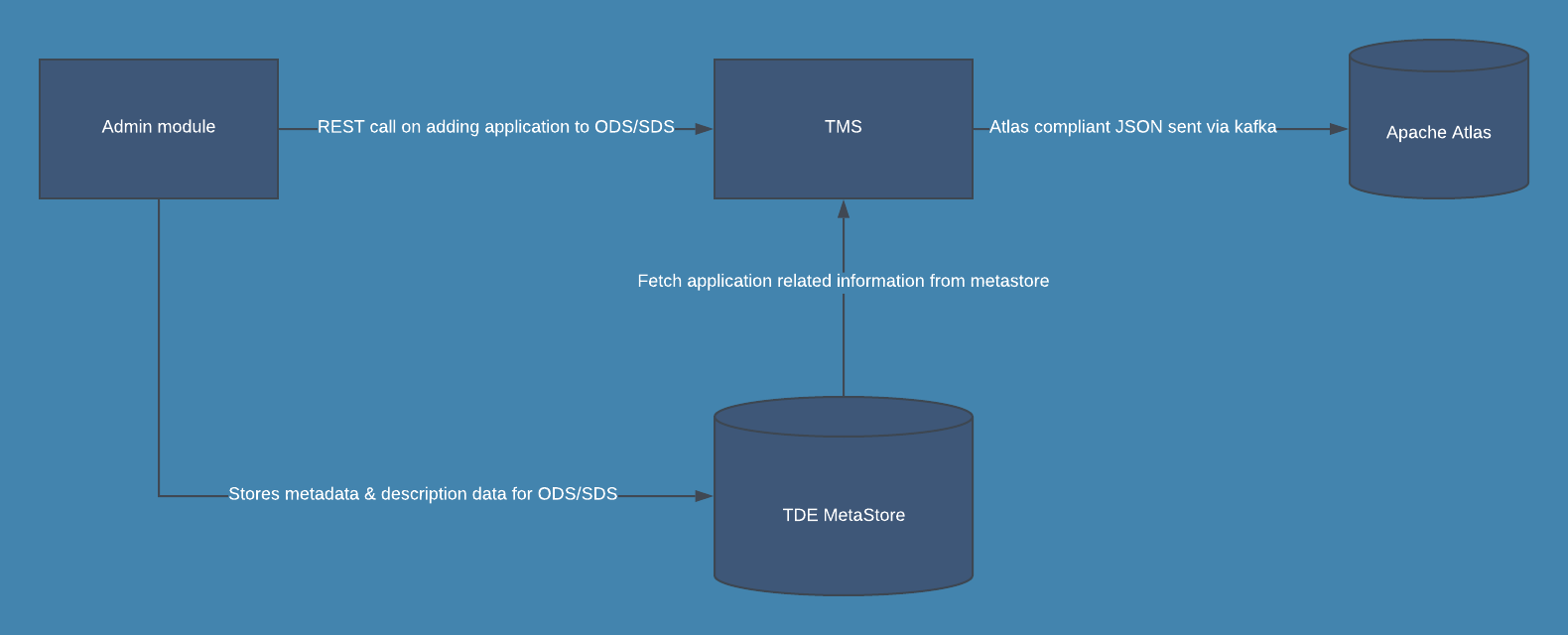
When you save the system configuration for DES section in the Admin module,
Procedure
- It looks for the tde_data_dict_loaded property key in
des_system_configurationtable. - Empty or null - Description data is retrieved from CSV file and loaded to
tde_table_data_dictandtde_column_data_dicttables of TDE metastore. - 1 - It is the indication that description data already exists in metastore.
- Upon adding an application in Admin module, REST call is made to TMS for synchronisation of data dictionary and lineage with apache atlas.
- Method - POST
- URL - https://<hostname>:<port>/tms/syncAtlas
- Based on the application name and schema Id, all the information are retrieved from TDE metastore and atlas complaint JSON is generated.
- JSON is passed to apache atlas through Kafka topic (ATLAS_HOOK).
If the value of the property is,
Configuration
This section covers the following topics.
 Adding Application to ODS
Adding application to ODS, creates a generic dataflow and upon clicking Enable it triggers ODS process, which starts processing events of all enabled applications in ODS.
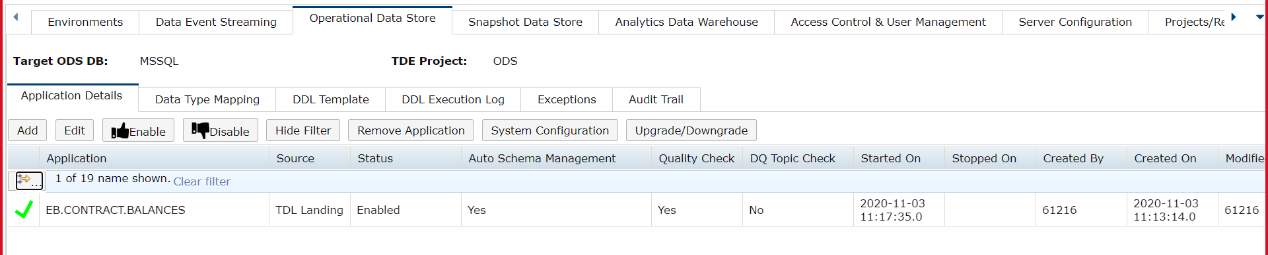
Adding and enabling multiple applications in ODS creates single ODS process, which handles processing of events related to all enabled applications.
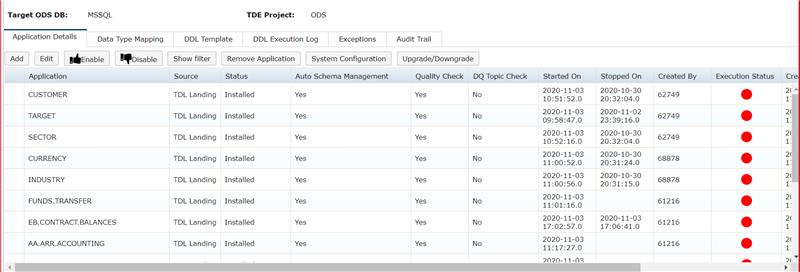
Clicking Enable button against each application changes the status of application from Disabled to Enabled.
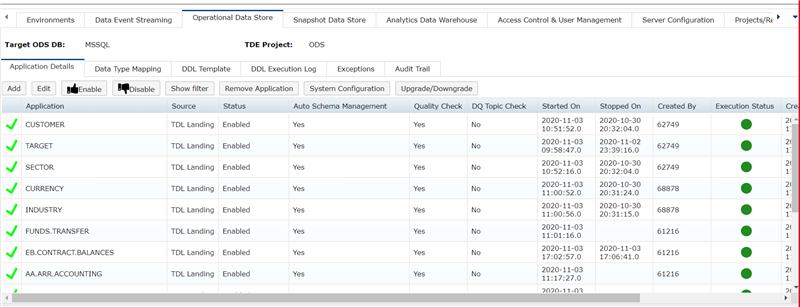
Once an application is added to ODS, REST call is made to TMS in back-end and, metadata and lineage related to that application are synchronized with Apache Atlas.
ODS table entities with description is shown in the screenshot below.
ODS column entities with description is shown in the screenshot below.
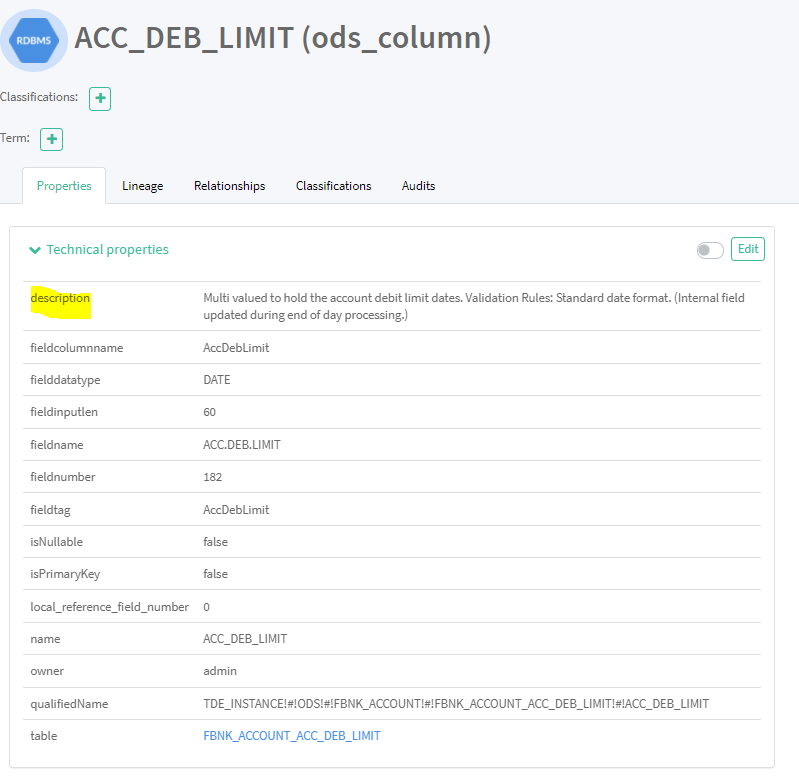
Table level Lineage for FBNK_ACCOUNT ODS table is shown in the snapshot below.

Column Level lineage for Currency_market column of FBNK_ACCOUNT table is shown in the snapshot below.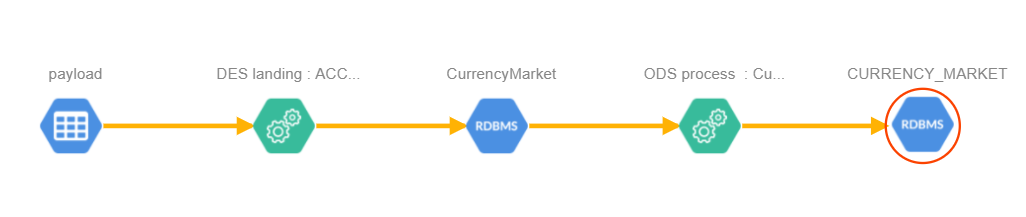
Adding Application to SDS
Adding application to SDS, creates a generic dataflow as shown above and upon clicking Enable it triggers SDS process, which starts processing events of all enabled applications at SDS.

Adding and enabling multiple applications at SDS creates single SDS process, which handles processing of events related to all enabled applications.
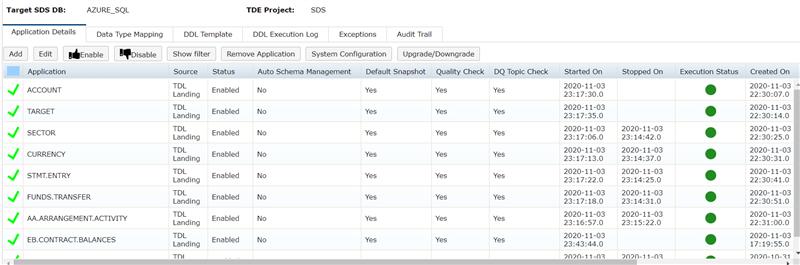
Once an application is added to ODS, REST call is made to TMS in back-end and, metadata and lineage related to that application are synchronised with Apache Atlas.
SDS table entities with description is shown in the screenshot below.
SDS column entities with description is shown in the screenshot below.
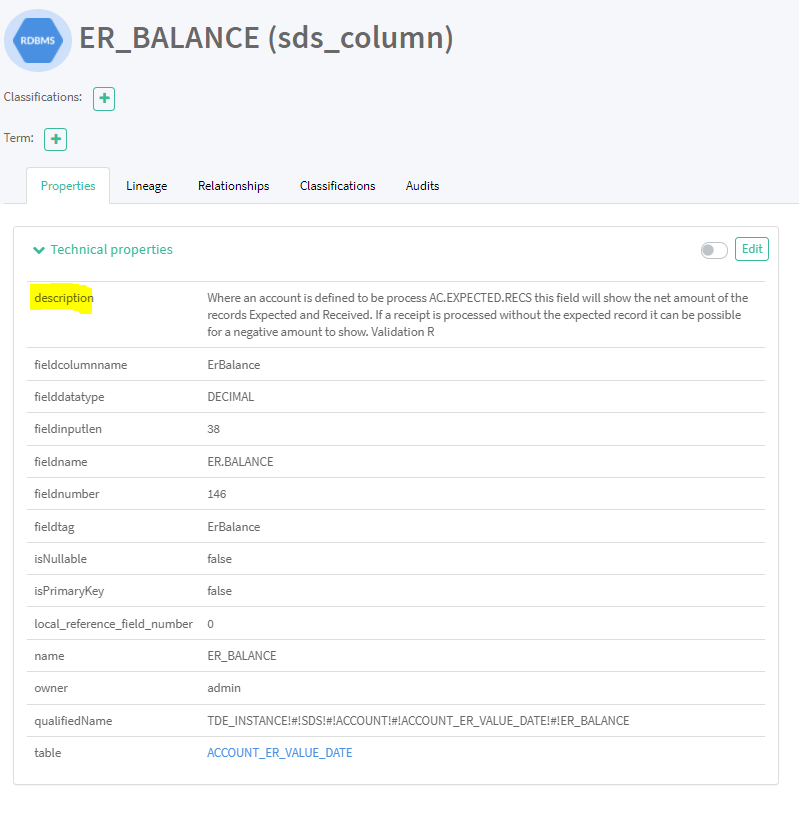
Table level lineage for ACCOUNT_ML table of SDS is shown in the snapshot below.

Column level lineage for ACCOUNT_TITLE_2 column of ACCOUNT_ML is shown in the snapshot below.

In this topic
