FAQs and Help
Use the feature to view the frequently asked questions and appropriate answers related to the banking domain. These FAQs assist a user in performing various activities across the application.
Menu path: Online Banking
You can access the FAQs either from the page footer or on the top menu after you login. To view all the FAQs, do any of the following:
- Click Menu > About Us > FAQs
- Click Help on the top menu for contextual FAQs that help to complete your intended activity. For example, if the user clicks on Help from a page in the Profile Management module, Profile Management related FAQs will be displayed.
Menu path: Mobile Banking
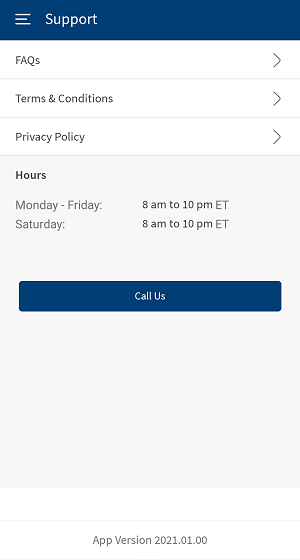
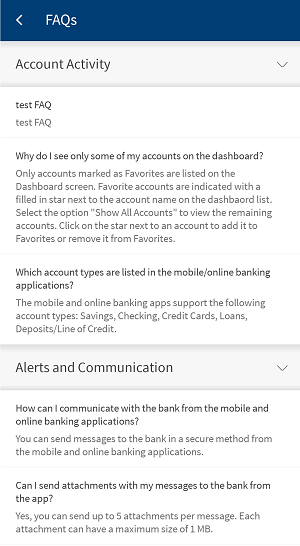
From the bottom menu, tap Menu > Support. Alternatively, you can tap Support from the footer of the login page. The app displays the Support screen with FAQs, Terms and Conditions, Privacy Policy and Bank Timings. Tap FAQs, the app displays FAQs screen.
In online banking, the FAQs are grouped by categories based on the various activities that can be performed in the application. These FAQs are fetched from Spotlight (Customer 360). The available FAQ categories are:
- Accounts
- Login
- Account Activity
- Statements and Documents
- Security
- Transfers and Pay
- Transfers
- Bill Payments
- Pay a Person
- Cards
- Settings
- Profile Management
- Alerts and Communication
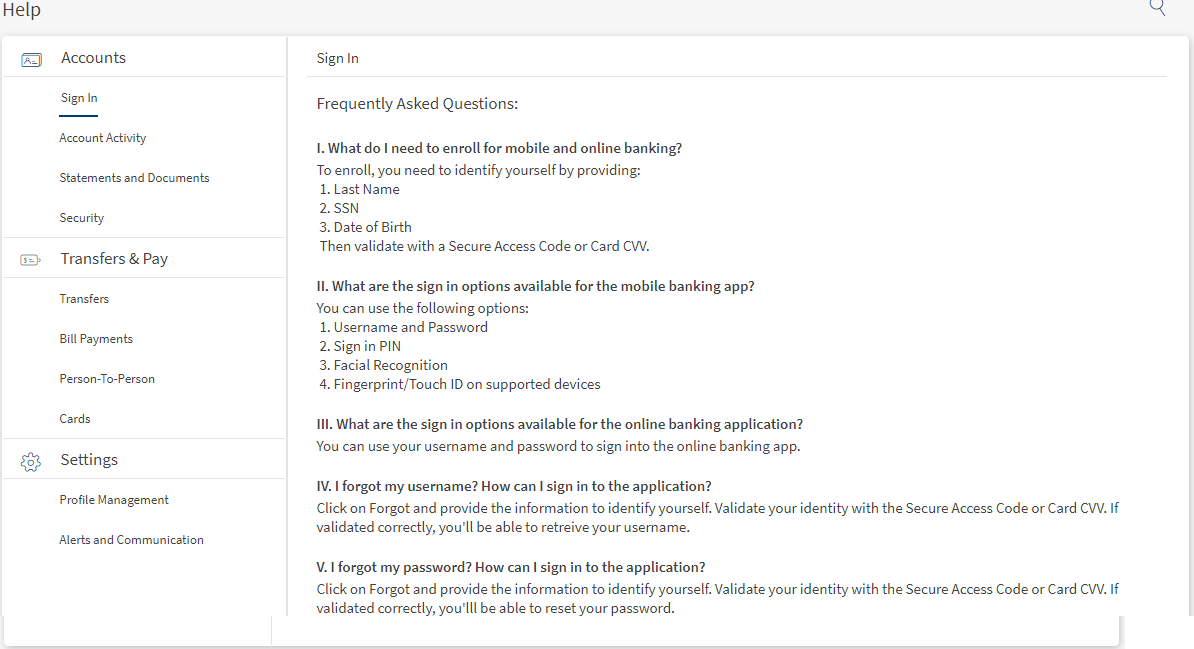
Use the Search option to get the required questions. Enter the search criteria such as Name, Bank, Account Type, and so on, the application displays the appropriate results.
Integration with Spotlight (Customer 360)
The FAQs for each category are fetched from Spotlight application.
In this topic
