Manage P2P Recipient
Use the feature to manage your saved P2P recipients.
Menu path: Online Banking > Transfer & Pay > Pay a Person > Manage Recipients
Menu path: Mobile Banking > Hamburger menu > Manage Recipients
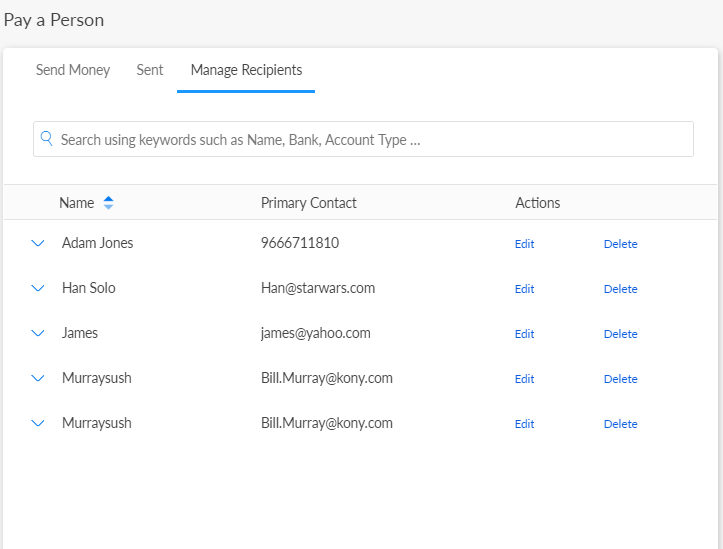
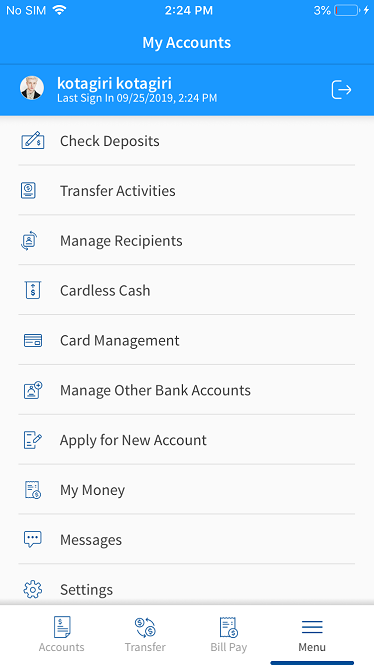
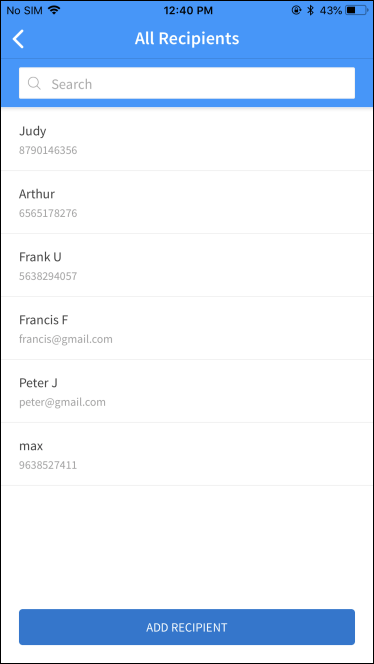
You can do the following:
- Edit the details of a recipient
- Delete a recipient
- Send money to a recipient
- View Activity
- Search for a recipient
Edit P2P Recipient Details
Use the feature to modify the details of a P2P recipient.
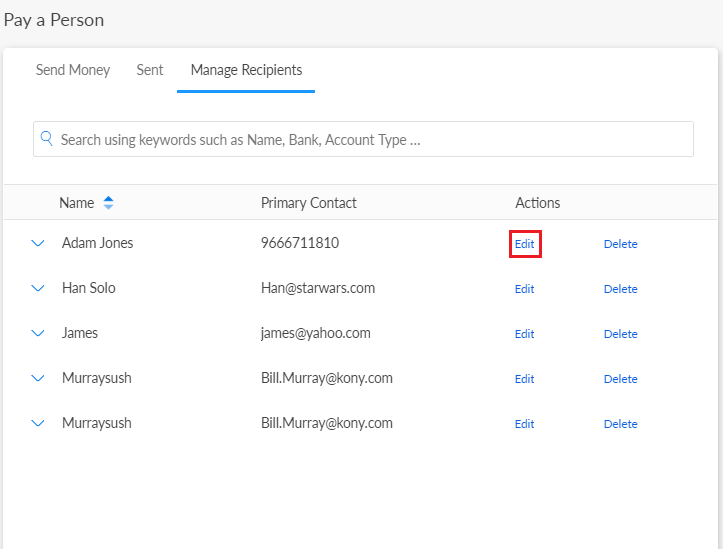
From the recipients' list, select the required recipient and click Edit.
Online Banking
Mobile Banking
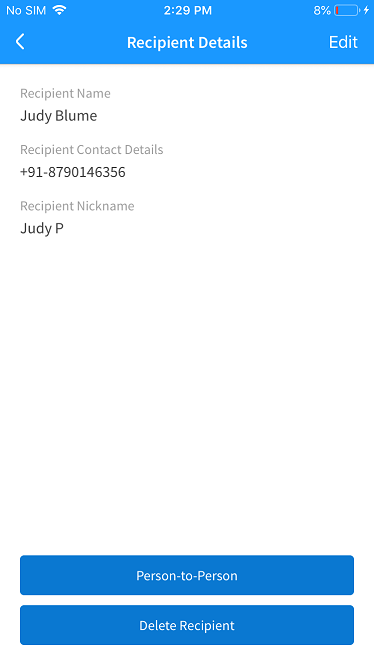
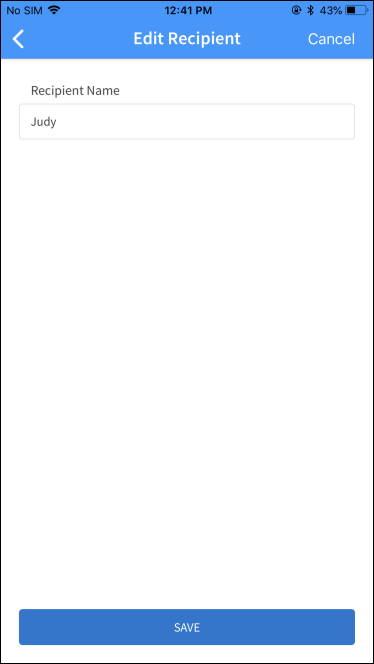
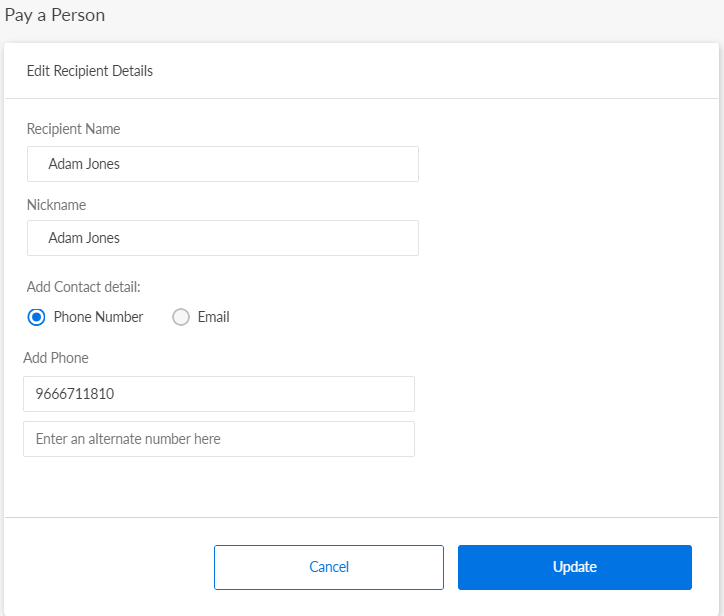
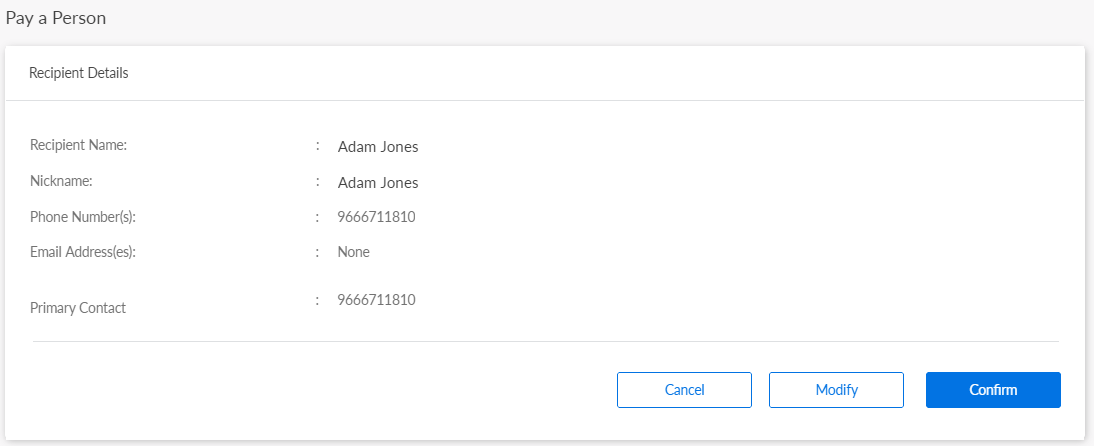
Make the necessary changes in the Edit Recipient Details screen and save the details. The app updates the details of the recipient.
In mobile banking, you can only modify the nickname of the payee.
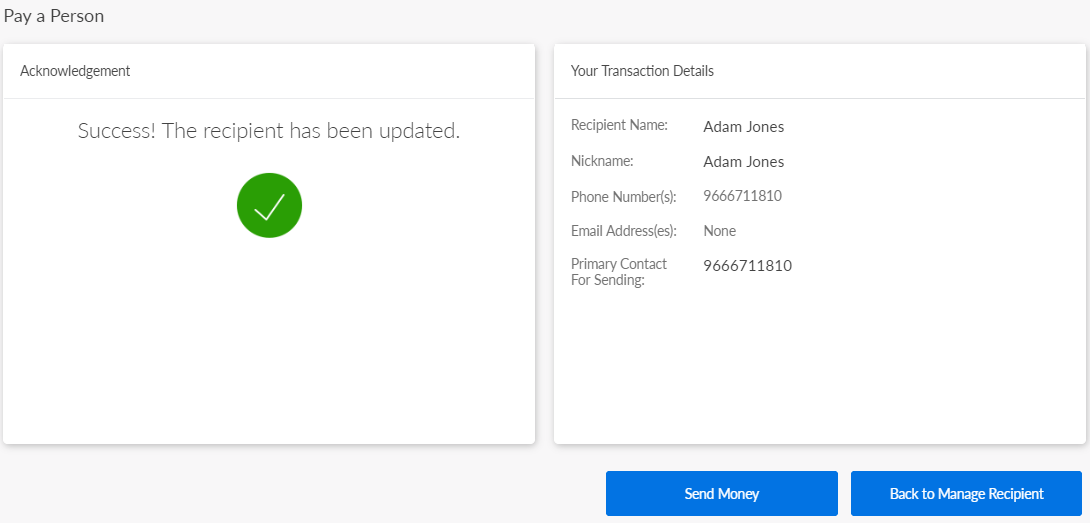
In online banking, you can modify/add the details of all the fields: Recipient Name, Nick Name, Contact Information type (Phone Numbers or Email Addresses), update the primary contact information and do the following from the acknowledgment screen:
- Send money to the recipient
- Back to Manage Recipient
Delete a P2P Recipient
Use the feature to delete a P2P recipient.
For the required recipient, click Delete.
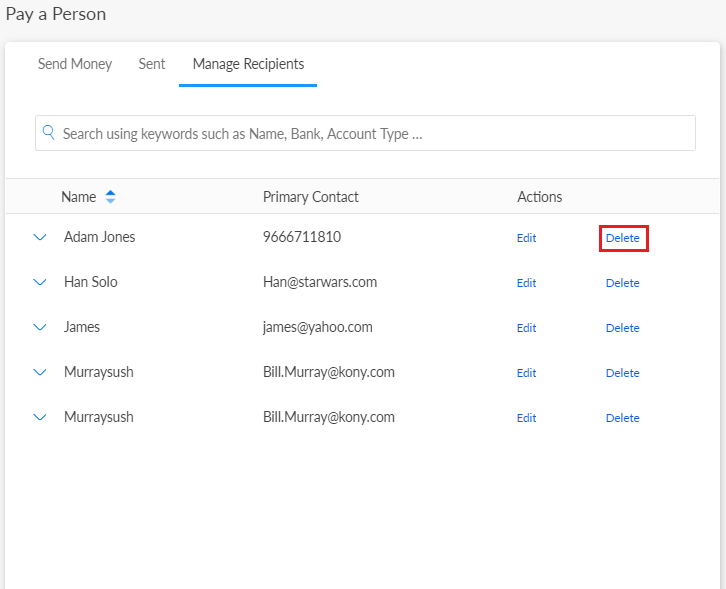
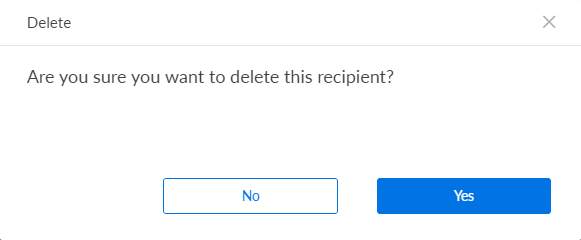
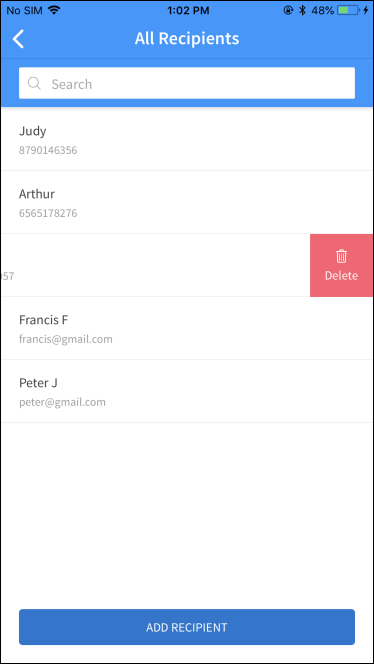
From the recipients' list, select the required recipient to delete the record. In case of mobile banking, swipe the required recipient from right to left, and delete the record. Alternatively, you can also delete a recipient on the details screen. The app removes the record from the list.
Send Money to the Recipient
Use the feature to send money to the required recipients from the list.
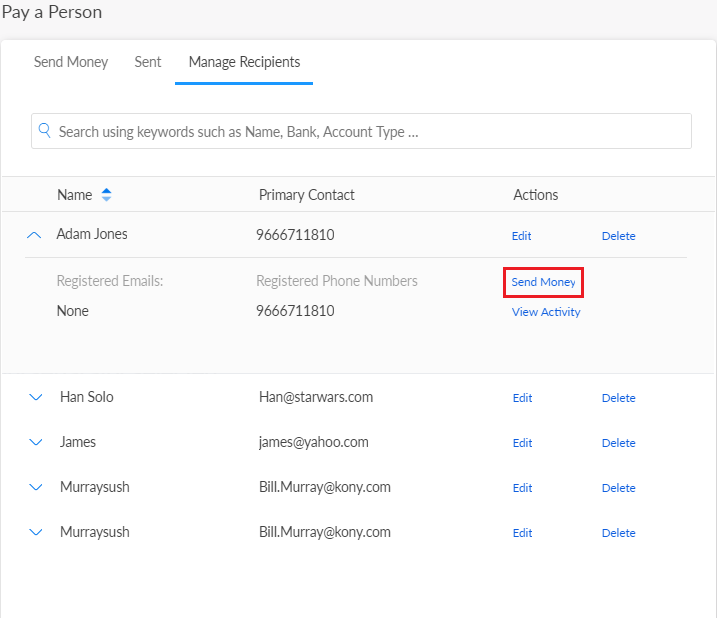
The app displays the From accountscreen in Make Transfer to select the account.
View Activity
Use the feature to view the previous transaction activity for a recipient. This feature is applicable only for online banking.
From the Manage Recipient screen, click to expand the required recipient and then click View Activity. The app displays the P2P Activity screen.
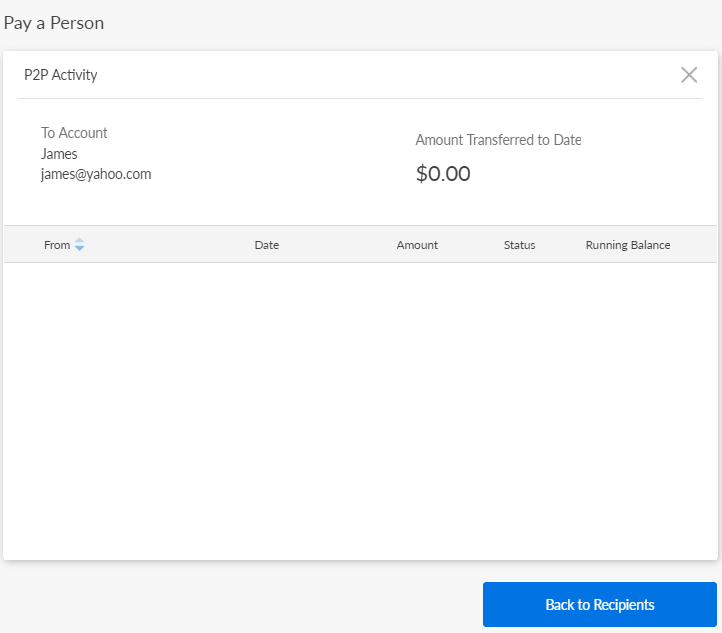
In the P2P Activity section, the app displays details such as the recipient name and the total amount transferred till date. Below this information, the app displays the list of all transactions you have made to the recipient.
Click Back to Recipient to navigate back to the Manage Recipient screen.
Search for a Recipient
Use the feature to search for a previously added P2P recipient.
Menu path: Online Banking > Transfer & Pay > Pay a Person > Manage Recipients
Menu path: Mobile Banking > Select Recipient > tap Search icon
Enter the search criteria in the search field. The app displays the search results with the list of relevant P2P recipients.
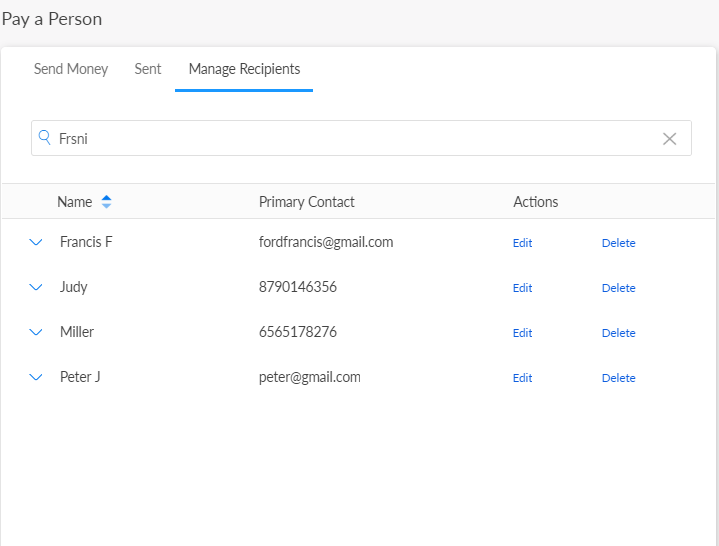
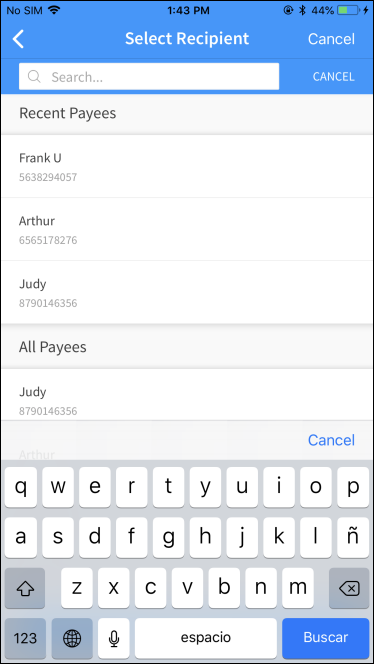
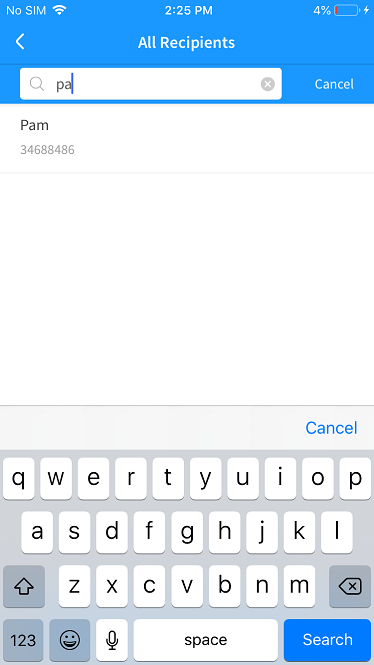
Use the X icon or Cancel to clear the search criterion at any time.
In this topic
