Consent Management
Consent is the principle mechanism of building trust between the user and an organization. Consent can be used as a basis for processing data for specific purposes. Therefore, users can express their preference in regards to their data being processed for these specific purposes.
Infinity supports the Customer Data Protection (CDP) within Infinity. The consent settings feature displays the consent types and associated sub-types. You can provide your consent to the mentioned sections.
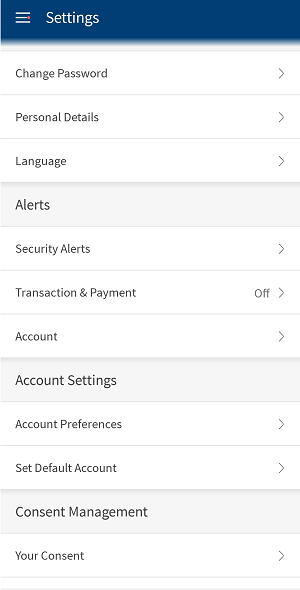
Menu path: Web Channel> Side menu > Settings > Consent Management
Mobile Native> Hamburger menu > Settings > Consent Management
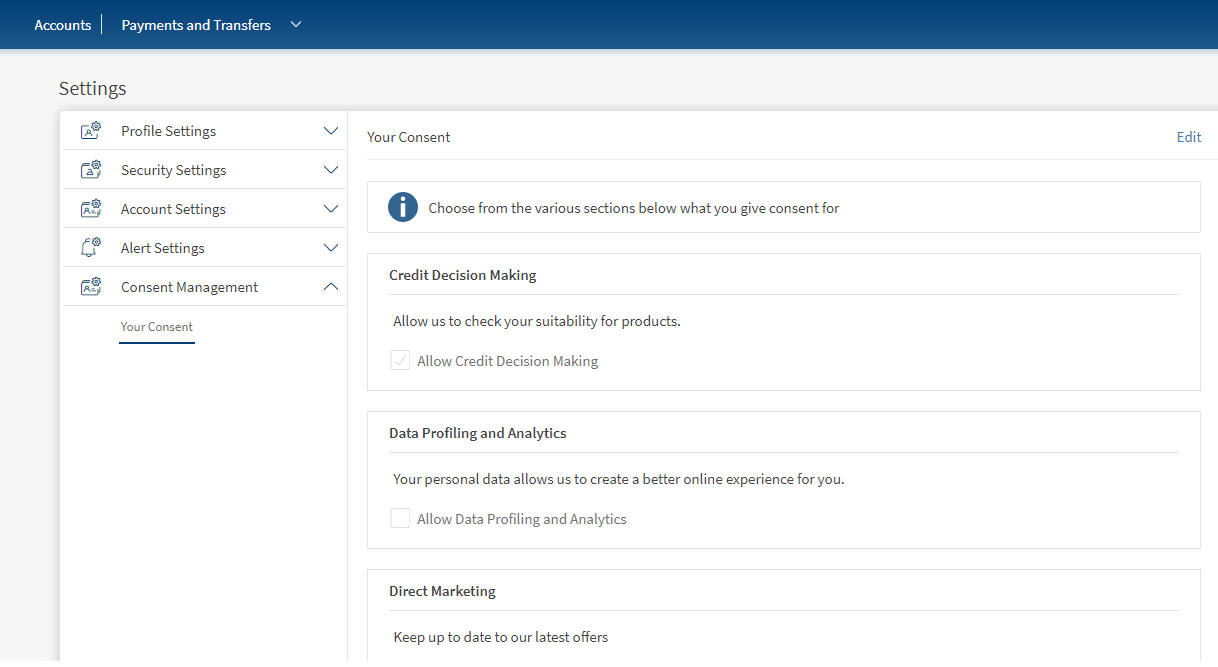
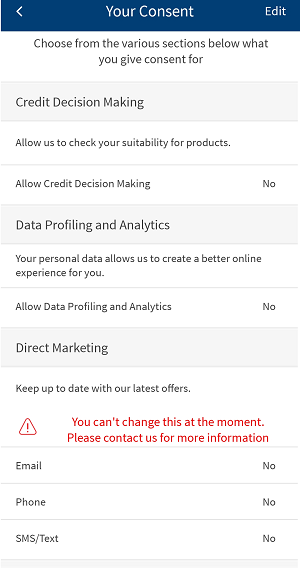
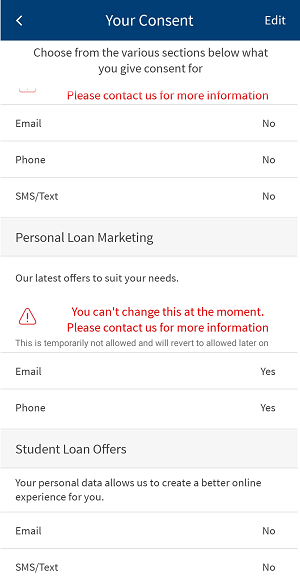
Clicking on Consent Management menu displays Your Consent screen with the list of consent types and associated sub-types.
NOTE: Consents are defined by the bank. If there is no consent defined to a user's account, an error message is displayed when they click on Consent Management. To define the consent, they must contact the bank.
Do the following:
- View the consent types and sub-types
- Edit and save the changes
View Consent Type and Sub-types
You can view the consent type and sub-type from Your Consent screen. The screen displays the following consent types and the list of actions that can be performed by the user.
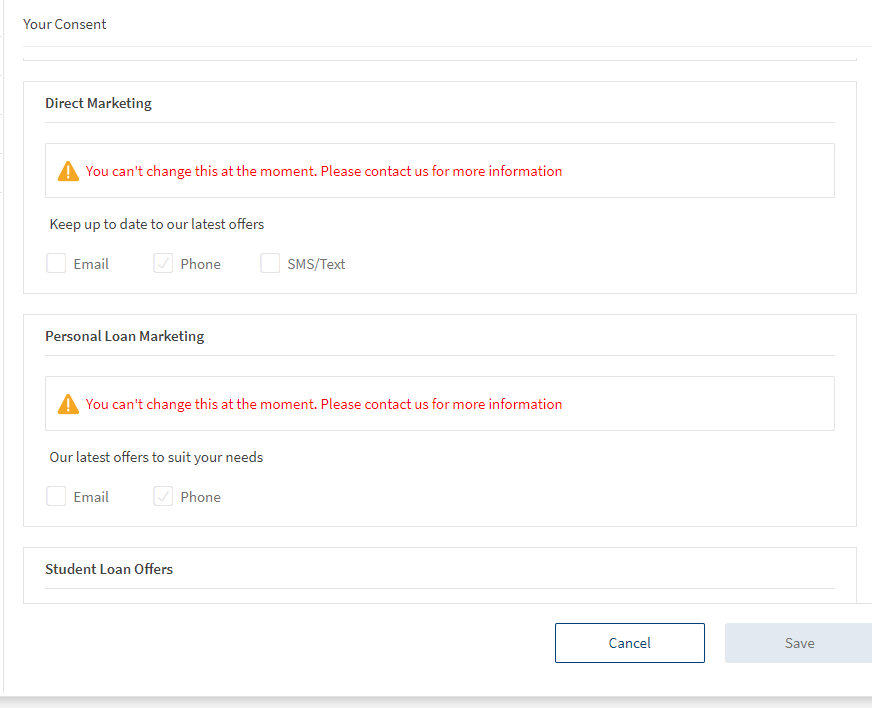
NOTE: Allowed consent types are represented by a tick (ü mark. If the tick mark is not provided then the consent has not been provided by the user.
- Credit Decision Making to check your suitability for the product.
- Data Profiling Analytics. accesses your personal data to create a better online experience for you.
- Direct Marketing. to be up to date with the latest offers. Select a mode of communication to receive the updates related to Direct Marketing. The available options are:
- Phone
- SMS/Text
Edit and Save
You can edit your preferences for the consent types that are listed on the screen.
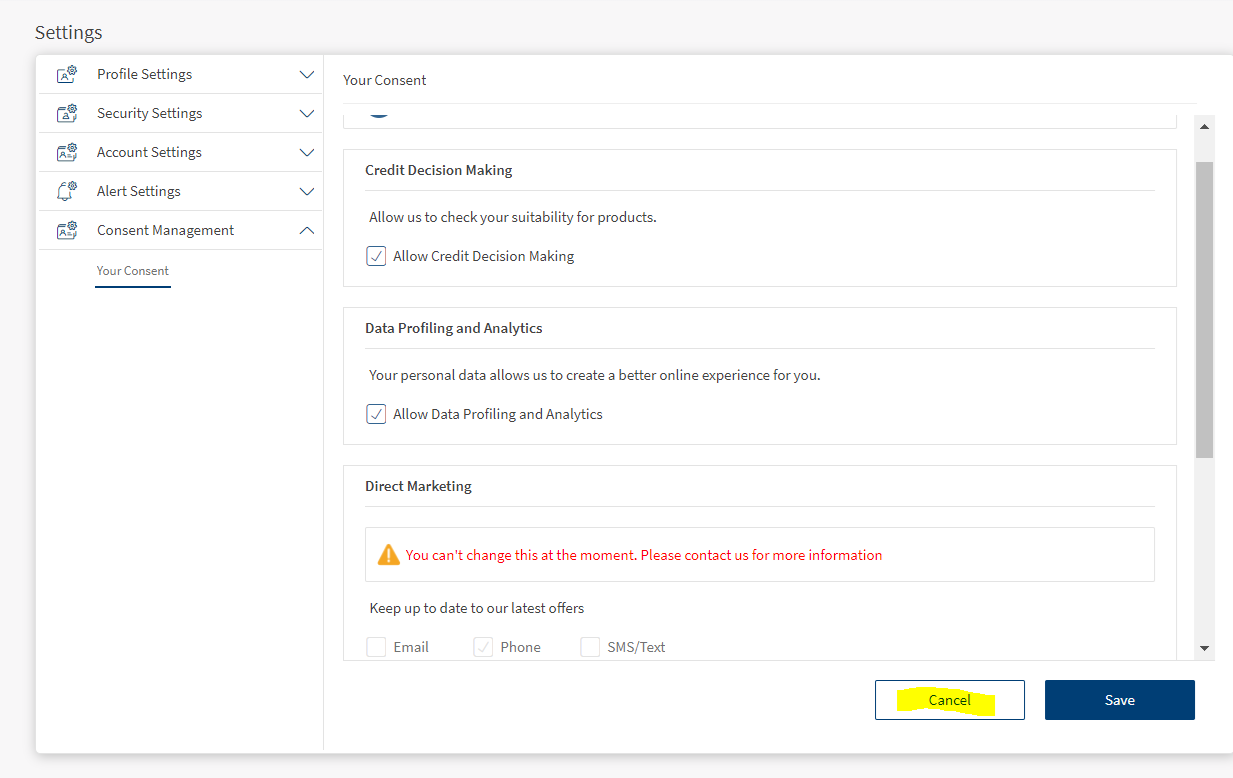
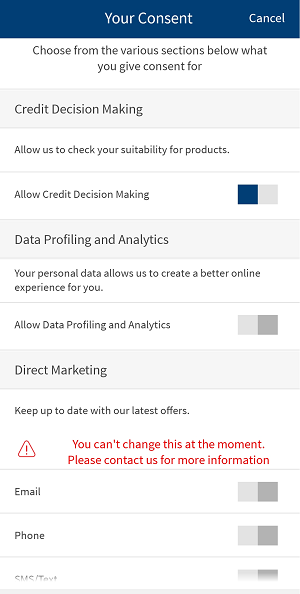
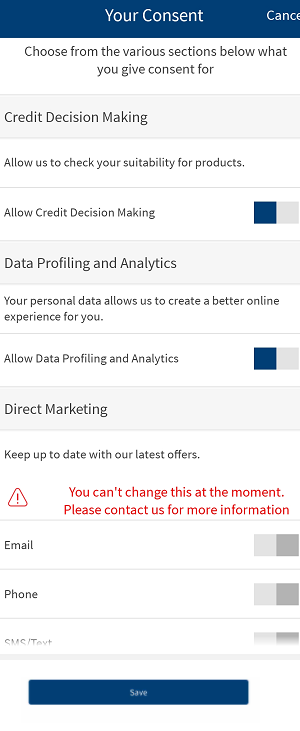
- Click Edit on Your Consent screen. Provide your consent by selecting the checkbox else unselect the checkbox if you do not wish to provide your consent.
- Click Save to save your changes.
- Click Cancel to discard your changes.
NOTE: If the consent is blocked by the bank. user cannot perform any actions on the blocked consent. An error message will be displayed for the user and you can view that consent in read-only mode.
In this topic
