Import - Amendments
An Amendments to the LC signifies the changes made to the terms of LC after it is approved. Amendments to the LC can happen till the expiry of the LC.
This section displays all the details and statuses of Import Amendments records. The bank user creates the Import Amendments records, which are visible to the corporate user. If the user creates Amendments to the current LC, all the Drawings and Transactions to the current LC will be on hold until the bank approves the Amendments.
If there are no records to display, then the system shows the message "There are no records to display" and if there is an error while fetching the records, then an error message shows "Failed to fetch Drawing" on the page.
UX Overview
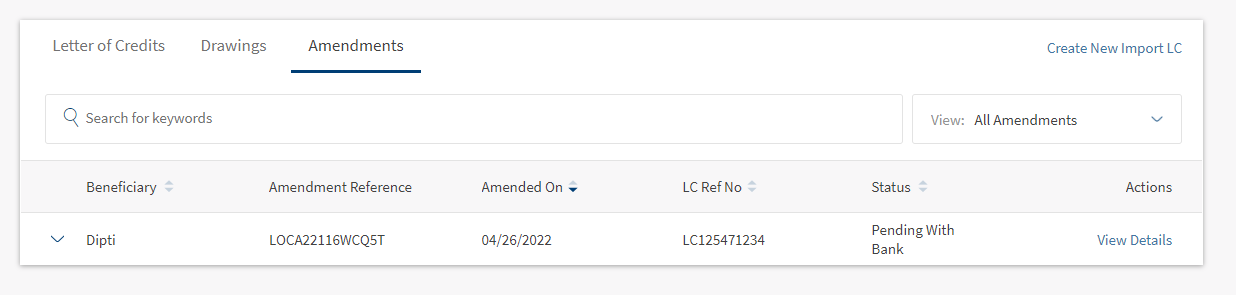
Import Drawings displays the following details:
- Search for Key Words - Helps the user find the Import Amendments records using the keywords like Beneficiary, Drawing, Reference Number, LC Reference.
- View - This is a filtering option that allows the user to filter further the search based on the criteria. By default, the search shows all the Import Amendments created in the last six months.
 Click to here to find information of all available filtering options.
- LC Type
- Sight - LC is payable immediately.
- Deferred - LC in which the bank takes a conditional undertaking to pay the seller on behalf of the buyer on a specified future date after completion of the transaction.
- Acceptance - LC that is paid by a time draft authorizing payment on or after a specific date, if the terms of the letter of credit have been complied with.
- Negotiation Sight - Negotiation means the purchase by the nominated bank of drafts (drawn on a bank other than the nominated bank) and or documents under a complying presentation, by advancing or agreeing to advance funds to the beneficiary on or before the banking day on which reimbursement is due to the nominated bank.
- Negotiation Acceptance - Regarding LC, when the documents are presented and reviewed by the bank, the process is referred to as negotiation of the documents. In accordance with UCP 600, a bank authorized to negotiate documents or drafts is authorized to give value for the draft(s) and or document(s), which means the LC can stipulate that payment be made by the advising, issuing or confirming bank.
- Status
- Rejected by Bank- The Amendments that are rejected by the bank.
- Pending with Bank - The Amendments that are pending bank approval.
- Completed - The Amendments that are approved by the bank.
- Time Period
- Last six months - Considers the record created in the previous 180 days.
- Today - Considers only the record created in the same day.
- Last one Month - Considers the record created in the previous 30 days.
- Last one Year - Considers the record created in the previous 365 days.
- LC Type
- Beneficiary - Name of the Import Amendment beneficiary.
- Amendment Reference - Unique Import Amendment Reference ID.
- Amended on -Amendment request created date.
- LC Ref No- Import LC Reference Number.
- Status - Current Status of Import Amendment.
- Actions - On click View Details, the user can see the complete details of the Import Amendment and submit the Import Amendment.
Import Amendments - Records Expanded

The Import Amendments - Records Expanded displays the following details:
- LC Type - Type of LC
- LC Type
- Sight - LC is payable immediately.
- Deferred - LC in which a conditional undertaking is taken by the bank to pay the seller on behalf of the buyer on a specified future date after completion of the transaction.
- Acceptance - LC that is paid by a time draft authorizing payment on or after a specific date, if the terms of the letter of credit have been complied with.
- Negotiation Sight - Negotiation means the purchase by the nominated bank of drafts (drawn on a bank other than the nominated bank) and or documents under a complying presentation, by advancing or agreeing to advance funds to the beneficiary on or before the banking day on which reimbursement is due to the nominated bank.
- Negotiation Acceptance - Regarding LC, when the documents are presented and reviewed by the bank, the process is referred to as negotiation of the documents. In accordance with UCP 600, a bank authorized to negotiate documents or drafts is authorized to give value for the draft(s) and or document(s), which means the LC can stipulate that payment be made by advising, issuing or confirming bank.
- Approved/ Rejected On - Specifies the date on which the Amendment is Approved or Rejected.
- Charges Paid by - Specifies the party(Beneficiary or Applicant) paying charges for the Amendment.
- Charges Paid - Specifies the total charges paid for the current amendments.
Click here to find information about different LC Types.
View Import LC - Amendment Details
The bank user can see the Amendment Details by clicking the View Details on the Amendments summary page. View Details navigates to a page to see the Amendment Details. This Import LC- Amendment Details page has below sections.

- Beneficiary - Name of the Beneficiary.
- LC Ref No - Specifies the unique LC Ref No.
- LC Type - Specifies the type of LC.
- LC Amount - Specifies the total amount in Import LC.
- Issue Date - Specifies the LC issued date.
- Expiry Date - Specifies the expiry date of LC.
- Payment Terms - Specifies the type of payment.
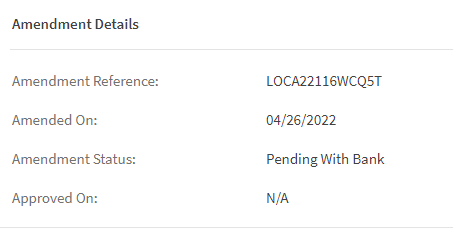
- Amendment Reference - Specifies the Amendment Reference number for Import LC.
- Amendment On - Specifies the date of Amendment created for the Import LC.
- Amendment Status - Specifies the current Amendment status.
- Approved on - Specifies the date of approval taken for the current Amendment.
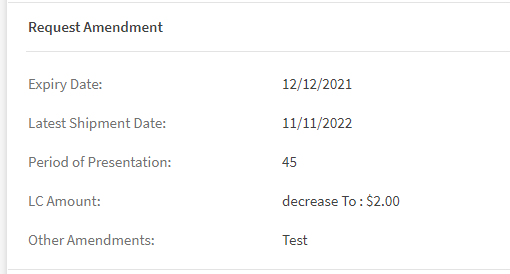
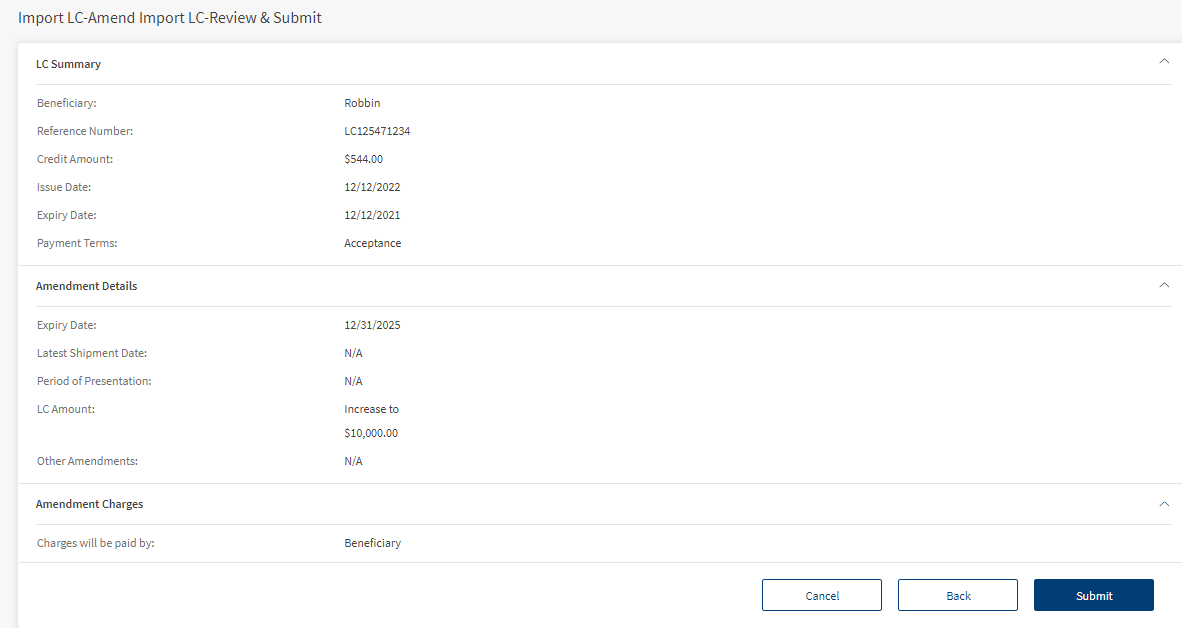
- Expiry Date - Specifies the date of expiry for the current Amendment.
- Latest Shipment Date - Specifies the last shipment delivered for the current import LC.
- Period of Presentation - Documents presentation time by the beneficiary after the date of shipment.
- LC Amount - Specifies the change in LC amount.
- Other Amendment - Specifies the other amendments made for this LC
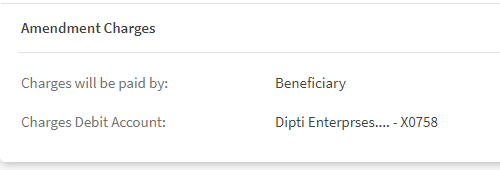
- Charges will be paid by - Specifies the party paying (Applicant or Beneficiary) the charges.
- Charges Debit Account - Specifies the account number from which charges are debited.
Create a New Amendment for Import LC
To Create a new Amendment users have to follow the below steps:
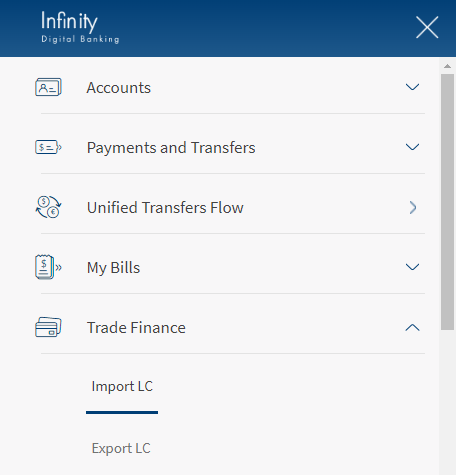
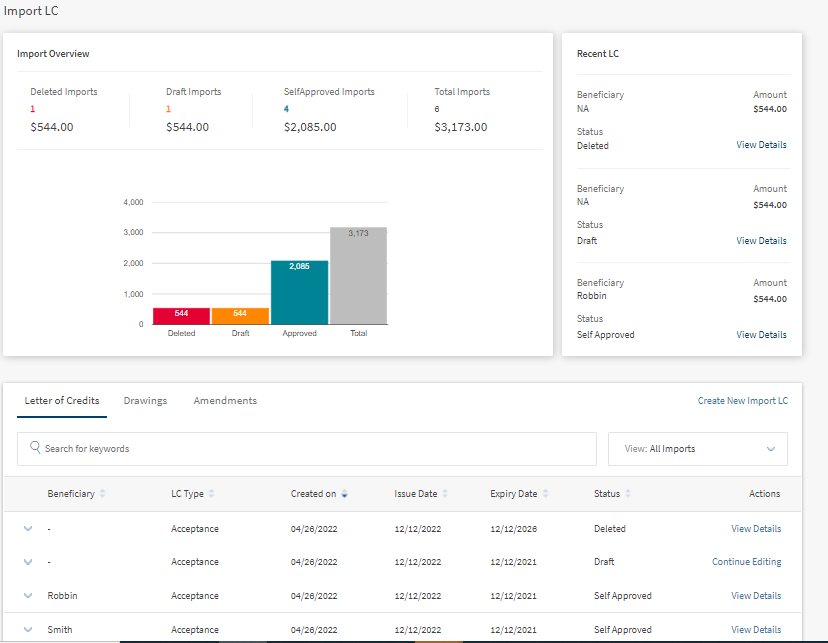
- Navigate Web Channel > Trade Finance > Import LC. This will navigate to Import Dashboard.

- Click on View Details. This opens the Import LC Details.

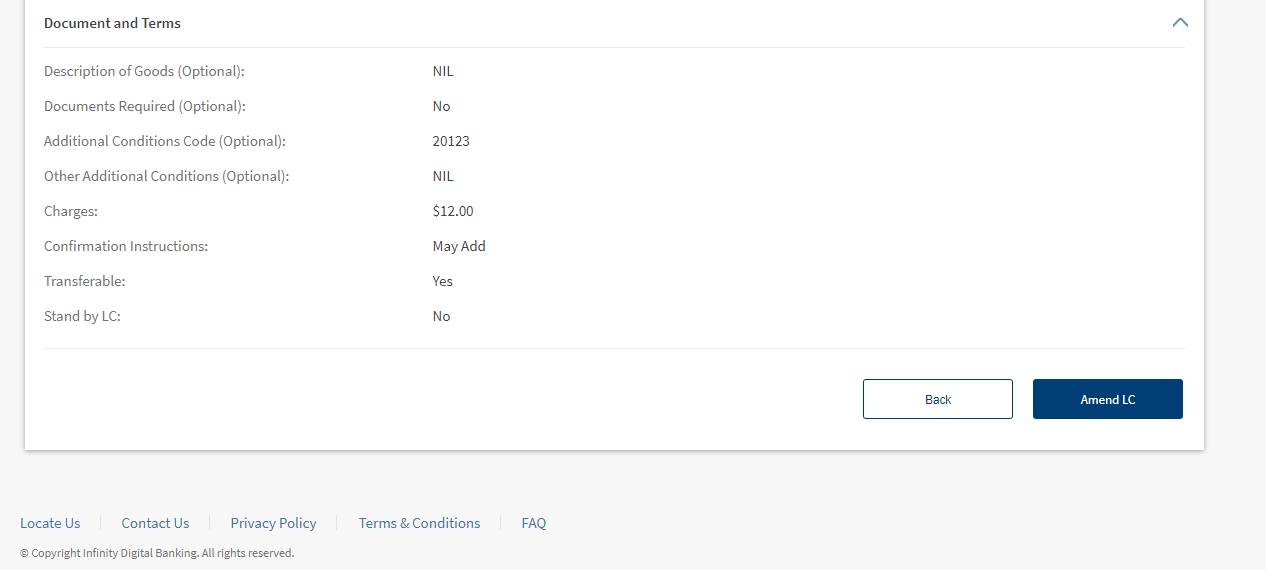
- Click on Amend LC.
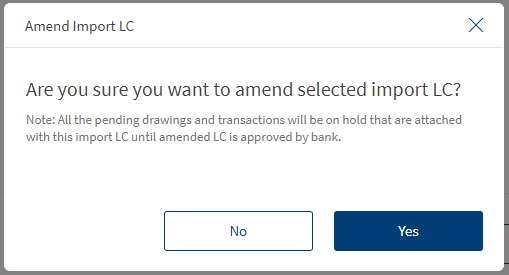
- On the Confirmation box, click Yes to Amend LC. This navigates to a page to amend import LC.

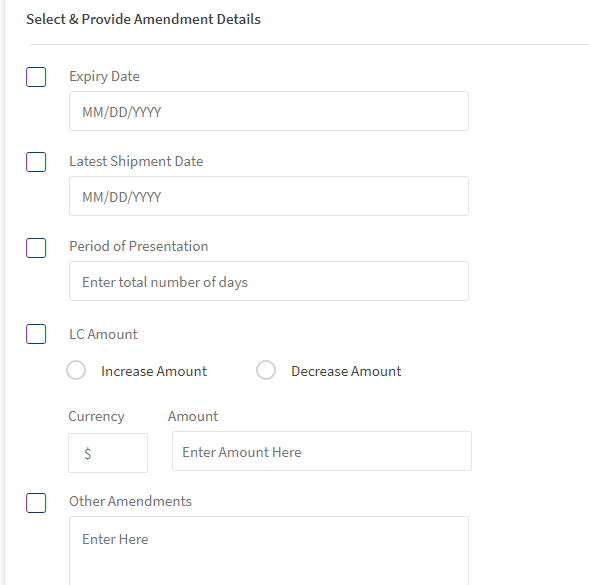
- In Select & Provide Amendments Details section, user has to select the check box and update the details.
Only the five categories mentioned in the page can be amended.
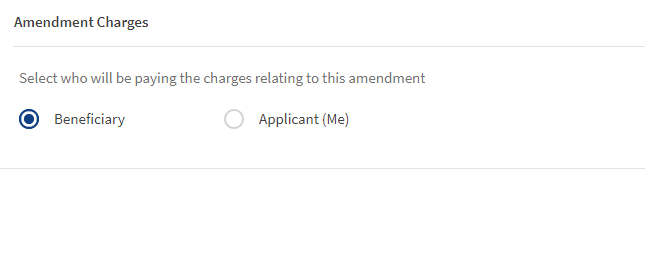
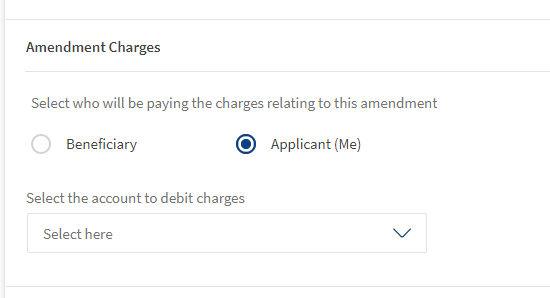
- In Amendment Charges section, user can select Beneficiary or Applicant to bear the charges.
If user selects Applicant (Me) option then he should also select the account to debit charges.

- Click Continue, This navigates to Review and Submit page.
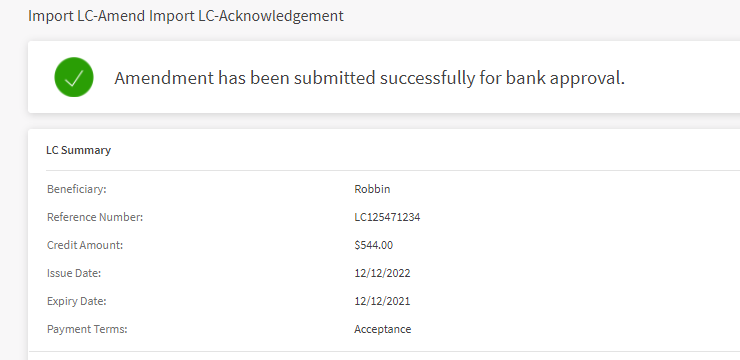
- After reviewing the changes, click Submit.


Experience APIs
Below are the Experience API related to Amendments Import LC.
| Name | Description | Introduced In |
|---|---|---|
| createImportLetterOfCreditAmendment | This API creates the LC Amendment for Imports. | 2022.04 |
| getImportLetterOfCreditAmendments | This API retrieves the list of Import LC Amendments. | 2022.04 |
| getImportLetterOfCreditAmendmentsById | This API retrieves the list of Import LC Amendments by ID. | 2022.04 |
| generateImportLCAmendment | This API downloads the Import LC Amendment. | 2022.04 |
In this topic
