Configuring Clearing Directory
This section helps the user to understand the configuration of Clearing Directory.
Upload of Clearing Directory
The user needs to perform the following:
- To configure a record, go to Admin Menu>CRM Administration>Insight Upload Parameter>Upload Type.
- In the
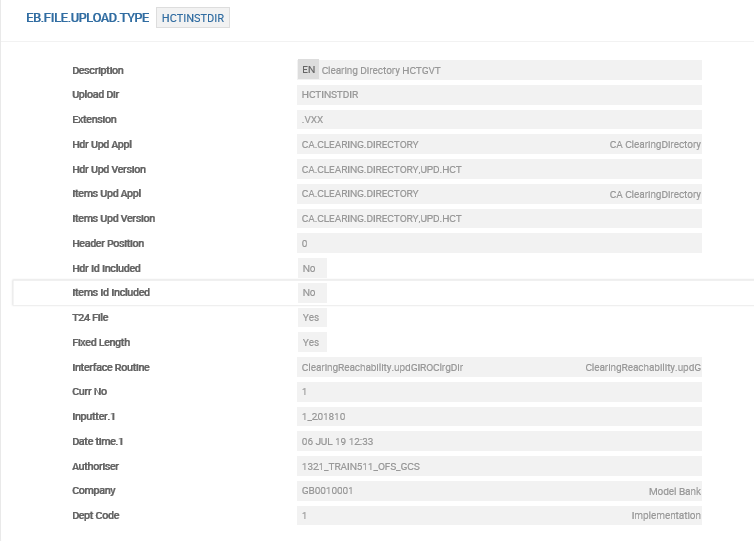
EB.FILE.UPLOAD.TYPEtable, enter the required details in the following fields: - In the
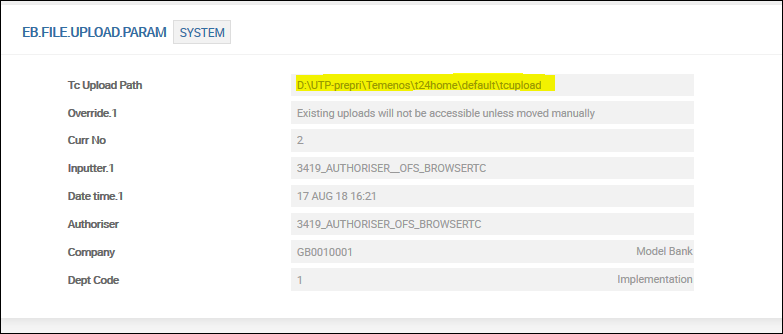
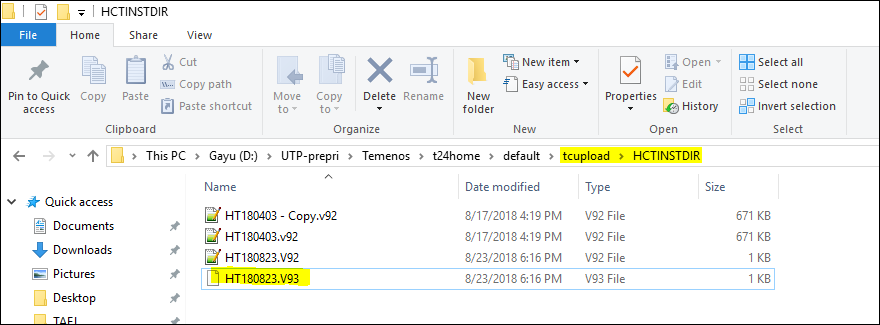
EB.FILE.UPLOAD.PARAMtable, enter the required details in the following field: - Create an input file folder with the same name as defined in Upload Dir in
EB.FILE.UPLOAD.TYPEtable in the directory mentioned inEB.FILE.UPLOAD.PARAMtable. - To enable automatic upload of the clearing directory, create an information file (text file with any filename, for example, UKDIR.XML) in the ‘tcupload’ folder of
EB.FILE.UPLOAD.PARAMtable.
| Field | Description |
|---|---|
| Interface Routine | Upload API for the directory NOTE: The logic to upload the directory file is defined in the API specific for each directory file. |
| Extension | File extension of the directory file to be uploaded NOTE: The system performs validation on the file extension during the upload process. |
| Upload Dir | Name of the input folder |
| TC Upload Path | Path for system record in EB.FILE.UPLOAD.PARAM table |
| Field | Description |
|---|---|
| TC Upload Path | Path for system record in EB.FILE.UPLOAD.PARAM table |

 Reachability Key
The reachability key performs the reachability check, which is a combination of the following parameters:
| BIC | Bank Identifier Code to identify the participant bank |
|---|---|
| BIC | Bank Identifier Code that to identifies the participant bank |
| NCC | National Clearing Code or Sort Code to identify the participant bank |
| Channel | Specific channel defined in the system for the clearing |
| Scheme | Clearing Transaction Type (Local instrument code or Proprietary value) |
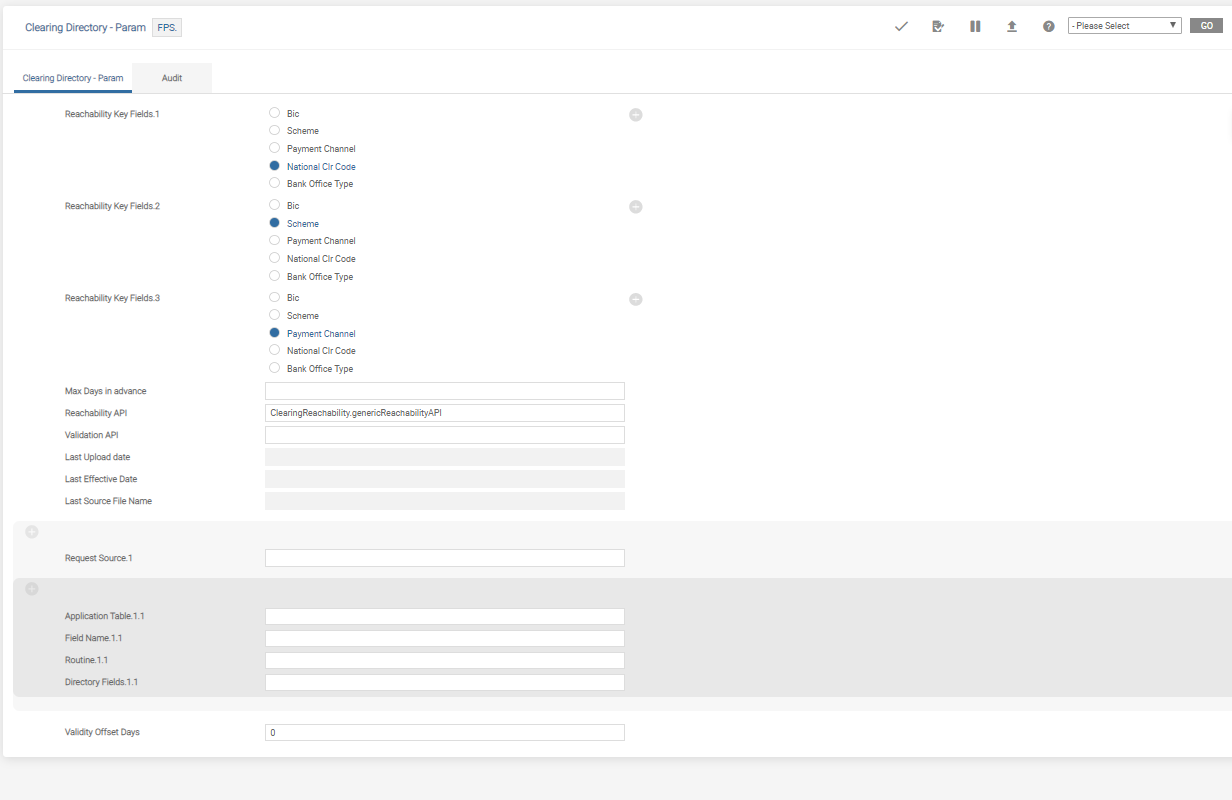
- To configure reachability key to perform reachability check, go to Admin Menu>Framework Parameter>Clearing Directory>Clearing Directory Parameter.
- Enter the required details in the following fields:
- BIC
- Scheme
- Payment channel
- National Clearing Code (NCC)
- Last Upload Date
- Last Effective Date
- Last Source File Name
- To configure additional parameters to form the reachability key, define the source application, table name and field name in Request Source, Application Table and Field Name fields, respectively.
- If the defined key is directly matched from the Clearing Directory table, define the field name in the Directory Field field.
- Enter the required details in the following fields:
- If the value of the field is set to blank, the specific key is applied to all calling applications.
- Lt – Lesser than
- Le – Lesser than or Equal to
- Gt – Greater than
- Ge – Greater than or Equal to
- Eq – Equal to
| Field | Description |
|---|---|
| Reachability Key | Combination of any of the following by multi-valuing this field: |
| Max Days in Advance | Maximum number of days to be added to the creation date, to determine the effective month of the directory records |
| Reachability API | Name of reachability API to perform reachability check If a Reachability API is not configured, REA invokes the generic reachability API as default, and GRA performs reachability check based on BIC or NCC, payment date, scheme and payment channel. |
| Field | Description |
|---|---|
| Request Source |
Calling or source business application |
| Application Table | Table name from which Field Name value is fetched |
| Field Name | Field in table to be used as key |
| Routine | Custom routine used to fetch multi-level fields as key NOTE: This field can be utilised locally. |
| Directory Field | Define the field name if the key needs to match directly with a record in the directory record |
| Validity Offset Days | Number of days to be added to the start date to determine the end date of the directory record |
| Operand |
Compares the actual value defined in the actual field (Field Name) of the Application Table with the Directory Field field. The values that can be defined are: If the payment amount defined in actual field (FIELD.NAME) deviates the conditions, the reachability fails. NOTE: This is applicable only when threshold amount for the participant is defined in the clearing directory file.
|
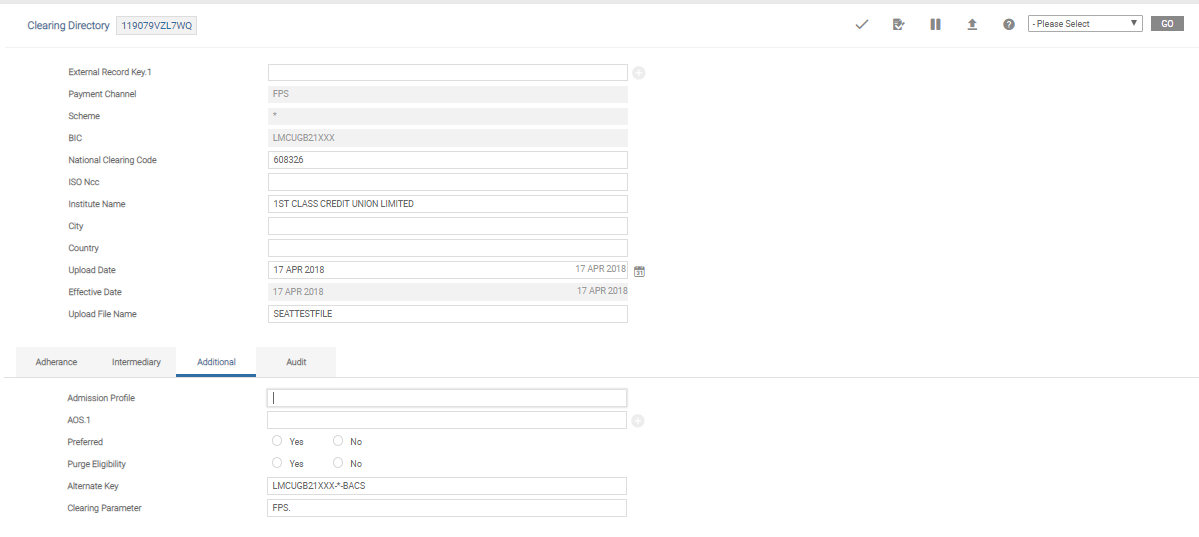
Purge Eligibility
Bank user can purge any existing clearing directory record in the system. This can be performed when adding a new record or for an existing record.
- To configure, go to Admin Menu>Framework Parameter>Clearing Directory>Search Clearing Directory.
- Select the record and click
 .
. - In Purge Eligibility field, perform one of the following:
- To enable the purge ability for a record, set as Yes.
- To disable the purge ability for a record, set as No.
Reachability Check
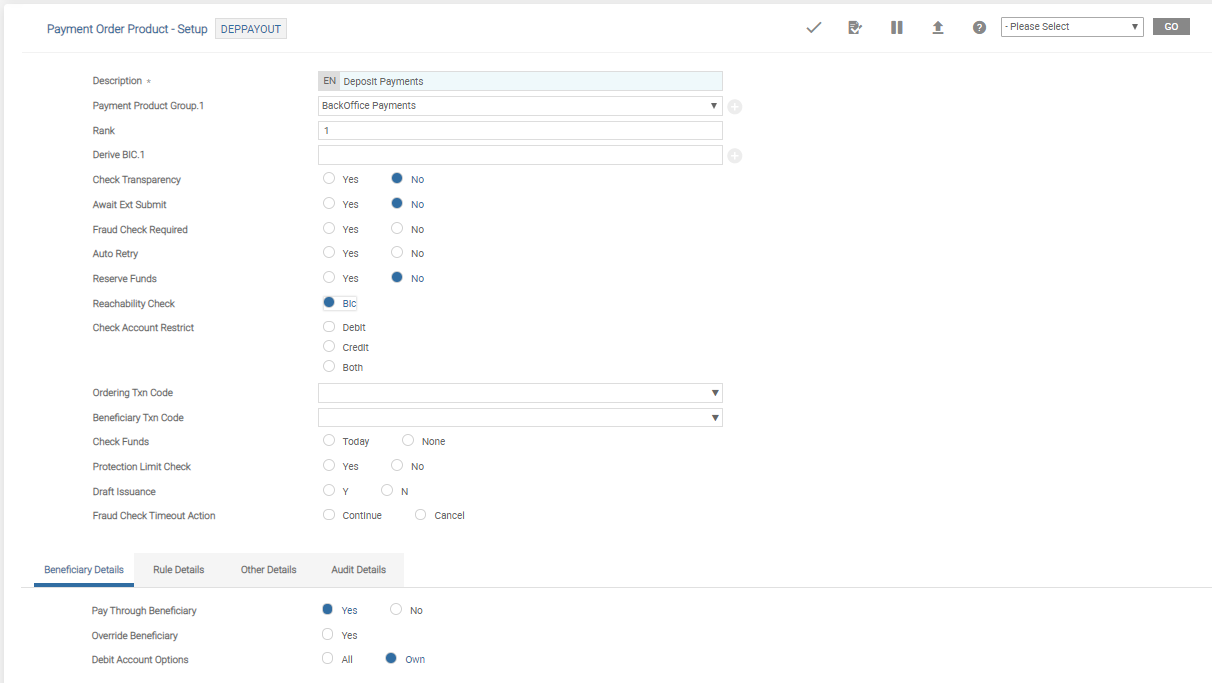
Bank user can enable reachability check in PAYMENT.ORDER (PO) application and TPH.
Payment Order
- To enable reachability check from
POapplication, go to Admin Menu>Payment Hub>Payment Order Admin Menu>Payment Order Product Setup. - Select an appropriate Payment Order Product record and click .
- In the Reachability Check field, do one of the following:
- To enable reachability check, set as BIC.
- To disable reachability check, leave it blank.
- To commit and authorise the changes, click
 .
.
Temenos Payment Hub
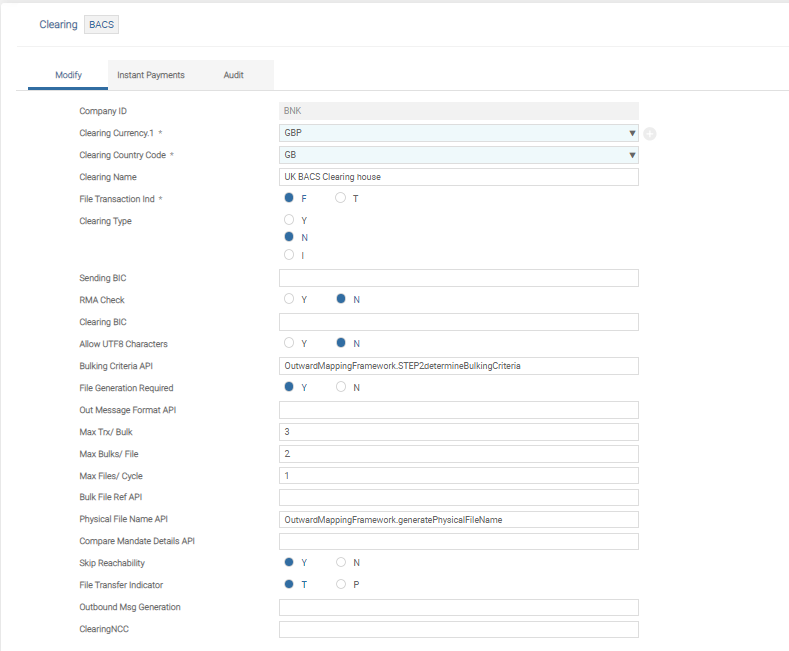
- To enable reachability check from TPH, go to Admin Menu>Payment Hub>Local Clearing>Clearing.
- Select the appropriate clearing record and click .
- In the Skip Reachability field, perform one of the following:
- To enable reachability check, set as N.
- To skip reachability check, set as Y.
Reachability Check on Intermediary Institution
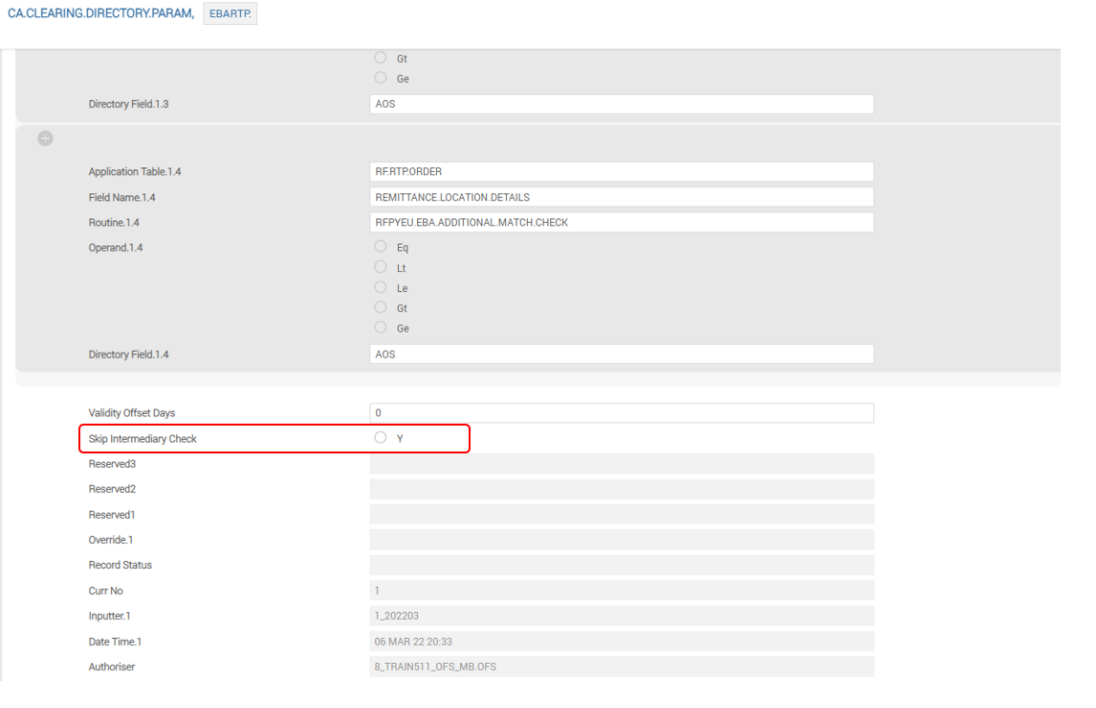
TPH can apply or skip the reachability check on an intermediary institution in a payment based on the configuration in CA.CLEARING.DIRECTORY.PARAM.
To enable or disable reachability check on an Intermediary Institution, go to Admin Menu > Framework Parameter > Clearing Directory > Clearing Directory Parameter and set the Skip Intermediary Check field as follows:
- When set as Blank, TPH checks whether the intermediary institution is a participant in Clearing
- When set to Yes, TPH skips the Reachability check for the Intermediary institution.
In this topic
