Configuring Due Diligence
This section orients the user on configuring Due Diligence.

CRS.CLIENT.TYPE
As per CRS, FI identifies reportable customers and reports them as Individual and Entities. It also identifies whether the entities are active and passive and reports the controlling person of the Entities.
To obtain the information relating to these accounts, Temenos Transact enables to identify these accounts by linking the codes as prescribed in the schema. A CRS.CLIENT.TYPE table holds the identity of the various clients for whom CRS.CUST.SUPP.INFO holds the detailed record. This also holds the details of the code as specified in the CRS schema. The ID of the table is free text.
The screenshot below displays the sample view of the table:

The following table lists the fields and their corresponding descriptions that are displayed in the screenshot.
| Field | Description |
|---|---|
| Description | Describes the client type. This is a mandatory field. |
| CRS Code | Displays the corresponding codes under which clients are classified.
Allowed Values are:
|
| Cus Operator |
This field contains the following drop-down options:
|
| Is Passive Nfe | Allowed for customers who are entities. This field is set to Yes only when a particular type of entity customer is considered as a Passive Nfe. NOTE: If the Crs Code field in CRS.CLIENT.TYPE is set as CRS101, CRS102 or CRS103, then the customer is identified as an Entity customer. |

 Examples
Following are the examples related to the indicia rule and mapping rule in CRS.CLIENT.TYPE.
Example 1: Setup for an Individual Customer
In the following screenshot, any customer with a SECTOR code less than or equal to 2000 is considered an Individual.

The Rule Type and the Rule Id fields allow the user to define the indicia rule and mapping rule for the relevant customer type. For example, if the user selects Mapping as the Rule Type, the user will then need to select an appropriate mapping rule from the drop-down options in the Rule Id field.

Example 2: Indicia Rule for Trust Entity with Known Trustees
The following screenshot shows that the user can configure the CRS Indicia rule for Trusts with Known Trustees within CRS.CLIENT.TYPE using the Rule Type and the Rule Id fields and then select the Rule Id from the drop-down options.

The mapping and the indicia sample rules for 'Entity Trusts whose Trustees are Known' can also be found in the RT.REGULATORY.RULES application.

The following screenshot shows the sample RT.GET.TRUSTEE.INDICIA API is set up to check for indicia in the TRUSTEE.LEGAL.RESIDENCE field value in CUSTOMER (CUSTOMER>Residence).

The RT.GET.TRUSTEE.INDICIA API uses the Address Country field in the CUSTOMER application to check the reportable jurisdiction to identify the trustee indicia. This API is modified to allow the user to select the preferred country field for indicia check, which is subject to the accurate configuration of the Residence field in the CUSTOMER application to be considered for indicia check. This modification is also based on the configuration of the RELATION.CODE (which defines the trustee) in the Poa Code field in CRS.PARAMETER.
CRS.CUST.SUPP.INFO
Temenos Transact supports Due Diligence Process using CRS.CUST.SUPP.INFO table to record supplementary information of the customer related to the CRS regulation. This table record holds all the additional details required for classifying the CRS customer as an individual or as an entity.
Most of the details recorded pertains to the indicia specifications. Besides, details regarding the customer’s KYC check, Self-certification, Birth incorporate Date and place, Tax residence and Tax Identification Number (TIN) are also recorded here. These details are recorded to determine if the Reporting FI has obtained a self-certification as part of the account opening documentation to determine the Account Holder’s Residence for tax purposes. Allowed values are Yes or No. This is mandatory for accounts opened by a Reporting FI since 01 Jan 2016.
Applicable in the following cases:
- Pre-existing Entity High
- New Individual Accounts
- New Entity Accounts
Allowed Values are Yes or No.
The ID of the record has the Customer Reference that enables linking to the CUSTOMER record.
The below screenshot displays a sample view of the CRS.CUST.SUPP.INFO table.

The following table lists the fields and its corresponding descriptions that is displayed in the screenshot.
| Field | Description |
|---|---|
| CRS Customer Type | States if the customer is an ‘Individual’ or an ‘Entity’. Allowed values are:
|
| KYC Check | Records the status of the KYC checks. Allowed Values are Yes or No. |
| Self-Certification | Determines if the Reporting FI has obtained a self-certification as part of the account opening documentation to determine Account Holder’s Residence for tax purposes. Mandatory field for accounts opening by a Reporting FI from 01 Jan 2016 onwards. Applicable in case of the followings: |
CRS.CUST.SUPP.INFO
Temenos Transact supports Due Diligence Process using CRS.CUST.SUPP.INFO table to record supplementary information of the customer related to the CRS regulation. This table record holds all the additional details required for classifying the CRS customer as an individual or as an entity.
Most of the details recorded pertains to the indicia specifications. Besides, details regarding the customer’s KYC check, Self-certification, Birth incorporate Date and place, Tax residence and Tax Identification Number (TIN) are also recorded here. These details are recorded to determine if the Reporting FI has obtained a self-certification as part of the account opening documentation to determine the Account Holder’s Residence for tax purposes. Allowed values are Yes or No. This is has been mandatory for accounts opened by a Reporting FI since 01 Jan 2016 onwards.
Applicable in the following cases:
- Pre-existing Entity High
- New Individual Accounts
- New Entity Accounts
These supplementary details are recorded to determine whether the Reporting FI has obtained a self-certification during or soon after the onboarding to determine the account holder’s residence for tax purpose. In addition, customers are assessed based on the documentation provided and are further classified under different categories as listed above to determine the impact of the CRS regulations on the accounts.
In the Temenos Transact system, the customer’s self-certificate document statuses are calculated and managed using the CUST.DOCUMENT application in the Document Management module. Based on the reception of the document from the bank’s customer, the details corresponding to its validity and expiry are managed within this application.
The ID of the record has the Customer Reference that enables linking to the CUSTOMER record.
The following screenshot displays a sample view of the CRS.CUST.SUPP.INFO table.
The following table lists the fields and its corresponding descriptions that is displayed in the screenshot.
| Field | Description |
|---|---|
| CRS Customer Type | States if the customer is an ‘Individual’ or an ‘Entity’. Allowed values are:
|
| KYC Check | Records the status of the KYC checks. Allowed Values are Yes or No. |
| Self-Certification | Determines if the Reporting FI has obtained a self-certification as part of the account opening documentation to determine Account Holder’s Residence for tax purposes. Mandatory field for accounts opening by a Reporting FI from 01 Jan 2016 onwards. Applicable in case of the following:
|
| Birth Incorp Date | Specifies the Date of Birth for individuals and Date of Incorporation for entities. Date of Birth is a core field in the CUSTOMER table. As this is not a mandatory field in CUSTOMER table, if the information is available, the same is defaulted here. |
| Birth Incorp Place | Specifies a valid country code to specify.
|
| Tax Residence | Specifies the Tax Residence of the customer based on the self-certification. Multi-value field with the TIN in case of customers having more than one Tax Residence. |
| Tax Identity No. | Specifies the TIN. An associated multi-valued field to hold the TIN against the relevant Tax Residence in case of customers having more than one TIN. |
| Address Type | Checks for customer address. This field is associated with the Address Country field and multi-valued. These fields are in line with Indicia. The country of customer’s address specified above in the Address Type field. Allowed values are:
|
| Address Count | Specifies the country code for the above address types. |
| Telephone No | Records a valid telephone number of the customer. |
| Telephone Count | Specifies the country code for the above telephone. An associated multi-valued field with Telephone Country field. These fields are in line with Indicia checks for telephone number.
The system,
CRS.PARAMETER table, then it will leave the field Telephone Country as Blank. |
| Standing Instru | Populates the country code if the customer is having Standing Order instructions. System to identify the Reporting Jurisdiction based on the parameter if standing order instruction is given. This field is multi-valued and in line with Indicia checks for standing order instruction. |
| Poa Holder Coun | Specifies the country code for effective power of attorney or signatory authority granted to a person with an address in a Reportable Jurisdiction. This is a multi-valued field and in line with the Indicia checks for the POA holder or signatory authority. |
| Role Type | Specifies the details of Controlling Persons of Entity – Passive NFE. This multi -valued field is allowed only when the CRS Client Type is Entity – Passive NFE. |
| Customer ID | Specifies the ID of the particular customer record, if a customer record exists for the controlling persons. |
| GB Customer | Specifies the name of the Controlling Person, if no customer record exists for the controlling persons. |
| Customer Refere | Indicates the name the after controlling person customer ID or Name is given. This is the Unique ID reference for the controlling persons, the format is 'Customer ID-No.', for example, 12345-1 for the first controlling person, 12345-2 for the second and so on. |
| Date of Birth | Specifies the Date of Birth of the controlling person NOTE: The Date of Birth of the Individual is defaulted if the details are recorded in the CUSTOMER table. Similar is the case with Date of incorporation for entities. |
| Place of Birth | Specifies the Place of Birth of the controlling person. |
| RT Tax Residence | Specifies the Tax Residence of the controlling person based on the self-certification. |
| TIN | Specifies the TIN of the controlling person |
| INDICIA | Populates the system with Yes, if any of the indicia is met or else 'No'. Allowed Values are Yes or No. |
| Reportable Jur | Stores residence for more than one Reportable Jurisdiction. |
| Report Waiver Rec | Records receipt of a waiver document by the FI from the customer if they want their Account Information to be Non-Reportable. Allowed Values are YES/NO. |
| CRS Status | Specifies the status of the customer for CRS Regulation. Allowed Values are:
|
| Inactive Date | Records the date in the system when the CRS Status is changed to Inactive. |
| Status Chng. Date | Records the date on which the CRS Status field is changed. This date used for calculating the previous day’s customer balances. |
| Change Reason | Records the reason, if the CRS Status field populated by the system is changed by the user. |
| Last Aggr Date | Indicates the date on which the last aggregation happened for the customer. |
| Dormant Status | Indicates the customer has become Dormant by setting this field to Yes. |
| SC Cust Ref | Displays the customer reference or holder reference given in the Customer Reference field who have submitted SC document. |
| SC Req Date | Specifies the date required for self-certification form. |
| SC Recv Date | Displays the date of receipt of self-certification form. |
| SC Cut Off Date | Displays the maximum date including the grace period for submission of self-certification form. CRS Parameter field defines the Grace period. This field holds the same value as SC Req Date if the parameter does not define the grace period. |
| SC Doc Status | Displays the value 'UNDOCUMENTED' when the customer has not submitted the self-certification document even after the cut-off date. Else the field will be blank. |
| Indicia Summary | Indicates the indicia that have been satisfied for the customer. |
| Indicia Country | Indicates the country or countries for which indicia was satisfied. |
| Indicia Start Date | Indicates the date on which the indicia condition was met. |
| Indicia Data Rule | Contains the configuration details as defined in RT.REGULATORY.RULES for the corresponding rule. |
| Indicia Data Value |
Contains the data that satisfied the Indicia Data Rule.
|

The following corporate indicia conditions are defined in addition to the above:
- Controlling person residence
- Entity headquarters
Example - Setup for Incorporation Country as CRS Indicia for Entities
The following configuration is required for the setup of incorporation country as CRS indicia for entities.
- Configure the reporting jurisdiction in the CRS.PARAMETER application.

- Configure CRS.CLIENT.TYPE for both individual customers (CRS102) and entities (CRS101 and CRS103) as shown in the following screenshot.


 Defining Exclusion Criteria for Different Types of Customers
The user can configure which types of customers will have a CRS.CUST.SUPP.INFO record created prior to the indicia assessment.
Following are the configuration steps for the CRS exclusion functionality:
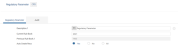
- Set the Auto Create Recs field as All in ST.REGULATORY.PARAMETER.
- Create a new rule in the RT.REGULATORY.RULES application with the required exclusion condition definitions.
- The user can refer to the CCSI.CUSTOMER.EXCLUSION.RULE sample record that is released with the CUSTOMER.TYPE exclusion definition.
- Each Rule Type works as OR condition, that is, if any one of the conditions are satisfied, then the customer is excluded from the CRS.CUST.SUPP.INFO processing during COB (close of business).


- Attach the CRS CUSTOMER EXCLUSION rule in CRS.PARAMETER.
- The Rule Type should be selected as Customer Selection.
- The Rule Id should be the above created exclusion condition RT.REGULATORY.RULES rule.

- After the user creates a customer record and runs a COB (close of business), the user can check the exclusion in the CRS.CUST.SUPP.INFO record. A CRS.CUST.SUPP.INFO (CCSI) record is created for every customer who has not been excluded under the configuration facility.
- If there are any changes in the rules or criteria, the user can amend them in the RT.REGULATORY.RULES application.
- When there is a change in CRS.CLIENT.TYPE (where the customer types are defined), all the customers in the CUSTOMER application are validated against the new definition and the corresponding CCSI creation or update will be done by the ST.IDENTIFY.INDICIA COB job.
- When the information in the CUSTOMER application changes, ST.UPDATE.INDICIA revalidates the customer type against the definition in CRS.CLIENT.TYPE.


Automated Creation and Management of CRS.CUST.SUPP.INFO
The below tables should be setup for automated creation of CRS customer supplementary information:
ST.REGULATORY.PARAMETER
The automated creation of CRS.CUST.SUPP.INFO and Indicia Identification can be enabled using Auto Create Recs in ST.REGULATORY.PARAMETER.

The Auto Create Recs field in the ST.REGULATORY.PARAMETER application contains the following options:
- Yes – Indicates that a CRS.CUST.SUPP.INFO (CCSI) record will be created if one or more of the indicia conditions as defined in the RT.REGULATORY.RULES application are met.
- No – Indicates that all CRS.CUST.SUPP.INFO records will be created manually.
- All – Allows the user to configure the conditions under which the CCSI record will be created.

CRS.PARAMETER
The institutions need to track the CRS indicia associated with the ‘Power of Attorney’ and ‘Authorised Signatory’ conditions.

The following fields help in identifying the Indicia.
| Field | Description |
|---|---|
| Tele Cont Type | Specifies the contact type for the telephone number to be considered for telephone indicia calculation. The system compares this information with the values in Contact Type field in CUSTOMER record during indicia calculation. |
| Poa Code | Specifies the POA relation to calculate Power of Attorney indicia. To calculate POA at,
|
| Incare Of | Specifies the Incare Address Purpose, which is considered for identifying Incare indicia. This information is compared to the values in Address Purpose field in CUSTOMER record during indicia calculation. |
| Reqd Doc Type |
This multivalued field allows the bank to provide the document type record identifiers as defined by them using the DOCUMENT.TYPE application in the Document Management module. During the document data synchronisation process, the system determines the following:
NOTE: The system correspondingly updates the CCSI record in line with these changes.
|
CRS.CLIENT.TYPE
The following fields define the selection criteria to distinguish an individual customer type

The following fields define the selection criteria to identify a corporate customer.

RT.REGULATORY.RULES
The RT.REGULATORY.RULES application assists banks to configure mapping rules based on a set of user-defined data elements involving a combination of customer attributes such as Customer Type (Sector), Tax Residence (Domicile) and Legal Residence (Residence) which are available in CUSTOMER and related applications. The RT.REGULATORY.RULES application for CRS constitutes the Customer Identification rules, Document rules and Indicia Determining rules with the CCSI tables.

The user can define the field mappings that are to be used to populate the CRS.CUST.SUPP.INFO record and configure the mapping process for indicia fields.

Once the indicia mapping and core field mapping are configured, the CRS supplementary information record is automatically created for corporate customers. In order for the new functionality to function correctly, the following configuration must be applied. Following are the steps to set up the two additional indicia for CRS for corporate customers:
- CRS indicia mapping rules are defined for corporate customers with the following field values:
- Controlling Person Residence
- Entity Headquarters

- The record is authorised as shown in the below screenshot.

- Once the rules are defined for CRS indicia, the user must link (associate) the field mapping with the indicia mapping (set up previously) in the CRS.PARAMETER application.

- The record is authorised as shown in the below screenshot.

- Set the value of the Auto Create Recs field to Yes in the ST.REGULATORY.PARAMETER application to enable the automated creation of the CRS supplementary information record and the associated indicia identification.
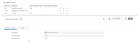
- Set up the CRS.CLIENT.TYPE application for corporate customers.
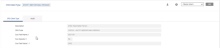
- The user can now view the CRS.CUST.SUPP.INFO application to ensure that the configuration steps are configured correctly and the system is operating accordingly.
- Controlling Person Residence
- Entity Headquarters

- Once all the indicia configuration steps are completed, the user needs to ensure that the updated indicia conditions are reflected in the configuration of the reasonableness check. The CUSTOMER.REASONABLENESS.CHECK.PARAMETER application needs to be updated to accommodate the Controlling Person Residence and Entity Headquarters indicia conditions as shown in the below screenshot.
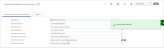


The following screenshot shows the results of the above configuration, where the newly configured corporate indicia conditions are populated. The Indicia Summary multivalue field in the screenshot below shows:

The user can compare the record in the CUSTOMER application, the RT.REGULATORY.RULES table and the CRS.CUST.SUPP.INFO application for the Customer 10002 (as shown in the below screenshot), to ensure that all information is mapped correctly and reflects in CRS.CUST.SUPP.INFO.


After the above configuration steps are completed, CRS Customer Reasonableness Check considers the updated indicia conditions and checks for inconsistencies in the following field values:
- Controlling Person Residence
- Entity Headquarters
If any inconsistencies are detected in the above fields, the CRS Reasonableness Check (CRS.CUSTOMER.REASONABLENESS.CHECK) enquiry will return an NOK result with the reason for inconsistency, as shown in the below screenshot.

If there are no inconsistencies, the CRS Reasonableness Check (CRS.CUSTOMER.REASONABLENESS.CHECK) enquiry will return an OK result, as shown in the below screenshot.

The ST.IDENTIFY.INDICIA service identifies the indicia conditions for both individual and corporate customers based on the rules defined in the RT.REGULATORY.RULES table. This service creates or updates the CRS supplementary information records for those customers who satisfy any of the indicia rules defined. This service can be configured to review all customers in the database and assess their indicia conditions as a one-time activity as shown below.

This service is also auto triggered during COB in the below circumstances:
- If there is an amendment to the rule definition in RT.REGULATORY.RULES
- If there is an amendment to the rule ID or indicia details in CRS.PARAMETER
The RRR.TRIGGER table tracks the changes in the applications, which are used to identify and map the indicia, for example, when the Residence field in the CUSTOMER application is changed, the ID in the RRR.TRIGGER table is updated as CUSTOMER* and acts as a trigger for indicia calculation in COB through the ST.UPDATE.INDICIA job.
This batch job is run daily during COB. It checks all the records in RRR.TRIGGER and recalculates the indicia based on the amendments.
The following configuration is required for the standing instruction indicia functionality to work:
- Configure the applications used for standing instruction indicia processing in the RT.REGULATORY.RULES table defined for individual indicia identification.

The following configurations are required for the self-certificate related indicia:
The following table is a sample list of CRS documents considered by the RT.REGULATORY.RULES application, both at the time of reception and expiry of the document. The user can configure these documents in both the CUST.DOCUMENT and RT.REGULATORY.RULES applications.
| Type of Customer | Document Code in CUST.DOCUMENT | Document Code in CCSI |
| Individual | AUTP | AUTP |
| Entity | AUTM | AUTM |
Using the RT.REGULATORY.RULES application, indicia rules are configured for different client types. The fields to be considered for indicia tracking corresponding to the customer’s self-certificate form status are preconfigured and can be modified as required by the bank. The system accounts for different indicia depending on the availability and validity of the self-certification form. These conditions are preconfigured in RT.REGULATORY.RULES corresponding to the different client types and using the below matrix. The customer’s self-certification status is managed by the bank’s Document Management system.
For the following configuration, the bank is assumed to have maintained its client’s documents in the Document Management module in Temenos Transact.
Individual Customers
For individual customers, the self-certification linked indicia logic is configured in the CRS.INDIVIDUAL.INDICA.V2.0 record.
The following matrix is for pre-existing Individuals (customers who are on-boarded by the bank prior to the CRS effective date) and its corresponding self-certificate form status.


The following matrix is for new Individuals (customers who are on-boarded by the bank after the CRS effective date) and its corresponding self-certificate form status.


The following screenshots show RT.REGULATORY.RULES configured to define the indicia determination rules based on the self-certificate form status.


 Trusts with known Trustees
For trusts with known trustees, the self-certification linked indicia logic is configured in the CRS.ENTITY.WITH.TRUST.INDICA.V1.0 record.
The following matrix is for pre-existing trusts with known trustees (customers who are on-boarded by the bank prior to the CRS effective date) and its corresponding self-certificate form status.


The following matrix is for new trusts with known trustees (customers who are on-boarded by the bank after the CRS effective date) and its corresponding self-certificate form status.


The following screenshots show RT.REGULATORY.RULES configured to define the indicia determination rules based on the self-certificate form status.

 Non-Trusts or Other Entities
For Non-Trusts or Other Entities, the self-certification linked indicia logic is configured in the CRS.OTHER.ENTITIES.INDICIA.V1.0 record.


The following matrix is for new trusts without or unknown trustees (customers who are on-boarded by the bank after the CRS effective date) and its corresponding self-certificate form status.


The following screenshot shows RT.REGULATORY.RULES configured based on the rules described above.

In the RT.REGULATORY.RULES application, the user can find a number of pre-defined sample rules and APIs. The following screenshots demonstrate an API, which has been introduced to support the USED.PHYSICAL.ADDRESS Rule Type indicia for individuals.

In the screenshot below, the RT.CHECK.MAILING.PREFERENCES API checks the address preference in the DE.CUSTOMER.PREFERENCES application and the address country in DE.ADDRESS. If the address country is a CRS reportable jurisdiction, the USED.PHYSICAL.ADDRESS Rule Type will be identified as an Indicia for the particular customer.

This API supports the customer mailing preferences created at the customer, account and portfolio levels. Whenever changes are applied in the DE.CUSTOMER.PREFERENCES and DE.ADDRESS applications, the indicia is updated for both the ‘owning’ customers and all applicable related and/or joint customers.
The system tracks the addition and removal of customers in the ACCOUNT, SEC.ACC.MASTER and CUSTOMER.RELATIONSHIP tables. Whenever there are changes to these tables, the Used Address Indicia is recalculated for the impacted customers. This is applicable only for individual customers.
CRS Document Mapping for Owners and Controlling Persons
The mapping rules for documents are defined in the mapping definition records like CRS.INDIVIDUAL.MAPPING.RULE and CRS.ENTITY.MAPPING.RULE in the RT.REGULATORY.RULES application for CRS. An API that is attached to the above records fetches the mapping data corresponding to the documents from CUST.DOCUMENT (application name defined using the User Application field in RT.REGULATORY.RULES) and updates the CCSI record for the customer. This API facilitates tracking of the changes made to the documents in CUST.DOCUMENT such as DOC.STATUS, EXPIRY.DATE and EFFECTIVE.DATE, online.
Document API Information in RT.REGULATORY.RULES
The following are the Document API information in the RT.REGULATORY.RULES application:
- The API accepts the Customer ID and CCSI record as input parameter.
- This ID is used to validate if the document defined in CUST.DOCUMENT corresponds to the CRS documents defined in CRS.PARAMETER, in which case, the details are updated in the corresponding CCSI of the customer with the Sc Cust Ref field updated for primary owner.
- In addition, if a controlling person is identified for the primary owner, relevant documents are validated against the document names parametrised in CRS.PARAMETER for each of the linked controlling persons. For CRS-related documents, details are updated in CCSI with the Sc Cust Ref field updated for controlling person.
- Subsequent to the initial document update in CCSI, any modifications to the document data in CUST.DOCUMENT is tracked online and updated by the jobs indicated above.
CRS.ROLE.CUSTOMER
This is a concat file that maintains the list of controlling persons linked to the primary customer owning a CCSI record. The update to this file is managed as part of the ST.IDENTIFY.INDICIA job.
In this topic
