Working with Treasury and Settlements Related Reference Tables
This topic explains the workflow of the treasury and settlement related reference applications in Temenos Transact.
Nostro Account
The NOSTRO.ACCOUNT application defines the nostro account records by currency and identifies, which account is the default nostro for each function of each application within the specified currency.
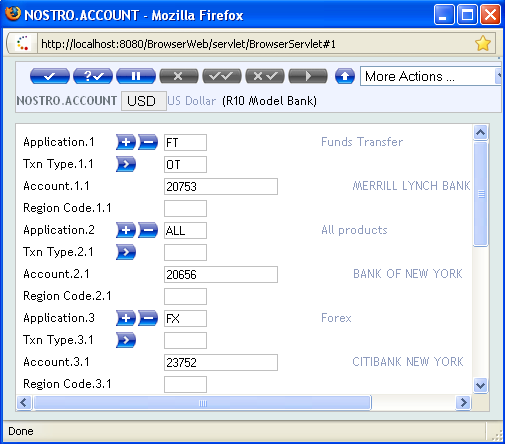
The various NOSTRO.ACCOUNT records can be recorded for each application. The definition of NOSTRO.ACCOUNT records within this application eliminates the need to enter the same details each time for each transaction processed by various applications of Temenos Transact.
- Future Dated Nostro Account Details
Banks change their Nostro correspondents periodically. They are notified in advance when these changes happen and it is possible to capture these changes within the system, allowing the system to provide the correct nostro account details based on a settlement date.
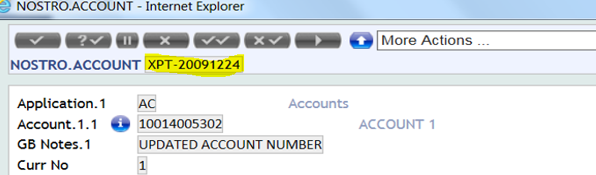
Once the effective date of a record is reached, the system makes this the current record and writes previous records to history during the online phase of COB. A record is entered into the system with the ID as effective date added as a suffix to the record (as shown in the below screenshot).
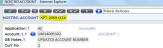
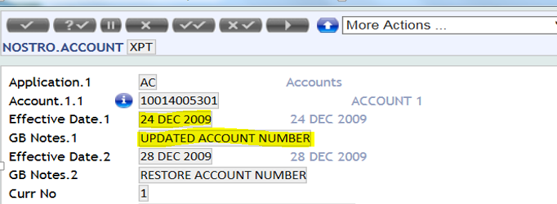
The Effective Date field is used to hold a list of effective dated records within the system on the current record. GB Notes field is used to add comments.
The last date and time, an effective date record updated is held in Last Eff Change field. The Effective Date and GB Notes fields are updated in the current record (as shown in the below screenshot), when effective and future dated records are created:

Agency
The AGENCY application contains the settlement details for major customers and all banks irrespective of whether there is any business connection. The details include any arrangements, account relationships and where possible, the agent’s correspondent bankers for specific currencies. This information is entered centrally to supply automatic routing instructions for remittances or cover to all banks and customers with whom the bank has numerous dealings. This eliminates the need to re-enter the details at transaction level. It allows full advantage to be taken of electronic delivery facilities by providing automatically, the settlement agents for remittances or cover involved in outward payments.
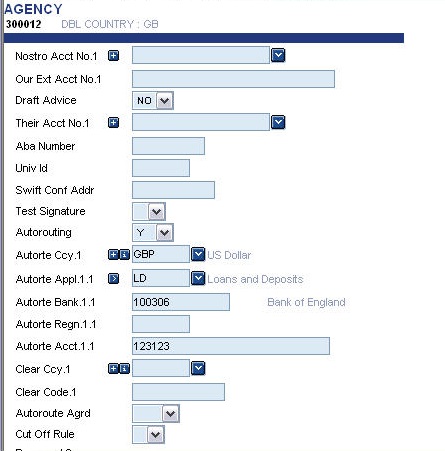
The absence of agent's correspondent banker’s information in this application forces the user to enter these details each time at the time of transaction. Any nostro account defined in this application is for information only and is not used as a default nostro by the transaction processing, which always uses the details from the NOSTRO.ACCOUNT application.
Record details can be setup on this application using two different ID formats, either the customer number or the Bic Code field prefixed with SW- in DE.BIC application.
- Customer Number
The basic details of these banks and major customers must first be defined in the
CUSTOMERapplication before the creation of theAGENCYdetails is allowed. Having created a CUSTOMER record, which is a bank, it is advisable to create anAGENCYrecord with the same ID and all available auto routing details. - Bic Code
The
AGENCYrecords can be created for the BIC code with all the auto routing details. The input of this record is similar to that of the record created by using the customer number ID. The exceptions being that the input are not allowed for Nostro Acct No, Our Ext Acc No and Their Acct No fields.In the
AGENCYapplication, the BIC codes are pre-fixed by ‘SW-’ and should have 14 characters (including ‘SW-’). The Bic Code should be a valid SWIFT code and can exist in theDE.BICapplication. TheDE.BICapplication is loaded from the BIC address directory file and this is supplied by SWIFT. Refer theDE.BICsection, for more details.If the Validate Bic field in the
DE.BIC.PARAMETERapplication must be set to YES, then upon inputting a BIC code (an SW- record) Temenos Transact validates the ID against theDE.BICrecords. If the field is set to NO, thenAGENCYaccepts any SW- codes as long as they are in the correct format. - Multiple Agency Records for Settlement
The auto routing bank (Autoroute Bank field) is defined for the counterparty in the AGENCY application. The auto routing bank must exist in the AGENCY application and the input can be in BIC or customer number. If the Application field is FX or FT, the Autoroute Bank field is defined as a BIC.
The below screenshot shows SWIFT BIC codes used in AGENCY for the Autoroute Bank field.
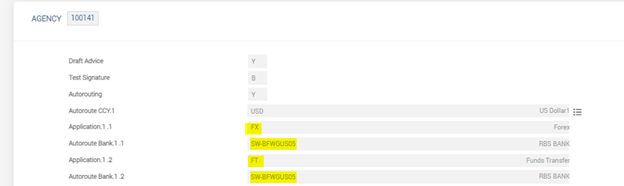
The AGENCY for a counterparty has the Autoroute Bank field value as the correspondent bank BIC for a specific currency. If the correspondent bank has the payment routing arrangement with another intermediary bank for the currency, then the BIC or customer number of the intermediary bank can be set as correspondent bank BIC in Autoroute Bank.
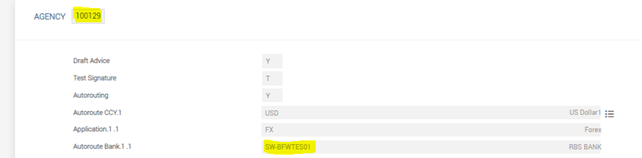
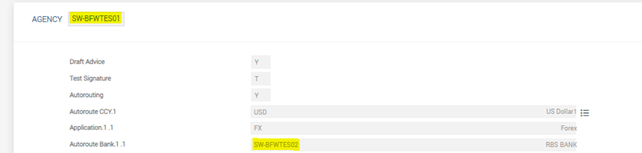
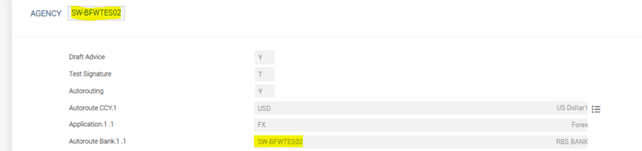
An example of auto routing arrangement is shown in the following screenshots:
- The counterparty record (100129) in AGENCY has Autoroute Bank as SW-BFWTES01 (correspondent bank BIC).
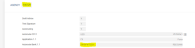
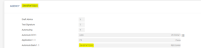
- The correspondent bank BIC (SW-BFWTES01) has the routing arrangement through the intermediary bank (Autoroute Bank) as SW-BFWTES02.
-
The Intermediary bank has the Autoroute Bank defined as the same BIC, indicating that there is no further routing.
Future Dated Settlement Instructions
Temenos Transact can capture future dated standard settlement instructions, if required. This allows the bank to update the correspondent banking details in advance of the effective date, allowing the system to provide the correct settlement instructions based on a settlement date.
Once the effective date of a record is reached, the system makes this the current record and writes the previous records to HISTORY table during the online phase of COB.
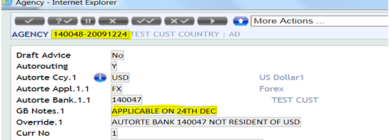
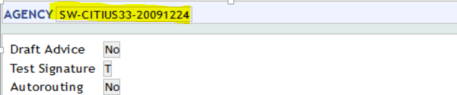
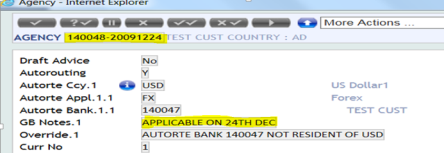
A record is entered into the system with the effective date added as a suffix to the record’s ID. For example, 140048-20091224 (as shown below) or SW-CITIUS33-20091224’.
The future dated record for customer is shown in the below screenshot.
The future dated record for BIC is shown in the below screenshot.
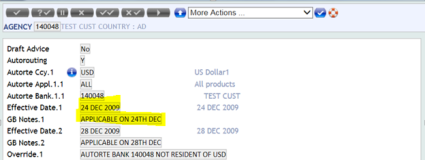
The Effective Date field is used to hold a list of effective dated records within the system on the current record. The GB Notes field is used to add comments. The last date and time, an effective dated record was updated, is held in Last Eff Change field in the current record.
The current record with the Effective Date and GB Notes fields are shown in the below screenshot.
The future dated record with the Effective Date and GB Notes fields are shown in the below screenshot.
Broker
The BROKER application is used to define the banks' authorised brokers. The following screenshot shows the field details in BROKER application:
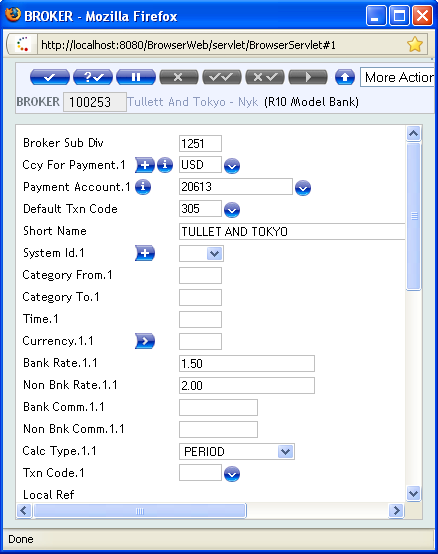
- Payment Instructions
The first section of the BROKER application is used to specify the broker's payment instructions as follows:
- Currencies in which the broker accepts payment
- The default transaction code for brokerage entries
- The account to which the brokerage funds are to be transferred.
This account may be defined in two ways:
- The default specifies an internal account number, which consists of:
- The payment currency
- The category specified in the
ACCOUNT.CLASSrecord - The
BROKERand the sub-division code specified in theBROKERrecord. - The actual internal account number is not shown on the record.
-
The second method of account definition is the specification of a Temenos Transact account, which must be a customer account that belongs to the
BROKER. One account may be defined for each payment currency.- Calculation Parameters
The second section of BROKER application is used to determine the different brokerage rates applicable to specific deal types. During the deal input stages for the valid applications, if a broker code is entered, then the details of this application are obtained to default and the brokerage amount for the deal. Certain aspects of the deal are matched to the parameters on this application to define a deal type. Each deal type is defined using the following parameters:
- System ID
- Category
- Time
The System ID is used to define the application. At present, valid products are Money Market, Loans and Deposits, Letter of Credit, Drawings, Fiduciaries and Forward Rate Agreements. Category is used to match the product category of the deal. Time is defined as the number of days from the start date to the maturity date. Once a match has been found for the deal type, the currency of the deal is matched with a list of currencies on the BROKER record. Then, whether the customer of the deal is a bank or a non-bank, a rate or FT.CHARGE.TYPE or FT.COMMISSION.TYPEis returned on which the brokerage calculation is based.
Position Type
The FX.POS.TYPE application is used to split the position and accounting of the bank into logical divisions. In particular, the usage of this application is mandatory when using a GAAP or IFRS financial reporting. Although prefixed by FX, this application is commonly used in Temenos Transact and is referred to by CATEGORY, ACCOUNT and many accounting or position parameter files.
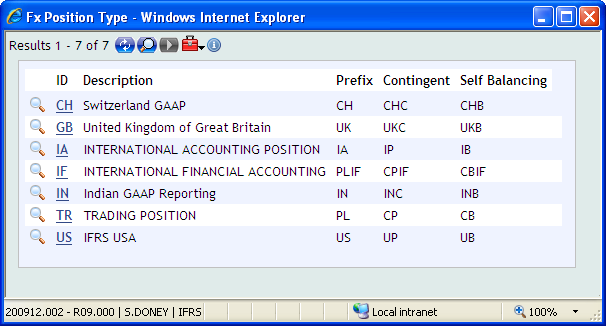
When used for GAAP reporting, it is recommended that the two digit ID is set to the same ID used by the country (that is, IN for India, GB for the UK, CH for Switzerland and so on). The TR record is the original and default record used by Temenos Transact must be present. The IF record is used for IFRS reporting and must be present, if IFRS reporting is required.
In normal usage, the ID of the application is used but for contingent and self-balancing, an extended ID identifier is needed.
- For P/L add the PL prefix to the position type. For example, PLIF.
- For Contingent P/L add CP prefix to the position type. For example, CPIF.
- For self-balancing P/L add CB prefix to the position type. For example, CBIF.

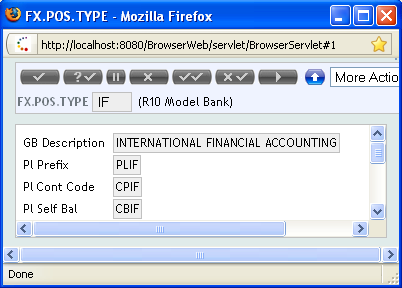
Otherwise, by default it is achieved, by taking the first character of the ID and adding 'P' for contingents and 'B' for self-balancing. Alternatively, the user can define their own values of up to four digits for each of these.
RE.PL.PREFIXES table, which stores a cross-reference of all the prefixes that prevents the duplication of any user or system defined values.Deal Method
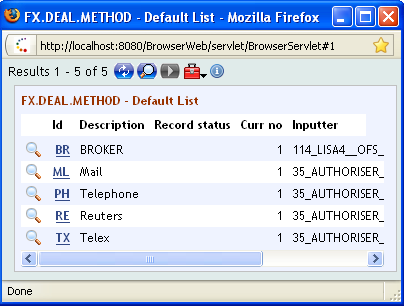
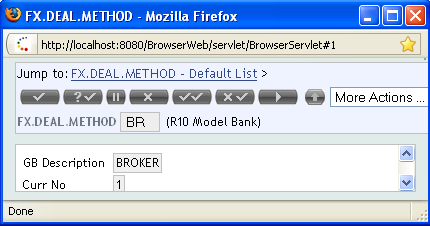
The FX.DEAL.METHOD application is used by the main dealing or lending applications to record how the deal was booked. It is used mainly for advices and reports, and is entered in the BROKER field on the relevant applications.
In this topic
