Working With Interest Adjustments
Interest previously posted may require a recalculation or adjustment - for example, as a result of a backdated Credit or Debit movement or backdated change in Interest rate.
Depending on the configuration, the system can deal with interest adjustments in either of two ways given below:
- Reverse and Replay
- Adjustments posted on Next Capitalisation Date.
Reverse Replay
 Reverse and Replay as part of next accrual
For an AR Arrangement, the reverse and replay is not done immediately as part of the backdated activity. Instead, it is done as part of next accrual activity which is usually the same day during COB when the back-valued Activities were booked. The system triggers the reverse and replay using the Retrospect Arrangement Activity (ACCOUNTS-RETROSPECT-ARRANGEMENT).
Reverse and Replay as a User Activity
The Retrospect Arrangement Activity (ACCOUNTS-RETROSPECT-ARRANGEMENT) is used to manually trigger reverse and replay in an account on-demand.
Reverse and Replay as a Service
The AA.RR.SERVICE can be run to trigger Retrospect Arrangement Activity (ACCOUNTS-RETROSPECT-ARRANGEMENT) for all accounts with a backdated transaction or activity on that day. If an account had more than one backdated transaction/activity, it is possible that more than one reverse and replay is triggered depending on when the transaction/activity happened and the service processed the Retrospect Activity.
The AA.RR.SERVICE TSA service has to be run for this. As a result of any backdated Transaction/Activity on an AR arrangement that has not yet been processed by the AA.RR.SERVICE, reverse and replay is processed in the following accrual.
Example - Reverse and Replay with Credit Interest Set to Capitalise
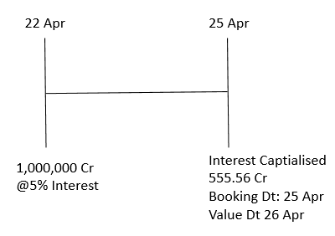
- April 22
- The account is initially credited with $1,000,000 with value April 22
- Account’s Credit Interest Rate: 5%
- Capitalisation Frequency - Weekly
- Next Capitalisation Date: April 25

- April 25
- COB
- Interest Capitalised : 555.56
- Booking Apr 25 and Value Apr 26
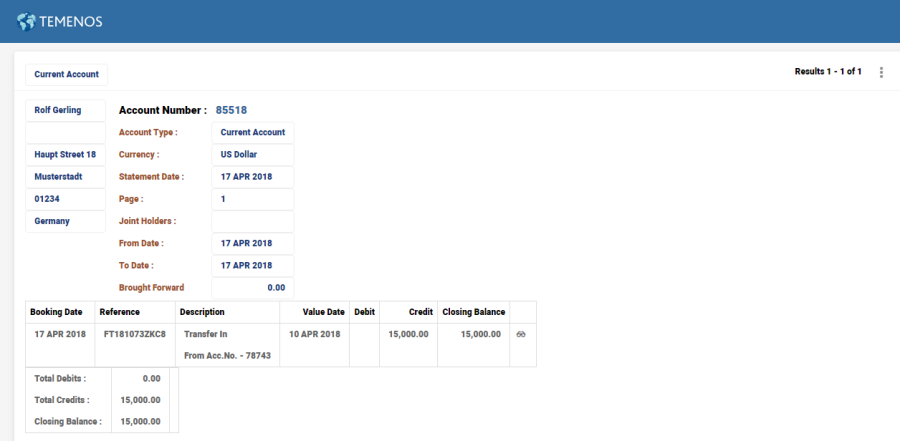
Given below is the list of entries that will be shown on the Account Statement reflecting the Credit Interest Capitalised
Book Date Transaction Reference Narrative Value Date Debit Credit Closing Balance 22 APR FT16113JJ1TH Transfer In 22 APR 0.00 1,000,000.00 1,000,000.00 25 APR 2000003363-20160425 Credit Interest 26 APR 0.00 555.56 1,000,555.56 - COB
- April 27
- Online
- Backdated Funds Transfer
- Cr 200,000
- Value Date - April 22
- COB
- Retrospect triggered effective April 22
- Old entries are reversed and new entries are booked.
- Online
- The original Interest posting of 555.56 is reversed during the Reverse Replay process in COB and the correct Interest posting of 666.67 is posted with the original value date.
RR triggered during April 27 COB is shown below.

Given below, is the list of entries that will be shown on the Account Statement reflecting the Reverse and Replay during COB
Book Date Transaction Reference Narrative Value Date Debit Credit Closing Balance 22 APR FT16113JJ1TH Transfer In 22 APR 0.00 1,000,000.00 1,000,000.00 25 APR 2000003363-YYYY0425 Credit Interest 26 APR 0.00 555.56 1,000,555.56 27 APR FT16118VYKP Transfer In 22 APR 0.00 200,000.00 1,200,555.56 27 APR 2000003363-YYYY0425 Credit Interest 26 APR 555.56 0.00 1,200,000.00 27 APR 2000003363-YYYY0425 Credit Interest 26 APR 0.00 666.67 1,200,666.67
 Reverse and Replay with Credit Interest Set to Liquidate
In a live arrangement, any backdated activity which invokes a financial recalculation (reverse and replay during COB) that is, a backdated rate change, the system updates the defined settlement account and makes correcting entries.
The system creates a contra entry to reverse the previous debit or credit and replaces it with a new one(a delta adjustment is not made). Tax that is previously calculated is also corrected in the same way.
Invoice Bill Generation during Interest Liquidation
Consider a new account arrangement funded on Mar 1, 2019.
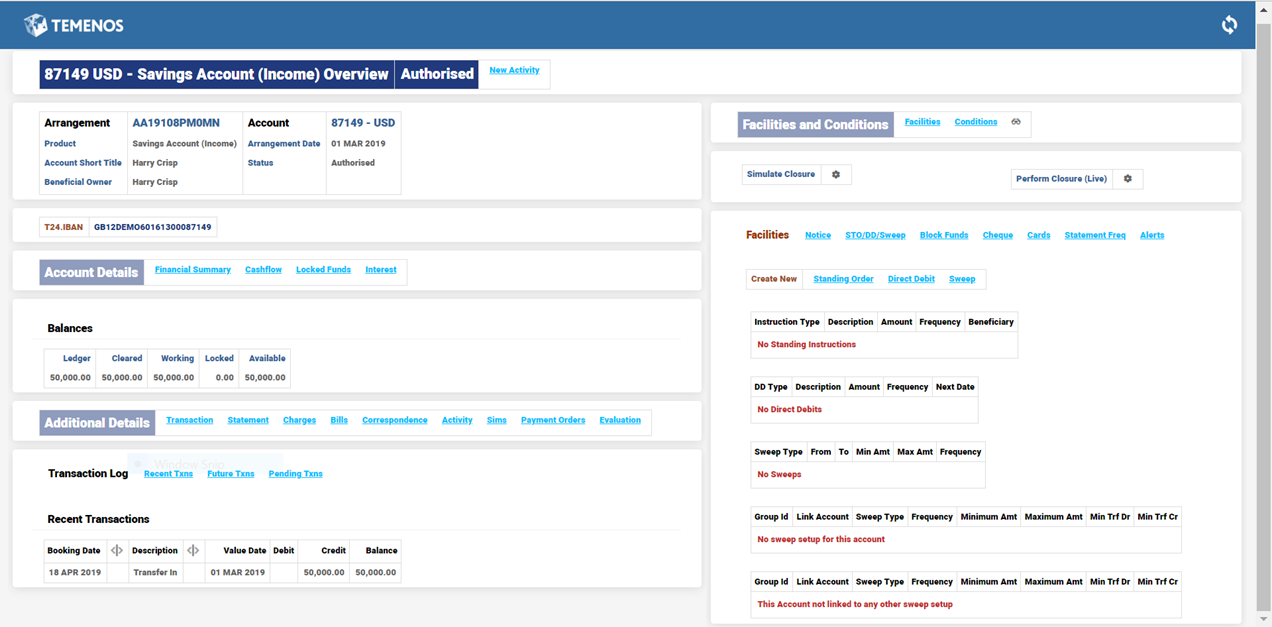
It is seen that the interest gets capitalised on the account.
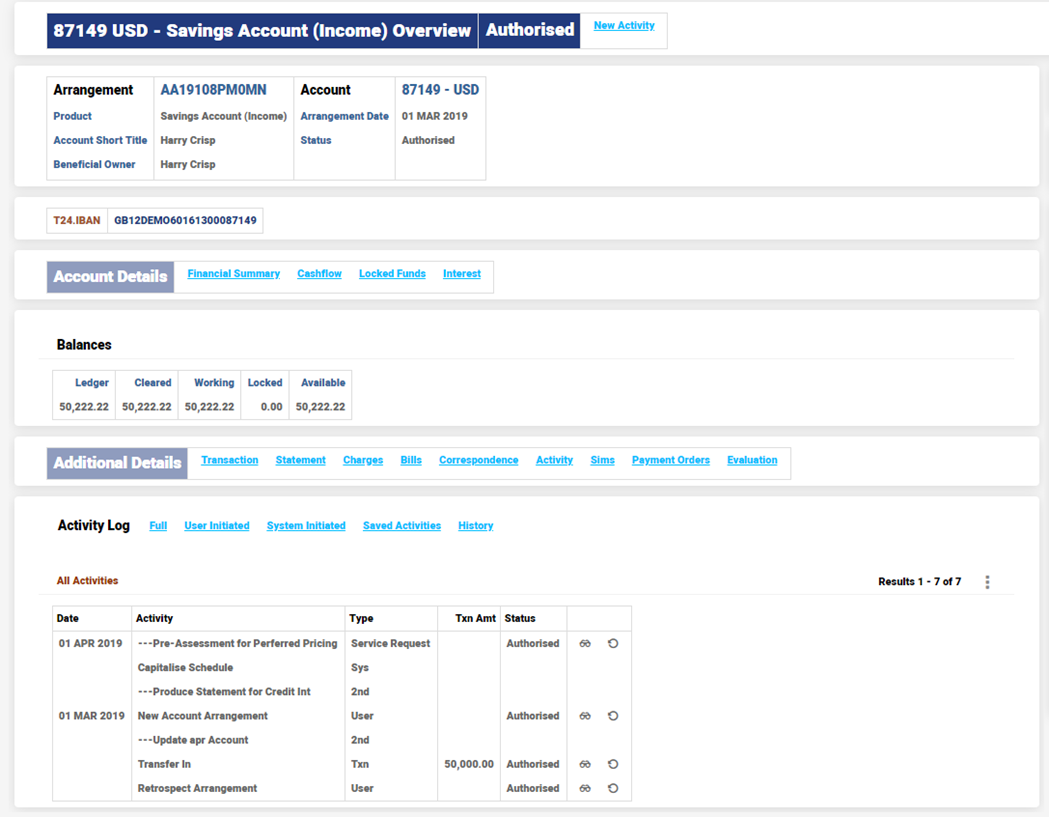
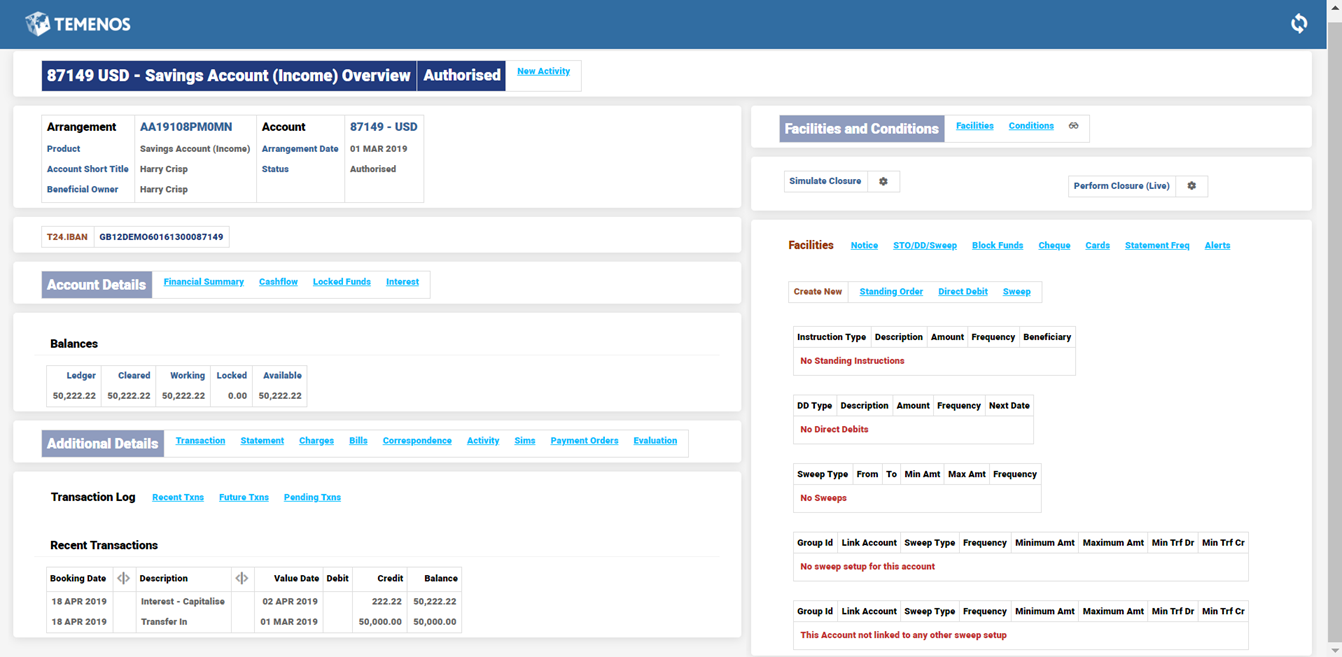
The arrangement balance is updated.
The entire account balance including the capitalised interest is transferred through a backdated activity and subsequently a backdated Retrospect Activity is triggered.
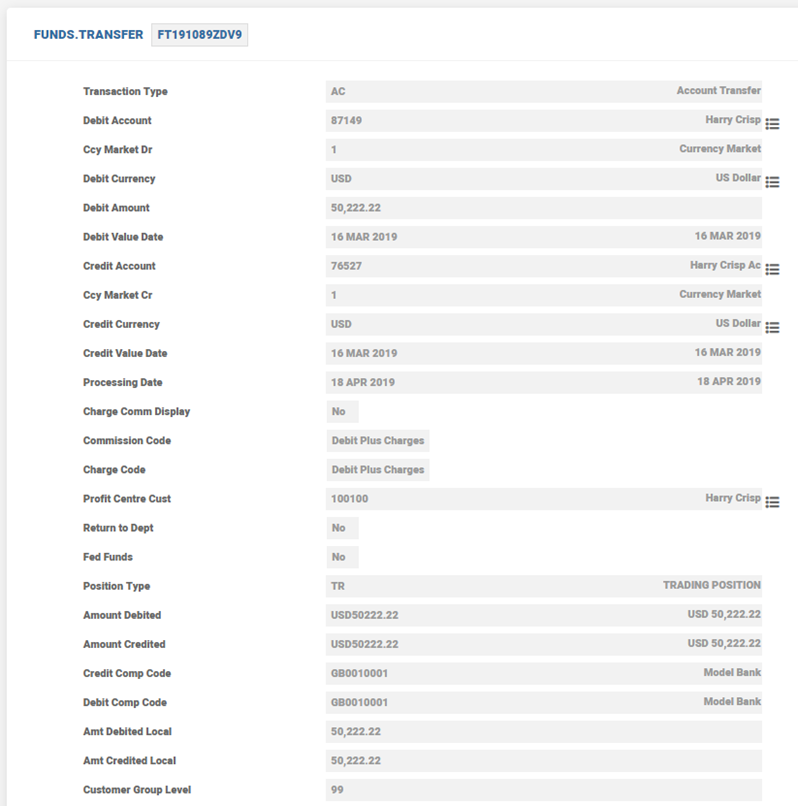
Since the account holds no balance, capitalised interest which is to be recovered from the account is now parked in separate invoice(INV) balance of the account and system prevents the account from moving into negative balance.
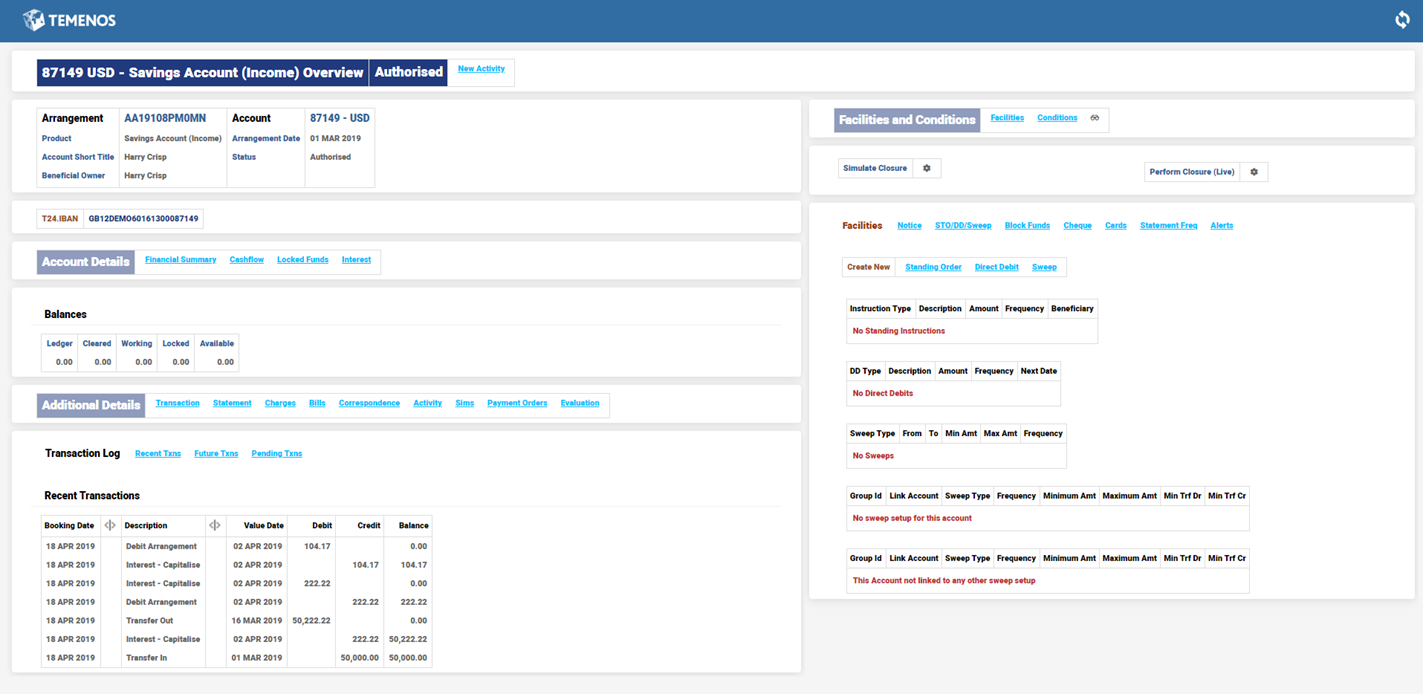
The bill is generated for the difference amount. The Savings Account does not move to negative balance and instead a bill is raised for the difference amount.
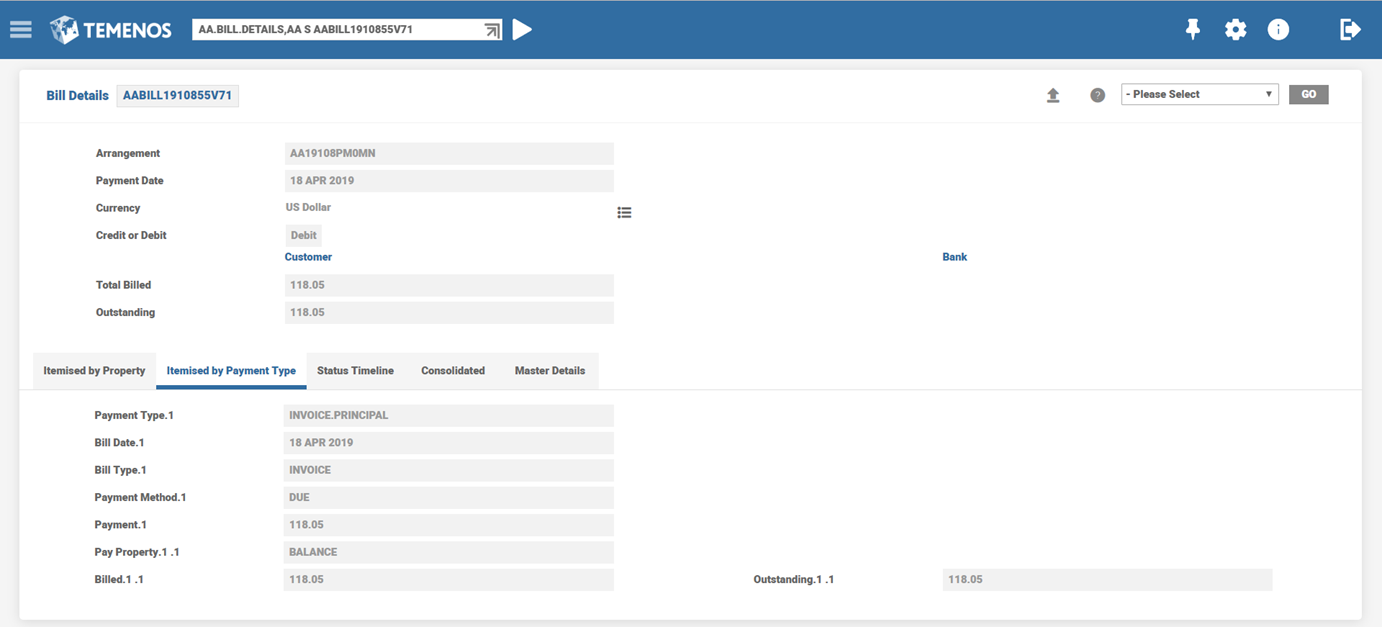
The EB.CONTRACT.BALANCES record is shown below.
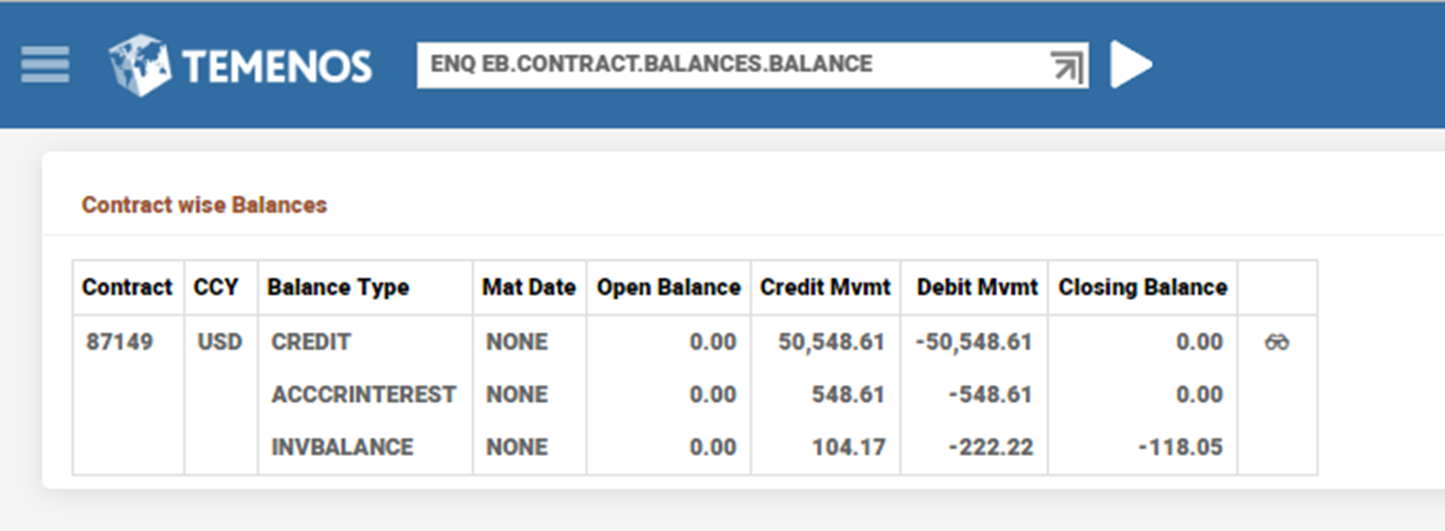
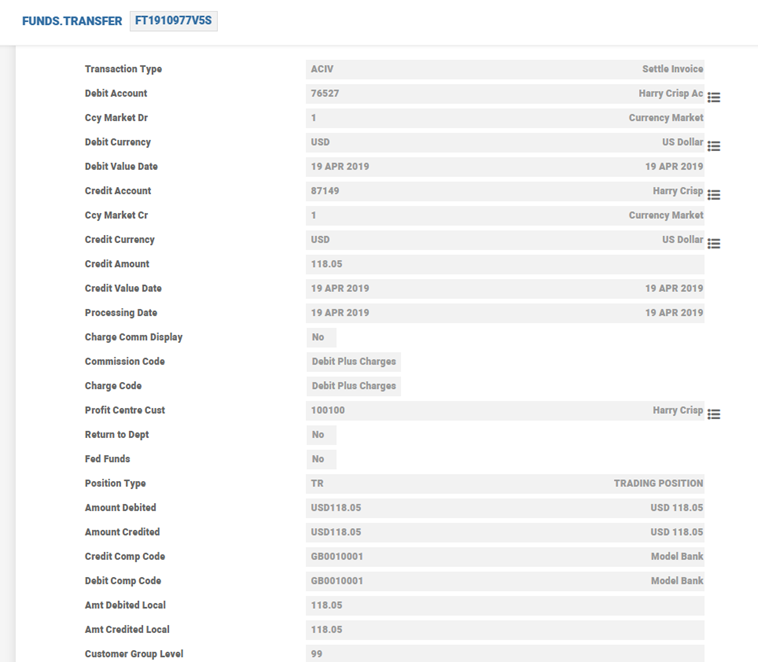
The INV balance can be settled by the user through a suitable FT transaction using an appropriate Transaction Code and Activity Mapping.
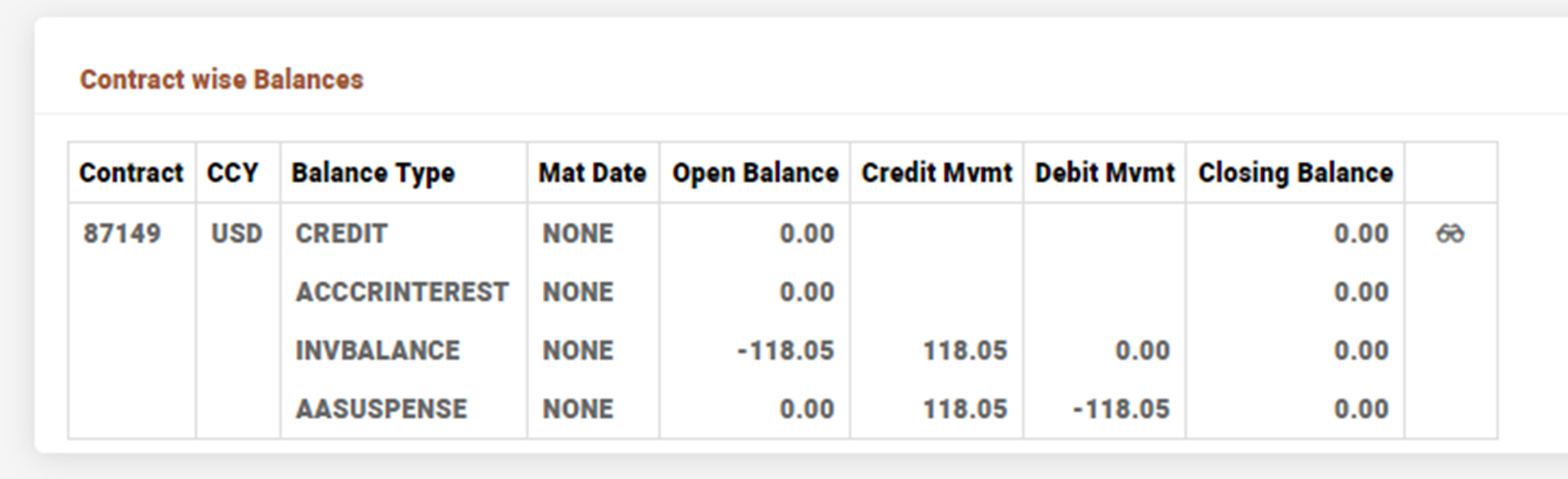
The EB.CONTRACT.BALANCES record after the INV bill is settled is shown below.
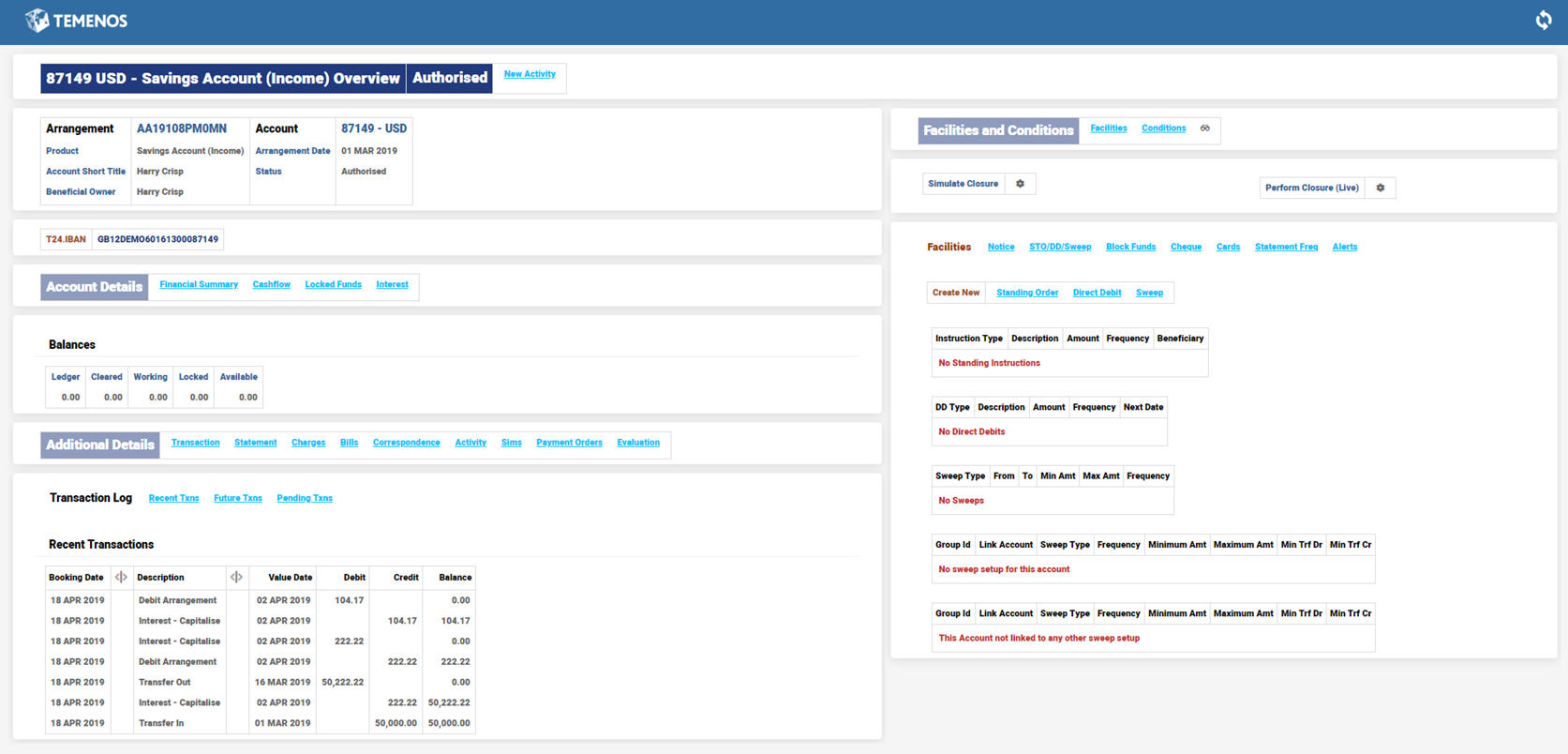
After the bill gets settled, the account arrangement overview is as shown below.
Auto Settlement of Invoice Bills
In a backdated scenario, when an INV Balance Bill representing the capitalised interest amount is raised, the bill gets settled when Pay In Settlement Account is defined.
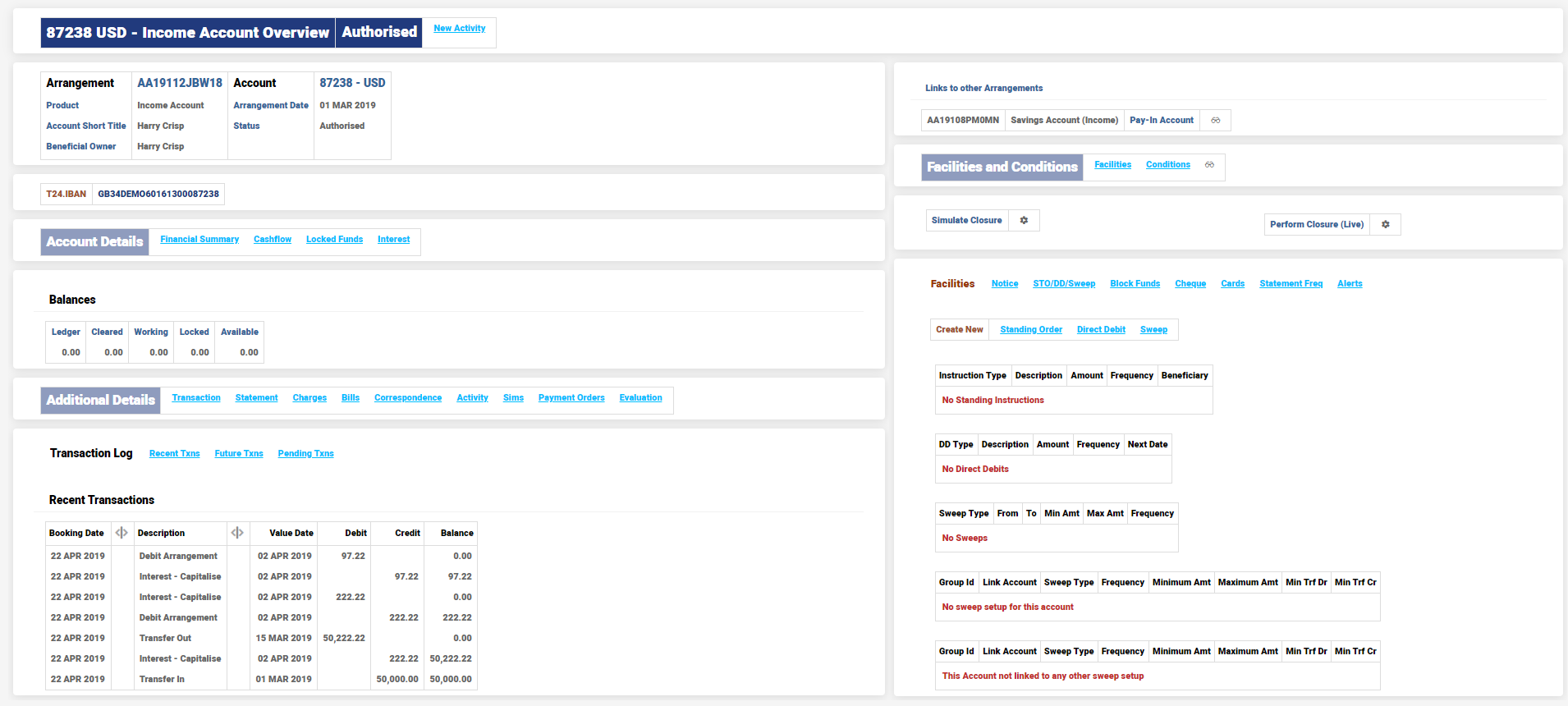
It is generated with a Settled status . The bill amount settled is USD 125.
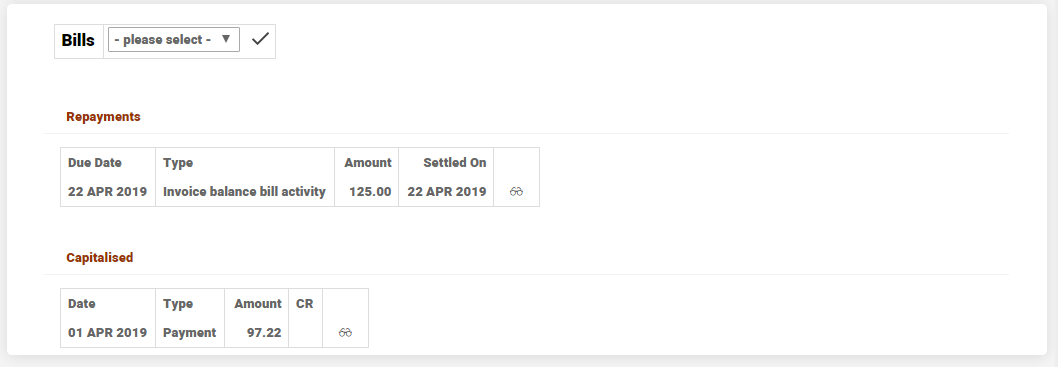
The bill details are shown below.
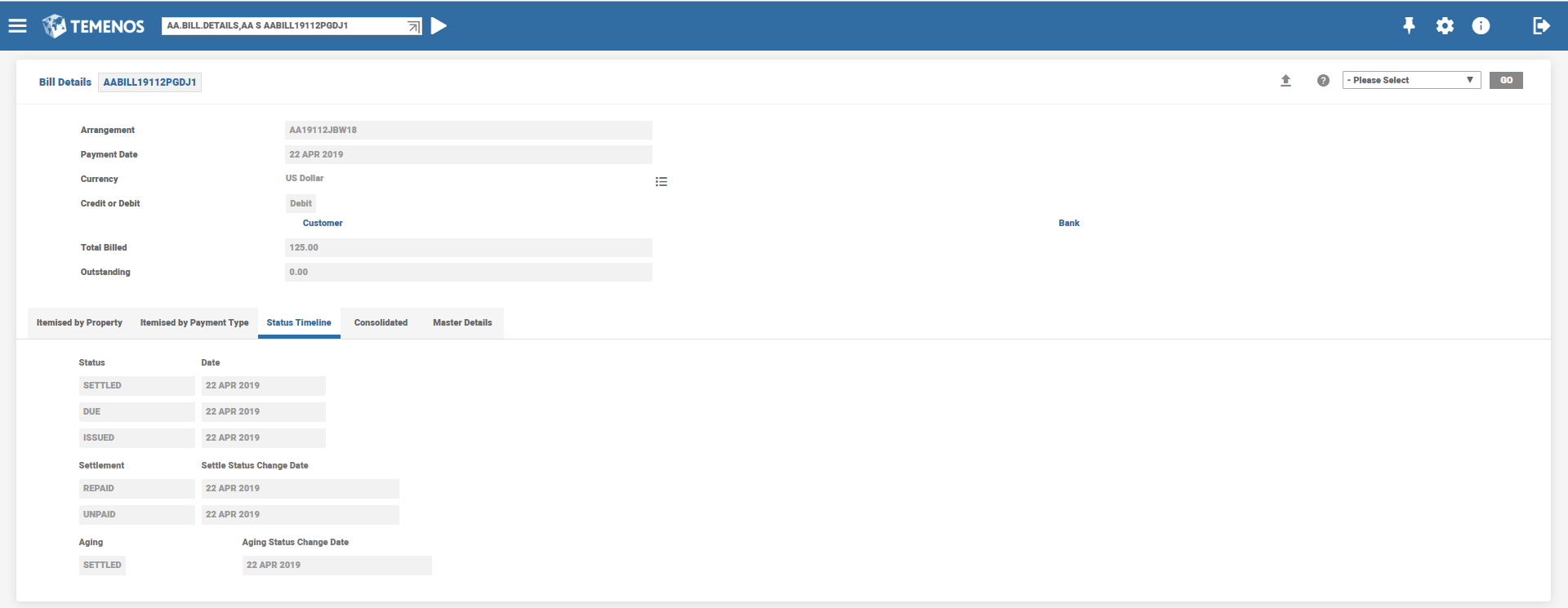
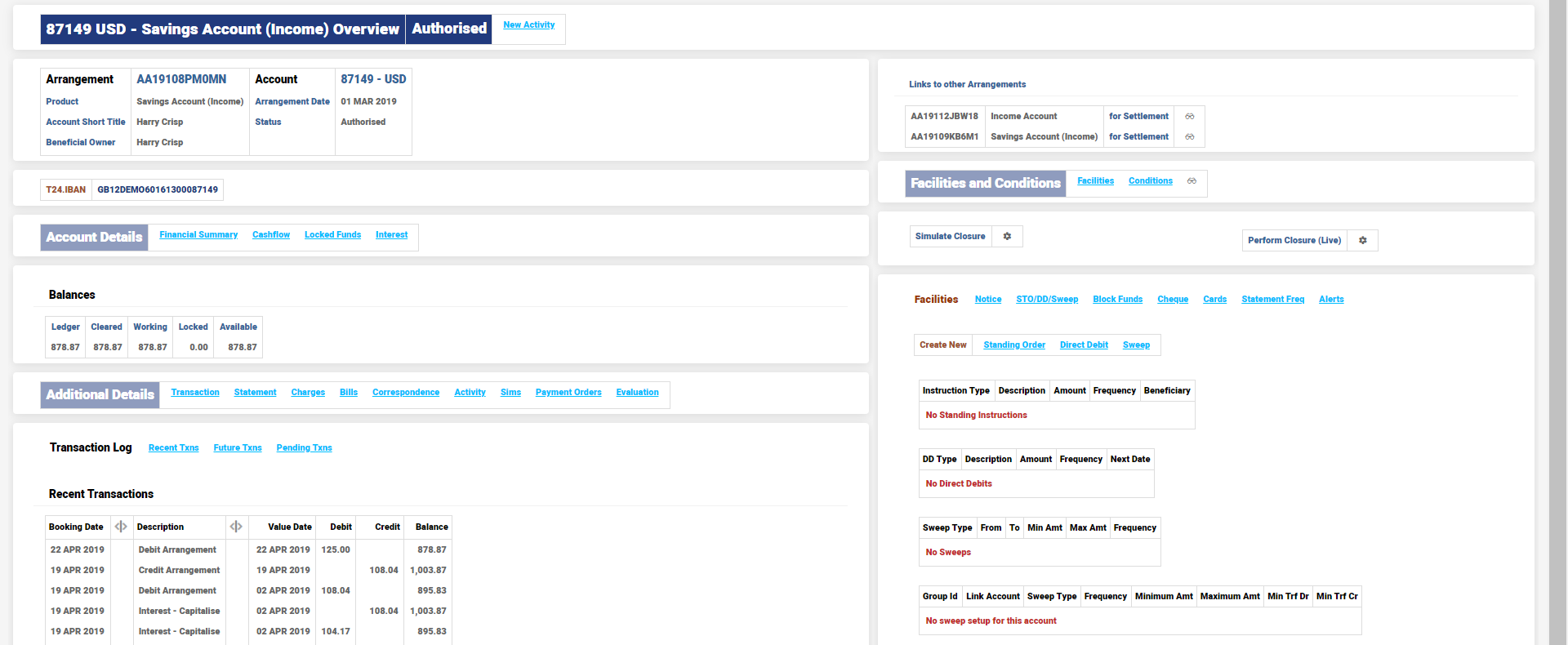
The Settlement Account is debited for USD 125.

The Savings account overview is shown below.
Adjustment at Next Capitalisation
Click here for details on configuring this option.
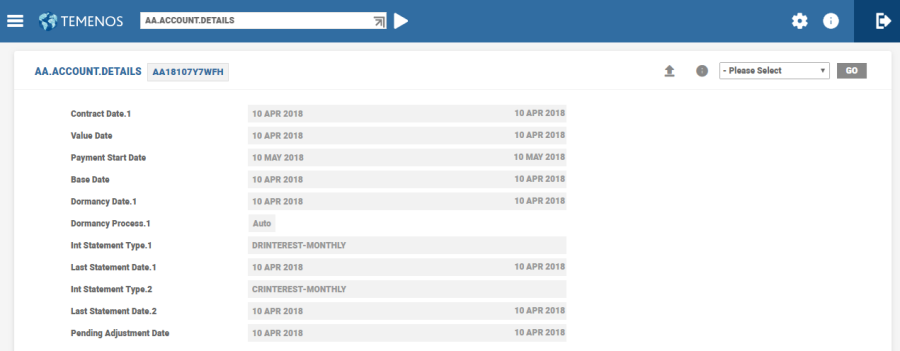
There can be multiple back-value dated activities in an account and the farthest date of such back value transactions is recorded in the AA.ACCOUNT.DETAILS as Pending Adjustment Date. On the NEXT Capitalisation date, COB process runs the Retrospect Arrangement Activity (ACCOUNTS-RETROSPECT-ARRANGEMENT) with this “Pending Adjustment Date” as the Effective date
Example – Interest Set to Capitalise
- April 22
- The account is initially credited with $1,000,000 with value April 22
- Account’s Credit Interest Rate: 5%
- Capitalisation Frequency: Weekly
- Next Capitalisation Date: April 25
- April 25
- COB
- Interest Capitalised : 555.56
- Booking April 25 and Value April 26
- COB
- Given below is the list of entries that will be shown on the Account Statement reflecting the Credit Interest Capitalised.
Book Date
Narrative
Value Date
Debit
Credit
Closing Balance
22 APR
Transfer In
22 APR
0.00
1,000,000.00
1,000,000.00
25 APR
Interest – Capitalise
26 APR
0.00
555.56
1,000,555.56
- April 27
- Online
- Backdated Funds Transfer
- Cr 200,000
- Value Date: April 22

- Backdated Funds Transfer
- COB
- Nothing happens related to the backdated adjustments on this account
- Online
- May 02 (Next Capitalisation Date)
- COB
- Retrospect Activity triggered effective April 27
- Interest Correction : USD 111.11 - Booking Date May 02 , Value April 26
- Interest Posting: USD 1,167.31 - Booking Date May 02 , Value May 03
- Includes Interest adjustment amount 111.11 (which by now is part of the principal balance)
Adjustment on the Next Capitalisation Date is shown below.

- Includes Interest adjustment amount 111.11 (which by now is part of the principal balance)
- Given below is the list of entries that will be shown on the Account Statement reflecting the Credit Interest Capitalised.
The interest posted on May 09,16 is for the subsequent capitalisation period and is shown here only for sake of completeness.
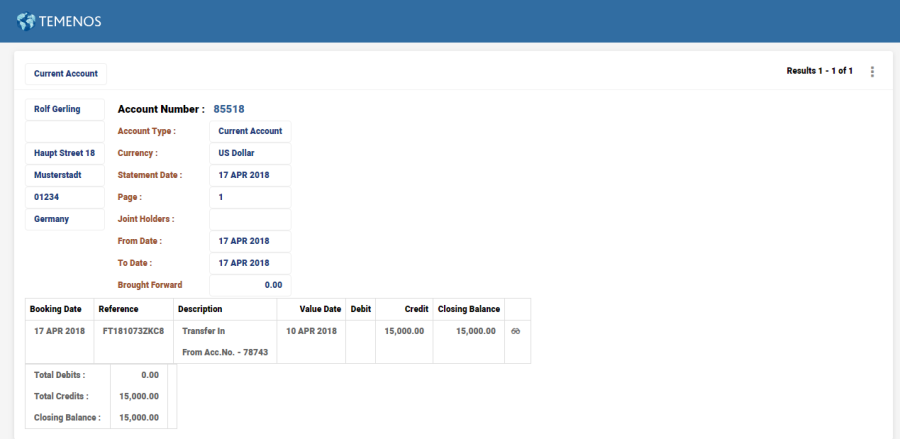
Book Date Narrative Value Date Debit Credit Closing Balance 27 APR Transfer In 22 APR 0.00 200,000.00 1,200,555.56 02 MAY Interest – Correction 26 APR 0.00 111.11 1,200,666.67 02 MAY Interest – Capitalise 03 MAY 0.00 1,167.31 1,201,833.98 09 MAY Interest – Capitalise 10 MAY 0.00 1,168.45 1,203,002.43

 Example – Interest Set to Liquidate
In this case, the account is set with a liquidation account (settlement account). The proceeds of any account accrual / capitalisation will be processed to this liquidation account.
- June 03
- Account is initially credited with $500,000 with value June 03
- Account’s Credit Interest Rate: 5% - Tax on Credit Interest: 20%
- Capitalisation Frequency: Weekly - Next Capitalisation Date: June 06
After Capitalisation date, Source account is shown below.

- COB is run reaching the June 06 – Make Due Date
- Interest Payable: 444.44 Cr (PAYCRINTEREST) and Settle Tax : 88.89 Dr
- Interest Payable net of Tax of USD355.55 posted to the liquidation account
- Booking date June 06 and Value date June 07NOTE: In this example, the Tax Property is configured to be Itemised in the Accounting Condition. Otherwise, a net entry of 355.55 would have been posted to the Interest – Payable.
- Booking date June 06 and Value date June 07
- Given below is the list of entries that will be shown on the Account Statement for Interest Payable.
Book Date
Narrative
Value Date
Debit
Credit
Closing Balance
03 JUN
Transfer In
03 JUN
0.00
500,000.00
500,000.00
06 JUN
Interest – Payable
07 JUN
0.00
444.44
500,444.44
06 JUN
Settle – Tax
07 JUN
88.89
0.00
500,355.55
06 JUN
Settle - Interest
07 JUN
355.55
0.00
500,000.00
- Liquidation account: USD 355.55 Credit is the result of Interest liquidation from the source account.
- June 08
- Online
- Backdated Funds Transfer
- Cr 100,000.00
- Value Date: June 03

- Backdated Funds Transfer
- COB is run till June 14 to reach the Next Cap Date
- Retrospect Activity triggered effective June 03
- Interest Correction for previous period : USD 88.89 Cr (PAYCRINTEREST) with Settle Tax of 17.78 - Booking Date 13 Jun, Value June 07
- Interest Payable: USD 933.33 Cr (PAYCRINTEREST) with a Settle Tax 186.67 - Booking Date June 13 , Value June 14 for the subsequent period
- The Interest Payable entries are posted to the liquidation account
- On Next Capitalisation Date – Effect of Back Value entry

- Online
- Given below is the list of entries that will be shown on the Account Statement for Interest Payable and Corrections.
- Given below is the list of liquidation entries in Settlement Account

|
Book Date |
Narrative |
Value Date |
Debit |
Credit |
Closing Balance |
|
03 JUN |
Transfer In |
03 JUN |
0.00 |
100.00 |
100.00 |
|
06 JUN |
Credit Arrangement Settle Via Instructions |
07 JUN |
0.00 |
355.55 |
455.55 |


|
Book Date |
Narrative |
Value Date |
Debit |
Credit |
Closing Balance |
|
08 JUN |
Transfer In |
03 JUN |
0.00 |
100,000.00 |
600,000.00 |
|
13 JUN |
Interest – Correction |
07 JUN |
0.00 |
88.89 |
600,088.89 |
|
13 JUN |
Settle – Tax |
07 JUN |
17.78 |
0.00 |
600,071.11 |
|
13 JUN |
Settle - Interest |
07 JUN |
71.11 |
0.00 |
600,000.00 |
|
13 JUN |
Interest – Payable |
14 JUN |
0.00 |
933.33 |
600,933.33 |
|
13 JUN |
Settle – Tax |
14 JUN |
186.67 |
0.00 |
600,746.66 |
|
13 JUN |
Settle - Interest |
14 JUN |
746.66 |
0.00 |
600,00.00 |
|
Book Date |
Narrative |
Value Date |
Debit |
Credit |
Closing Balance |
|
13 JUN |
Credit Arrangement Settle Via Instructions |
07 JUN |
0.00 |
71.11 |
526.66 |
|
13 JUN |
Credit Arrangement Settle Via Instructions |
14 JUN |
0.00 |
746.66 |
1273.32 |
Full Adjustment
The following are some illustrations on of Full Adjustment option settings along with the Adjustment options.
Illustration 1
Consider the scenario where Next Cap is set without Full Adjustment and Back Value Date Activity is within the current period. The following configuration is set in the Accounting product condition:
- Interest Adjustments due to back dated txns is set to as Next. Cap
- Adjust current period interest along with next cap? is not set

On April 01, 21,
- The account is opened
- Account’s Credit Interest Rate - 1.5%
- Capitalisation Frequency - 5th of every month


On May 03 ,
- Online
- The account is credited with USD 1,000,000 with value date May 01, 21

- The account is credited with USD 1,000,000 with value date May 01, 21

The AA.ACCOUNT.DETAILS application stores the Pending Adjustment Date for the farthest date of back value dated entry which is May 01, 21. This entry is cleared only after the interest accruals are adjusted.

On May 03,
-
During COB,
- Interest accrual is triggered for the arrangement and
- This triggers the Retrospect Activity triggered effective from May 01, 21
- Interest accrual is triggered for the arrangement and
- Interest Accrual Correction is for USD 104.17
- The Pending Adjustment Date entry in the AA.ACCOUNT.DETAILS is removed.
This is because the back value dated entry is posted in the current interest period.

The screenshot given below shows the interest accruals correction for the back value dated entry posted during COB.

On the capitalisation date, the interest posting is for the balance of 100,000 USD posted on May 01, 21.

The interest accruals for the captialisation date are shown below.

The interest postings for the current period can be seen below.

Illustration 2
Consider the scenario where Next Cap is set without Full Adjustment and Back Value Date Activity is beyond the last capitalisation period. The following configuration is set in the Accounting product condition:
- Interest Adjustments due to back dated txns is set to as Next Cap
- Adjust current period interest along with next cap? is not set (checkbox not selected)

April 01, 21
- The account is opened
- Account’s Credit Interest Rate - 1.5%
- Capitalisation Frequency - Monthly on the 5th


On May 03,
- Online
- The account is credited with USD 1,000,000 with value date May 01, 21

- The account is credited with USD 1,000,000 with value date May 01, 21

The AA.ACCOUNT.DETAILS stores the Pending Adjustment Date for the farthest date of back value dated entry which is May 01, 21. This entry is cleared only after the interest accruals are adjusted.

On May 03,
-
During COB
- Interest accrual is triggered for the arrangement
- Interest Accural Correction for the current interest period is for USD 104.17 .
- The interest adjustment is for the current interest period.
- The Pending Adjustment Date in AA.ACCOUNT.DETAILS continues till the next capitalisation date.

- Interest accrual is triggered for the arrangement

On May 05,
- The interest adjustment for the previous accrual period is posted as an interest correction.
- Credit interest 138.89 is posted.
- The cascaded impact of previous period interest is also posted as interest correction.
- Credit interest for previous period is capitalised to the account and opening balance for the current period is 1,000,138.89
- The Pending Adjustment Date entry in the AA.ACCOUNT.DETAILS is removed.


The interest accruals for the captialisation date are shown below.


The list below reflects the interest adjustments posted for the previous period and the interest adjustment for the current period based on the previous period’s (corrected/adjusted) capitalised balance.

Illustration 3
Consider the scenario where Next Cap is set with Full Adjustment and Back Value Date Activity is within current period. The following configuration is set in the Accounting product condition:
- Interest Adjustments due to back dated txns is set to as Next Cap
- Adjust current period interest along with next cap? is set (checkbox is selected)

On April 01, 21
- The account is opened
- Account’s Credit Interest Rate -1.5%
- Capitalisation Frequency - Monthly on the 5th


On May 03,
- Online
- The account is credited with USD 1,000,000 with value date May 01, 21

- The account is credited with USD 1,000,000 with value date May 01, 21

The AA.ACCOUNT.DETAILS stores the Pending Adjustment Date for the farthest date of back value dated entry which is May 01, 21. This entry is cleared only after the interest accruals are adjusted.

On May 03, during COB
- Interest accrual is triggered for the arrangement.
- Interest Accural for current date is for USD 34.72.
- The interest adjustment is for the current interest period continues till the next capitalisation date.
- The Pending Adjustment Date in AA.ACCOUNT.DETAILS continues till the next capitalisation date.

- The Pending Adjustment Date in AA.ACCOUNT.DETAILS continues till the next capitalisation date.

On May 05,
The interest adjustment for the current accrual period is posted as an interest correction on the captialisation date

The interest postings for the current period are as shown below.

Illustration 4
Consider the scenario where Next Cap is set with Full Adjustment and Back Value Date Activity is beyond the last capitalisation period. The following configuration has beenis set in the Accounting product condition:
- Interest Adjustments due to back dated txns is set to as Next Cap
- Adjust current period interest along with next cap? is set (checkbox is selected)

On April 01, 21
- The account is opened
- Account’s Credit Interest Rate - 1.5%
- Capitalisation Frequency - Monthly on the 5th


On May 03,
- Online
- The account is credited with USD 1,000,000 with value date May 01, 21


The AA.ACCOUNT.DETAILS stores the Pending Adjustment Date for the farthest date of back value dated entry which is May 01 , 21. This entry is cleared only after the interest accruals are adjusted.

On May 03, during COB
- Interest accrual is triggered for the arrangement.
- Interest Accural for current date is for USD 34.72.
- The interest adjustment is for the current interest period and previous period continues till the next capitalisation date.
- The Pending Adjustment Date in AA.ACCOUNT.DETAILS continues till the next capitalisation date.

- The Pending Adjustment Date in AA.ACCOUNT.DETAILS continues till the next capitalisation date.

On May 05,
- The interest adjustment for the previous accrual period is posted as an interest correction
- Credit interest 138.89 is posted.
- The cascaded impact of previous period interest is also posted as interest correction.
- Credit interest for previous period is capitalised to the account and opening balance for the current period is 1,000,138.89
- The Pending Adjustment Date entry in the AA.ACCOUNT.DETAILS is removed.


The interest accruals for the captialisation date are shown below.


Given below is the list that reflects the interest adjustments posted for the previous period and the interest adjustment for the current period based on the previous period’s (corrected/adjusted) capitalised balance.

Reverse Replay
For a back-value dated transaction in the account, Retrospect Activity triggers Reverse Replay for the account during the next accrual (by default) or through an online Service.
Adjustment at Next Capitalisation
Interest set to liquidate
For a back-value dated transaction in the account, on the capitalisation date, Retrospect Activity is triggered in the account and Adjust Due Activity posts the difference bill to the liquidation account.
Interest set to Capitalise
For a back-value dated transaction in the account, on the capitalisation date, Retrospect Activity is triggered in the account and Adjust Cap Activity capitalises the difference in interest.
Account Closure
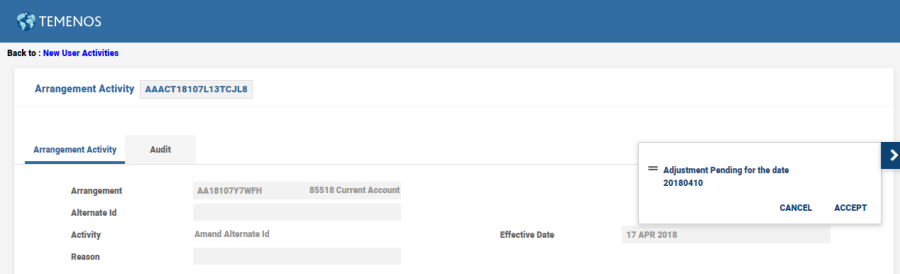
During Account Closure for the accounts with Interest Adjustment option set to Next Cap,( simulation or online closure activity) cannot be performed for the account with pending adjustments .the system raises an error message “Activity not allowed since Adjustment pending for the date”. In this case, the user can run a Retrospect Activity with effective date as the Pending Adjustment Date and then continue with Account Closure.
Adjustment Option
The attribute Adjustment Option is only applicable to AA Accounts (AR) Product Line. The proofing and publishing process validates this configuration and if found configured for any other Product Line, the system, then, displays a suitable error message.
Pending Adjustments
Reverse and Replay
Whenever a backdated Transaction/Activity is booked on an Arrangement, system would capture that date with Activity information in AA.RR.SERVICE.LIST.

Adjustment at Next Capitalisation
Whenever a backdated Transaction/Activity is booked on an Arrangement, system would capture that date in Pending Adjustment date in AA.ACCOUNT.DETAILS.
Upgrading Clients Impact
For upgrading clients the default option of Adjustment option would be NULL. However, the online reverse replay functionality would be moved to the next accrual and triggered for the farthest back-value dated transaction through a Retrospect Activity.
Clients have an option to choose to move to Adjustment option Next Cap. It is possible to move from Next Cap option to default option (Null) if required.
In this topic
