Configuring Rules
This feature helps you to create business rules. Using this designer, you can design, modify, validate and publish Temenos Transact rules. This section provides the steps to create a new rule, search and edit an existing rule.
Creating Rule
To create a new rule,
- Login as <<Role>>. From the Transact Standard dashboard’s left pane, click Rules > EB Rules.
- Click Add New from the home page.
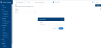
- Enter the name and version of the rule in the Create a new Rule dialog box and click OK. A rule is created successfully.

Editing Rule
To edit an existing rule,
- Login as <<Role>>. From the Transact Standard dashboard’s left pane, click Rules > EB Rules.
- Search for the rule and make the necessary changes to the rule definitions, description, context, rule variables, and system variables. You can also provide descriptions in all Transact supported languages. Refer Design Framework Rules Designer for more details.
- Validate the changes and click the commit icon to save the changes.


In this topic
