Designing an Inflow without PW
This topic shows you how to design an inflow that is not based on a process definition. The inflow request is similar to the Service XML requests of adapters.
Follow the steps below to design an Inflow that is not based on a process definition.
- Create an inflow design.

On the Inflow Design screen, the Application, Version and Function fields are enabled, allowing you to create an Inflow without PW.
- If the request is being sent for an application, select the Application. If it is for a version, select the Version.
From the Function drop down box, I, A, R, D and S can be selected.
- Select I to input fields. This will populate Fields with the fields from the Transact object. Only fields marked as editable in STANDARD.SELECTION will be displayed.
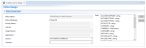
- From Fields, select the required fields and click Add.

- Use the other options in Function as required.
- Save your changes.
- Publish the inflow. For more information, see Publishing Inflows to Transact.


In this topic
