Creating a Java Keystore
This section shows you how to create the Java keystore and register entries and keys to it.
Procedure
- Extract the TemenosSecurityWeb.war file from the $TAFJ_HOME/MessageIntegrity directory to your chosen folder.
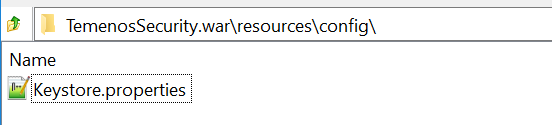
- Edit the keystore.properties file, which is available under resource/conf folder in TemenosSecurityWeb.war.

If the keystore is available as a physical file in the machine, then provide the path in the temn.keystore.location property . You can specify multiple paths separated by commas (,).

If the keystore is available in database, then specify the following properties:
- temn.keystore.database.url
- temn.keystore.database.driver
- temn.keystore.database.user
- temn.keystore.database.password
- Navigate to the bin folder of the extracted MessageIntegrity directory and execute the LaunchKeyStoreWebApp.bat file to start jetty-runner for deploying TemenosSecurityWeb.war.
- Now access the web application with the following URL:
http://localhost:8080/TemenosSecurity
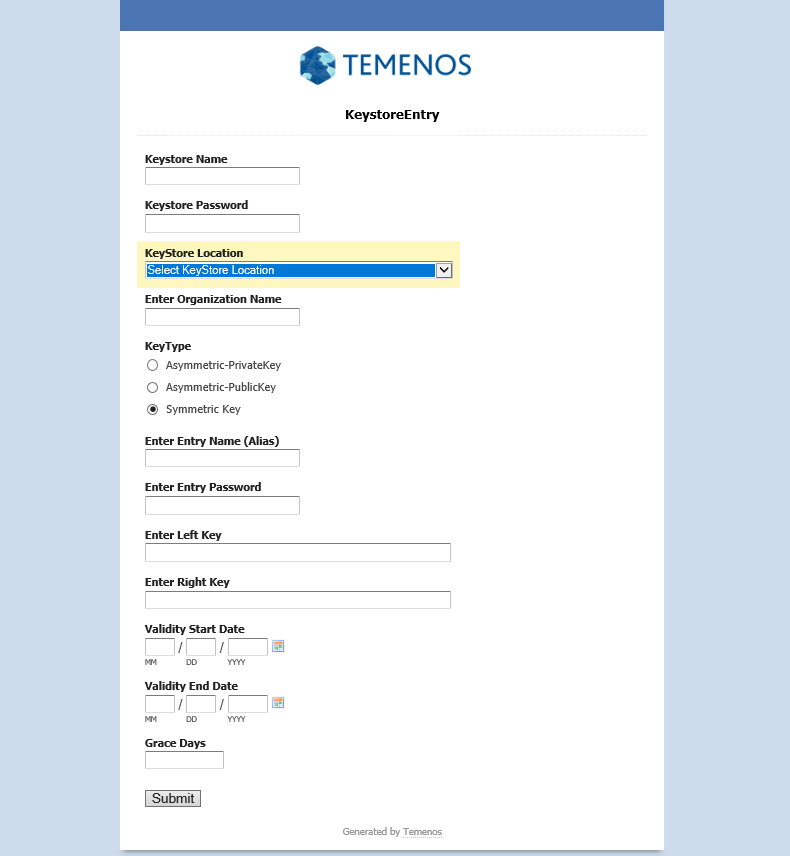
You will be able to view the keystore page as shown below.

- Enter the keystore name and password.
- Select one of the following key type:
- Asymmetric–PrivateKey: It is used only for sign operation. It should be an instance of PrivateKey.
- Asymmetric–PublicKey: It is used only for verify operation. It should be an instance of PublicKey.
- Symmetric Key: It is used for both sign and verify operations. It should be an instance of SecretKey
- Split the keys and enter it as left and right key.
- Specify Grace Days. Grace days is the number of days the keys can be configured to be valid. This is used based on configurations.

In this topic
