Configuring Eclipse Plugins
This section explains you how to link TAFJ_HOME directories with your eclipse dropins folder.
Procedure
- Create a file tafj.link in ECLIPSE_HOME/dropins.NOTE: Depending on the TAFJ version you are using, you can generate the tafj.link file automatically by running the TAFJ setup and providing the ECLIPSE_HOME path. When you use an automated setup (no prompt), tafj.link gets generated under TAFJ_HOME/conf.
- Edit the tafj.link file and add the following property key:
path=(relative_path_to _TAFJ_HOME)
- Set the path with the relative path from <ECLIPSE_HOME> to <TAFJ_HOME>
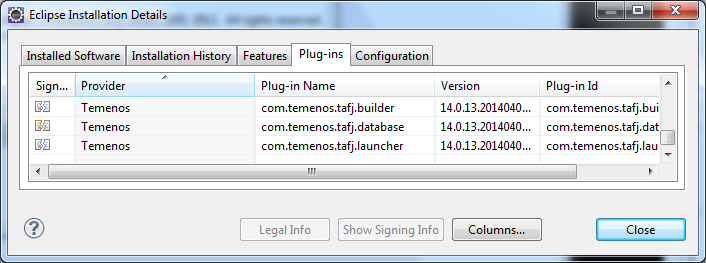
- To verify if all the TAFJ Plug-ins are loaded with Eclipse, go to Eclipse menu > Help > About Eclipse SDK and click Installation Details > Plug-ins.
In this topic
