Adding a Basic File
This section shows you how to add a Basic file in your TAFJ project.
Procedure
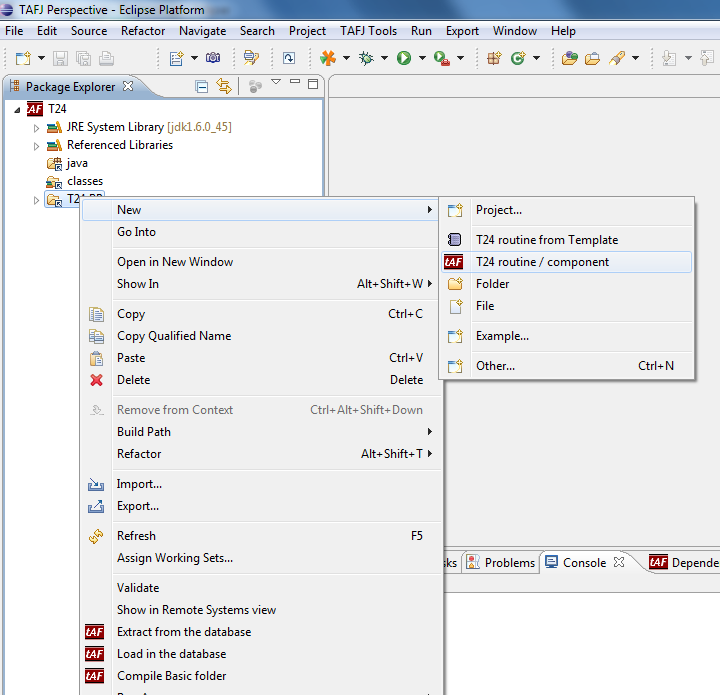
- Right-click the folder in which you want to add the Basic file and click New > T24 routine/ component.

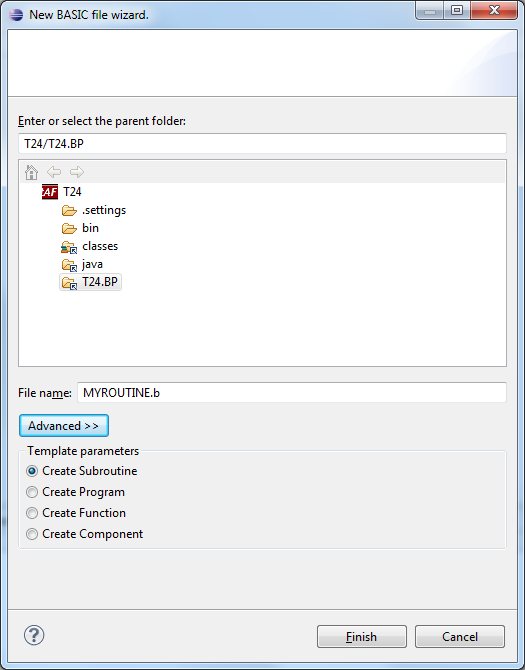
By default, it will create a subroutine but you have an option to select a different template.
- Specify the Basic file name and click Finish.

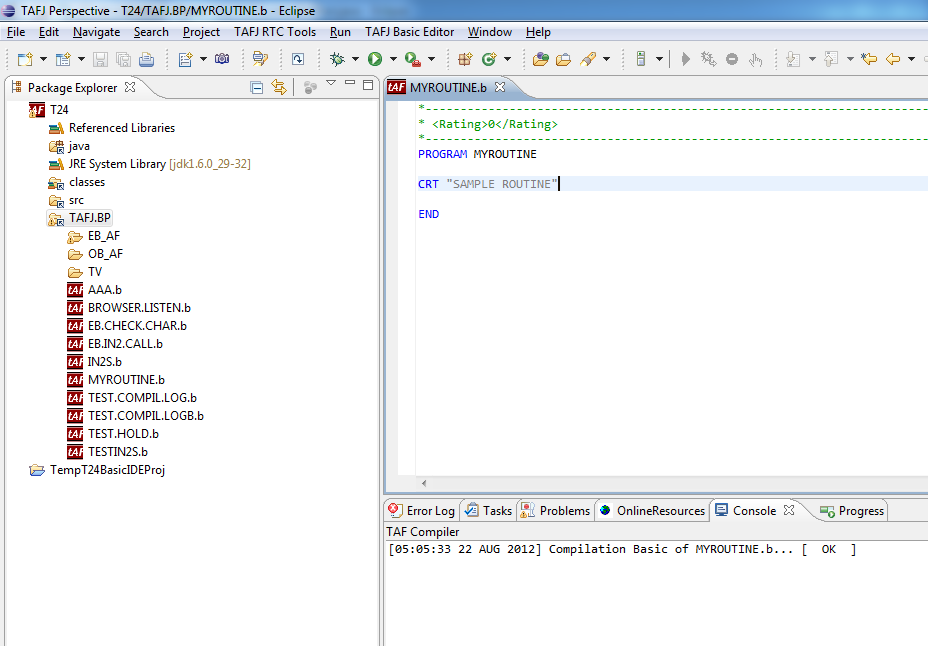
- Double-click the Basic file that you added to open in the editor and write a basic code and save.

Automatically the compiler compiles the Basic file. You cannot see the java files of the new Basic file in the java folder.
In this topic
