Checking and Modifying Project Properties
TAFJ Eclipse allows you to check and change the properties of a basic TAFJ project.
Procedure
- Right-click the project and click Properties.

- In the Properties for T24 wizard, on the left-side menu, click TAFJ. This will open the main TAFJ properties screen.

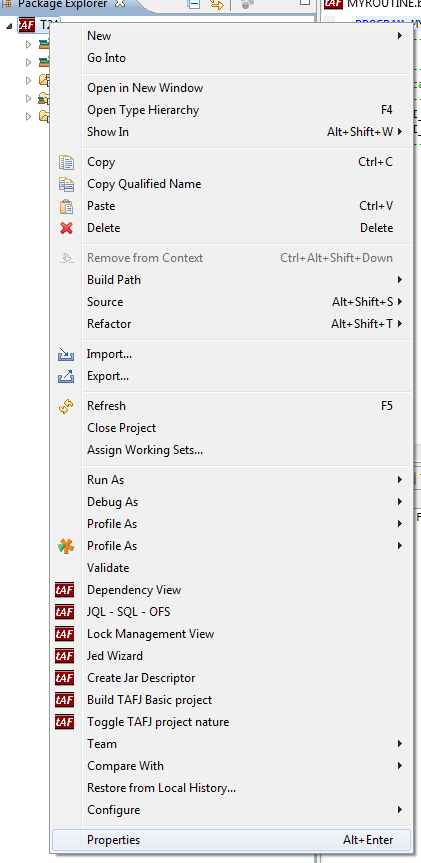
TAFJ Properties in Eclipse
In the main section of TAFJ, you can change the TAFJ_HOME and toggle the default project.
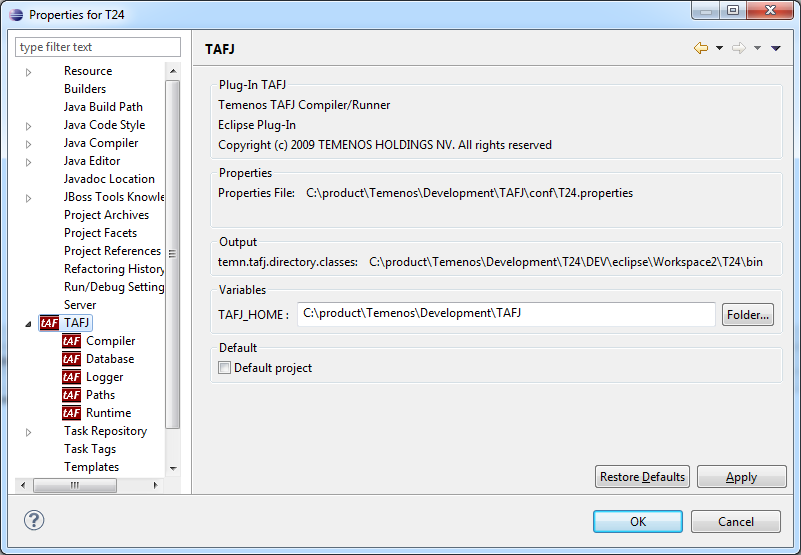
The main section of TAFJ shows you useful information like the properties file used by the current project, classes directory, etc.
 Compiler
The Compiler section, allows you to configure the compiler options.
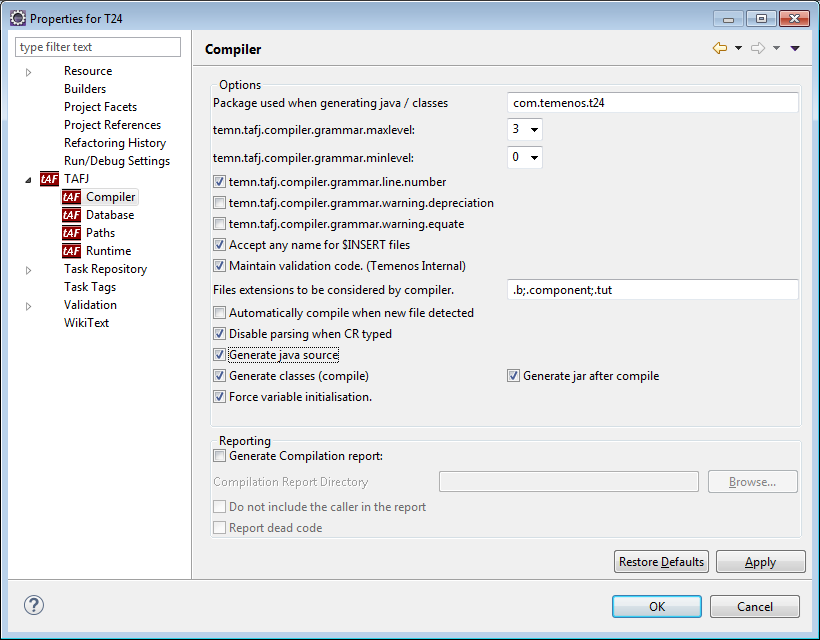
By selecting the Generate jar after compile check box, the class is automatically added in a JAR file (located in <tafj_home>/data/<your_project_name>/jars). The name of the JAR file follows the package name, for example AA_Fees.jar.
Database
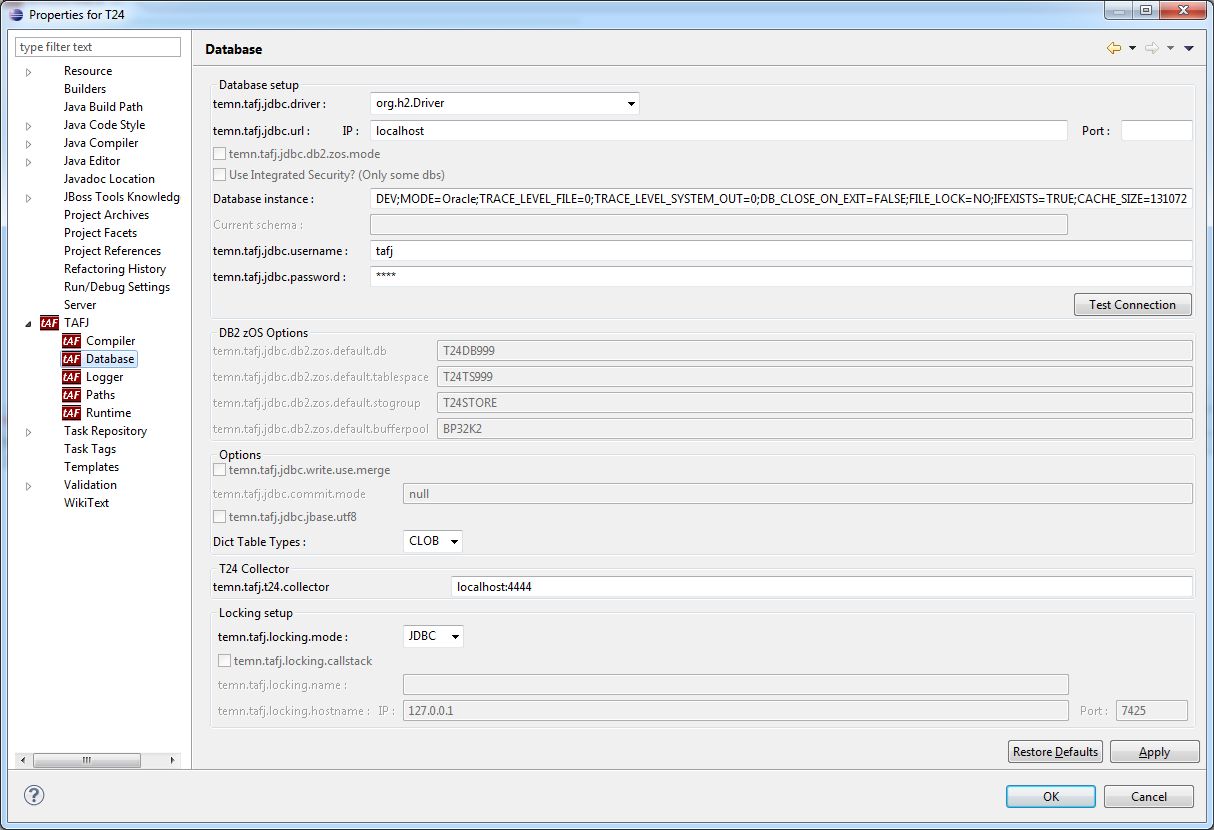
The Database section allows you to configure your database connection.
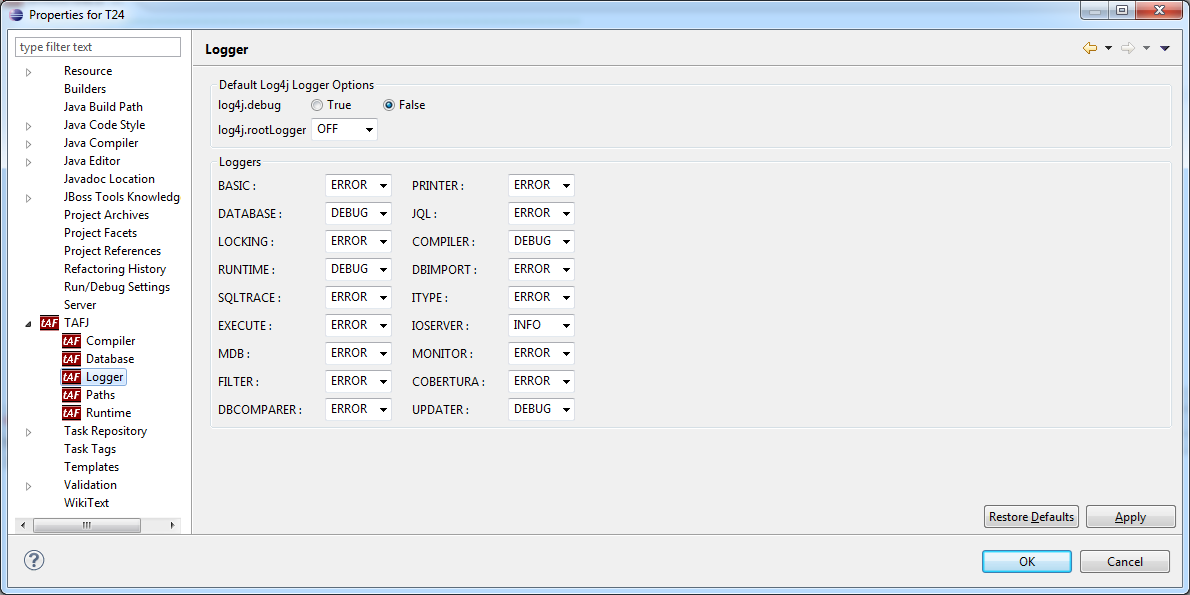
Logger
The Logger section allows you to change the log level for loggers. Log levels available are DEBUG, INFO, ERROR, ALL, FATAL, WARN, OFF.
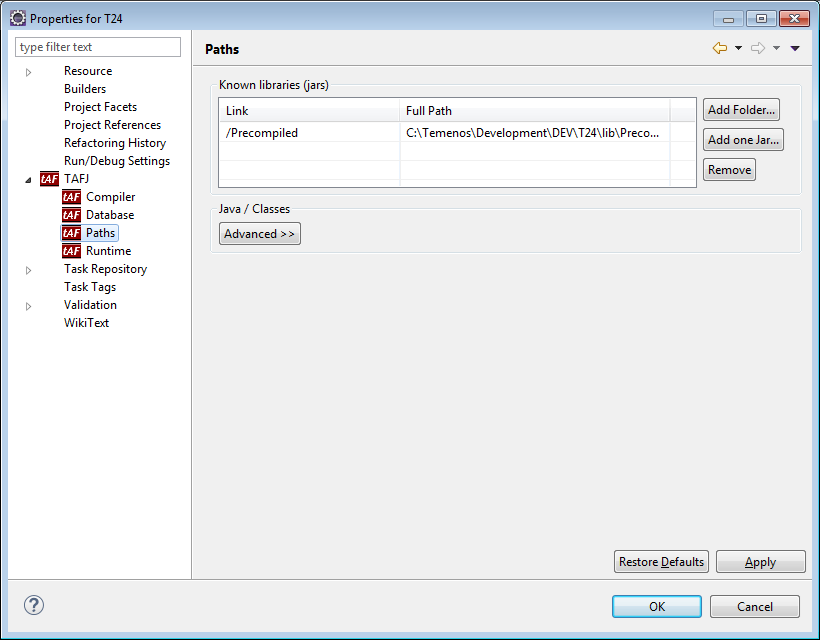
Paths
The Paths section allows you to change the paths used by the compiler.
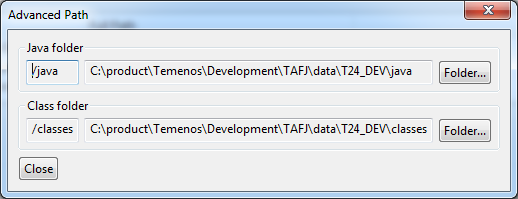
You can also change the java and classes paths.
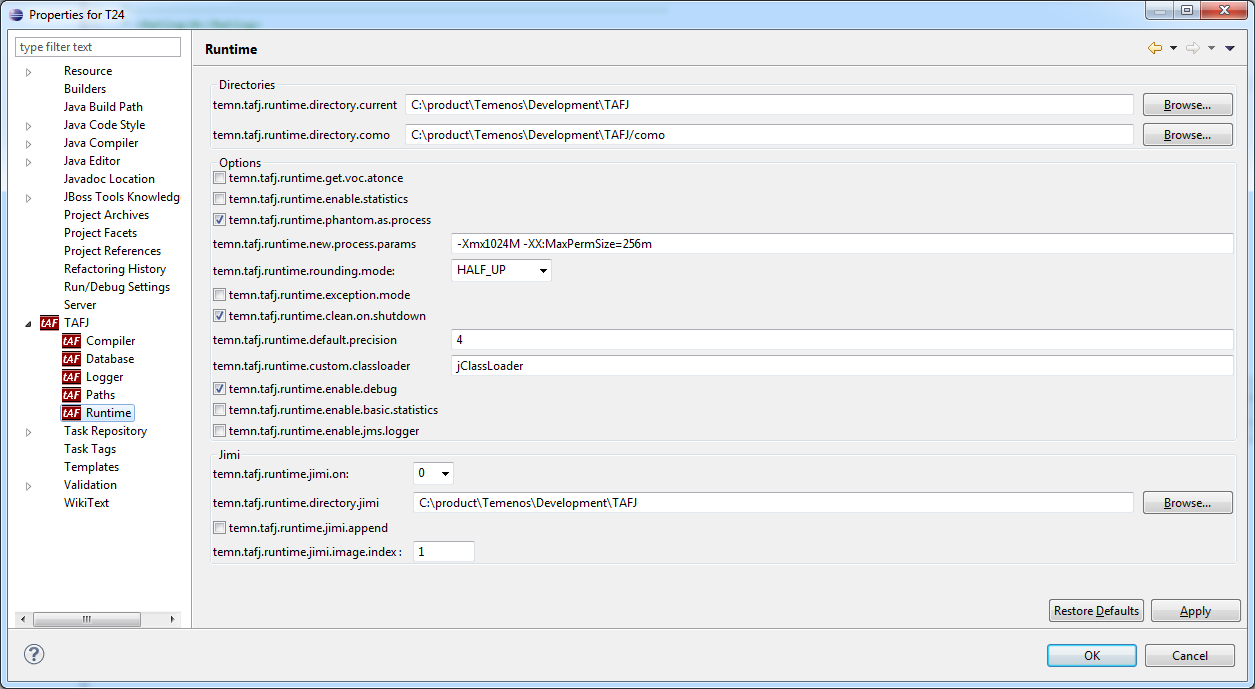
Runtime
The Runtime section allows you to configure various runtime parameters.
In this topic
