Features of Entitlement Microservices
This section lists the features that the Entitlement Microservices provides.
Resource Attribute Based Filters
Apart from resource ID, attribute-based filters in Entitlement configurations to filter the records based on the access control defined using authorization policies.
The resource filter fields can be configured in the Microservice. There are two configuration files to configure the resource filter fields.
 APIResourceFilters
This resourcefilters can be used to create rule for a policy. Based on the policy evaluation result, the MS allows request to process or deny the request. Sample APIResourceFilters structure is shown below.

Where,
- operationId is a API OperationId
- fields is an array and you can add multiple request body fields or request params for a single API
EntityResourceFilters
It is used to filter the database records. You can create a obligation using this resourcefilter for filter the database records. Sample EntityResourceFilters is shown below.

Where,
- name is a entity name
- fields is an array and you can add multiple fields for a single entity
Data Ingestion
This section explains the approach used for data ingestion component to upload user entitlements from Temenos Transact product system.
The following screen capture explains the various services and routines used to produce data events for all existing external users from Temenos Transact.
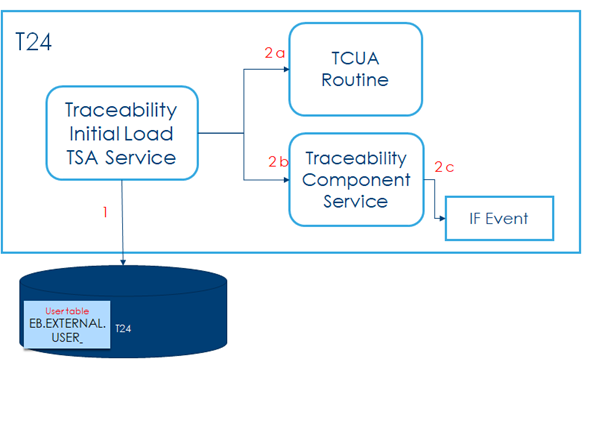
Where,
1 - Get list of users
2 - For each user,
a - Invoke TCUA routine to get the entitled account
b - Invoke Traceability Component service with the accounts data
c - If Exit Hook configured for Component service will data events
3 - If event is designed as data events to emit event data as DES events
Checking Use Cases of Data Ingestion
The following are the prerequisites for checking the use cases of data ingestion:
- Application server must be up and running with the following deployments and database should be connected.
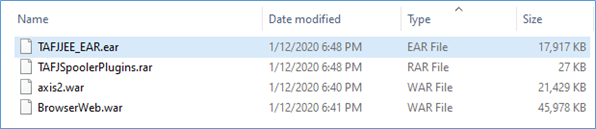
- DES must be configured and in running status.
- In tafj.properties, you should change the configuration for temn.tafj.runtime.use.df.cache to true. [To enable commit capture to store the EVENTS in F_DATA_EVENT table]
Creating and Configuring Integration Project in Transact
To create an integration project and configuring it in Transact,
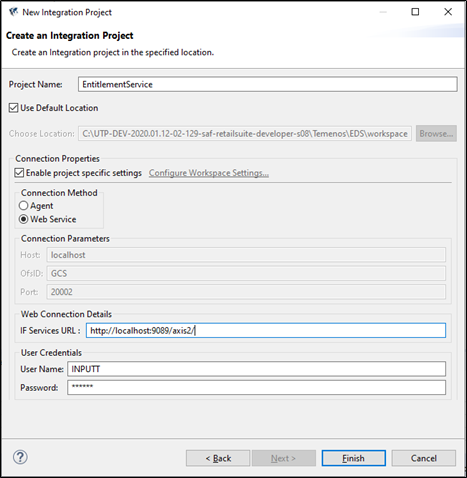
- Launch EDS and open new project creation wizard.
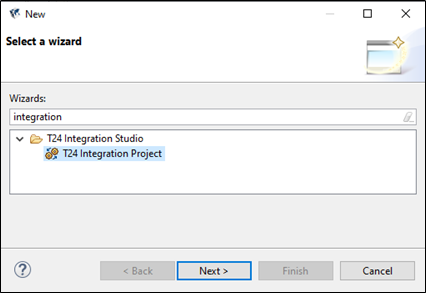
- Select T24 Integration Project and click Next.

- Enter a name for the project and select Web-Service as the connection method to connect with the IF services by providing the URL.

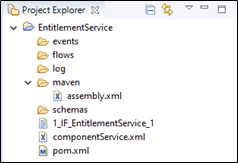
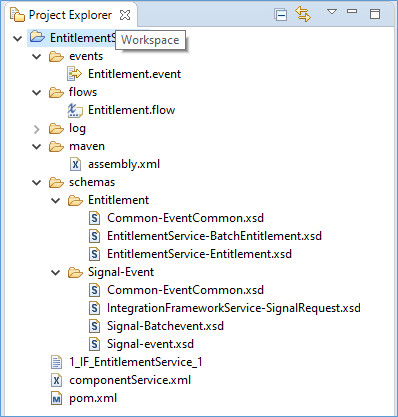
The newly created integration project is displayed in the project explorer.

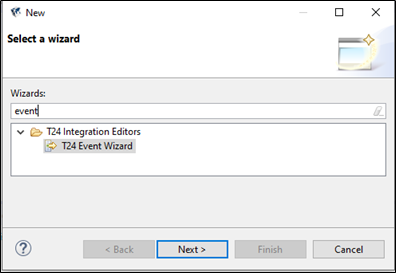
- Right click on the project to select new event creation wizard and click Next.

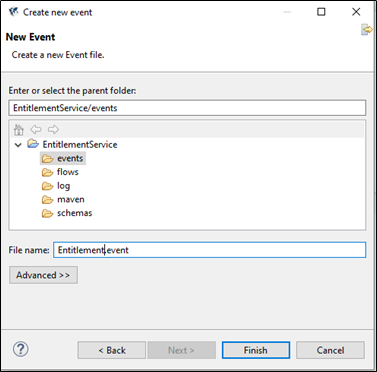
- Enter a name for the event file and click Finish.

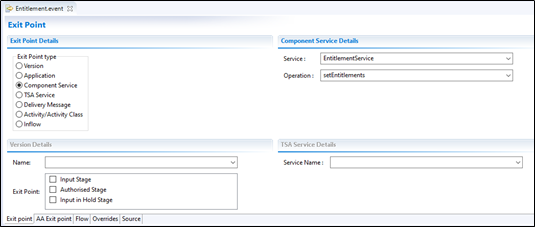
- Configure the Exit Point details by selecting Component Service exit point type, Service as Entitlement-Service and Operation as setEntitlements.
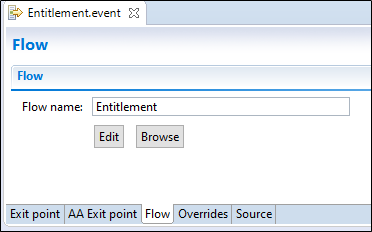
- Enter a name for the flow and click Edit to create a new flow.

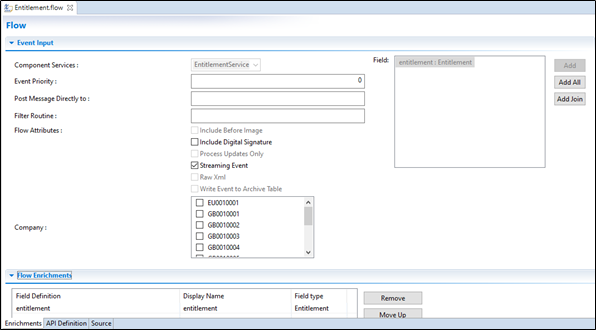
Newly created flow is displayed with the Entitlement Service and the corresponding flow enrichments field definitions.

- Right click the project and select Integration Designer > Publish Event to create the schemas.

 Executing EB.ENTITLEMENT.SERVICE
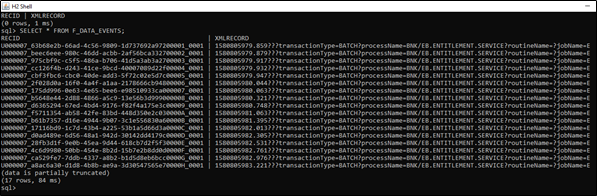
Ensure the table F_DATA_EVENTS has no rows before the execution of the EB.ENTITLEMENT.SERVICE.
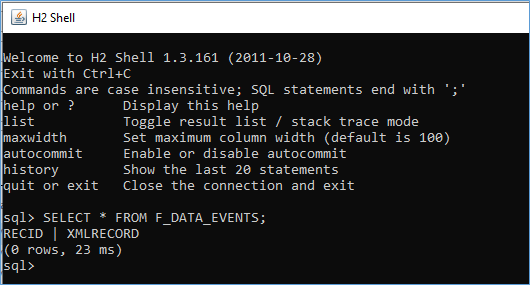
To execute EB.ENTITLEMENT.SERVICE,
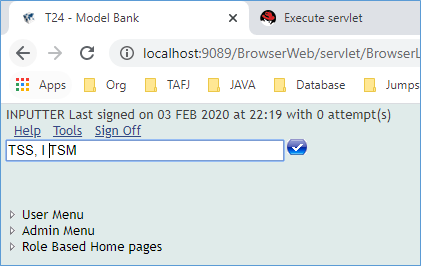
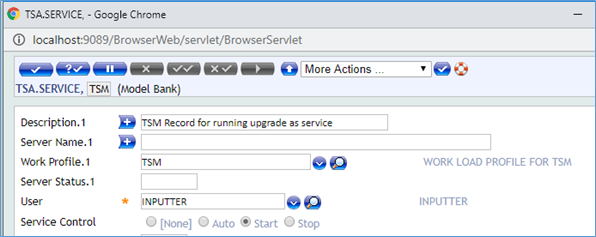
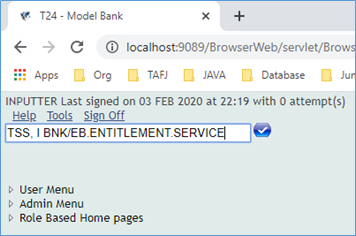
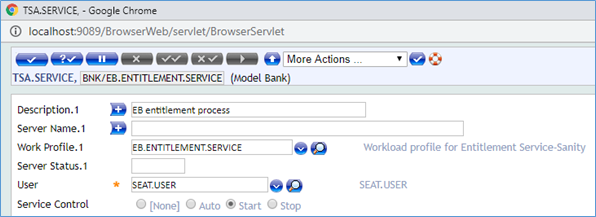
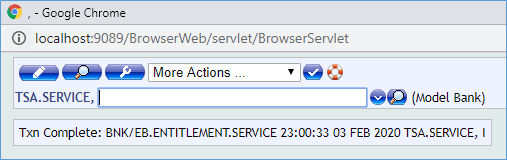
- Create the following two services in the TSA.SERVICE application as shown in the following screenshots:
- TSM

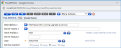
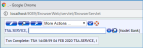
- BNK/EB.ENTITLEMENT.SERVICE

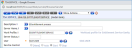
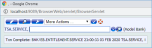
- TSM
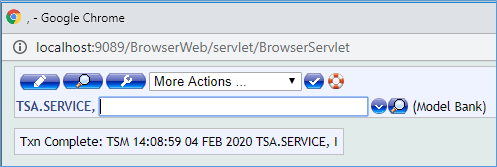
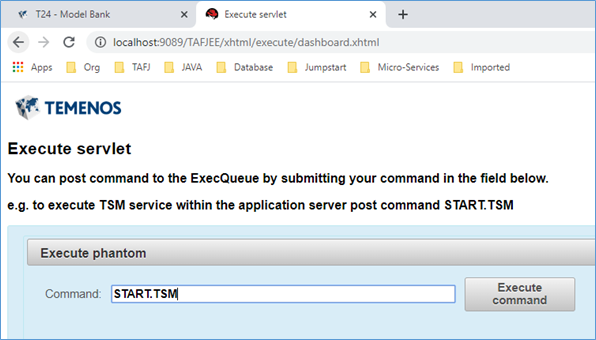
- From the Execute Servlet page, execute the phantom command START.TSM using the TAFJEE.

After executing EB.ENTITLEMENT.SERVICE, the F_DATA_EVENTS table is populated with data in H2 database.
 Producing Package of Events and Flows
Integration flows are created in event designer under the T24 Integration Project project type and the artefacts are stored as XML documents with .event and .flow extensions. This project is a versionable item typically stored in a source control as a model artefact. When required, an individual project, along with all flows and events published into T24 through an option provided in the event designer.
It is only possible to publish integration flows from the event designer which is not useful in an automated packaging or integration solutions. It is required to be able to sync the integration projects from the source control and package the integration flows to be installable in a Transact environment.
The following components will be added after successful maven build.
|
File |
Description |
|---|---|
|
assembly.xml |
A file added under the root of the project which contains how the integration project artefacts such as “.flow”, “.event” are copied into the package. |
|
pom.xml |
A file added under the root of the project which contains the information about the properties and configuration of the project and used by maven when building the project. |
Building Project Using Maven
You can produce a package of events and flows from an event designer project. To build a project using maven,
- Right click the project and select Run As > Run Configurations.
- From the pop-up window, select Maven Build to create a new maven build configuration for this project.
- Select the base directory as the newly created Integration Project and ensure that the Goal is set to 'clean package'.
- After the build configuration is done, click Run from the pop-up window.
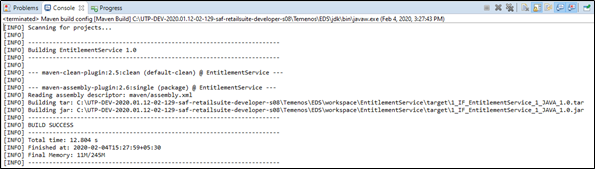
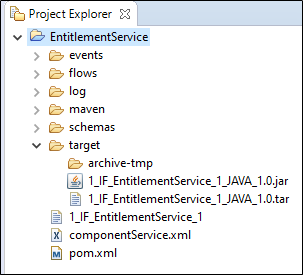
Once the maven build is successful, the build artefacts are stored under target folder.

The jar file is for TAFJ and tar is for TAFC. These jar files can be maintained in any source control system and to be used to deploy the events and flows in Transact Environment. It is recommended to publish the events and flows in Transact environment before creating the package to confirm if the publish happens successfully that validated the events and flows.
Before starting the deployment process, ensure that the Application, Version, Component Service and the TSA service used in the events in the package are available in the destination Transact environment.
Authorization
Microservices use XACML-based authorization policies to enforce authorization checks for both events and API requests serviced in the microservice.
Microservice framework provides required Information (PIP) to the XACML Execution engine (PEP) in order to execute the role-based authorization policies in the microservices. Based on the results returned from the PEP engine, the Microservice framework allows or denies the execution of API as well configured queries of the microservices.
|
S.No |
Inputs |
Description |
|---|---|---|
|
1 |
User Id |
'subject' claims of JWT Token received |
|
2 |
User Entitlements |
Configured in Entitlement Microservices for all the users |
|
3 |
Request Input parameters |
Request Input paramters |
XACML Based Authorization
Attribute-based access policy is verified at the MS API endpoint before business operations are performed. The rule-based policy files are stored in the GenericConfig Microservice. The policy is evaluated in two layers. Authorization checks are enforced at two points - API and Query Execution Layer.
- API Layer - Microservice framework shares information of the user entitlement details, request details, user context and environment context to the PDP engine that executes the policies and provides the result as Allow or Deny.
- DAO Layer - Microservice framework restricts access to the records by defining entity attributes-based policy using OBLIGATIONS at the XACML policies.
Temenos Microservice provides a provision to create policies for the microservices. The rule-based policy file can be created using PAPUI.
Microservice Framework uses the Temenos security framework library to apply Attribute-based Access policies check at MS API endpoint (GET/POST/PUT) before the business function gets executed. The XACML Policies are available in the runtime and get enforced before APIs getting executed in the Microservice.
Following are the XACML attribute types used to enforce policy-based authorization checks in the Microservice
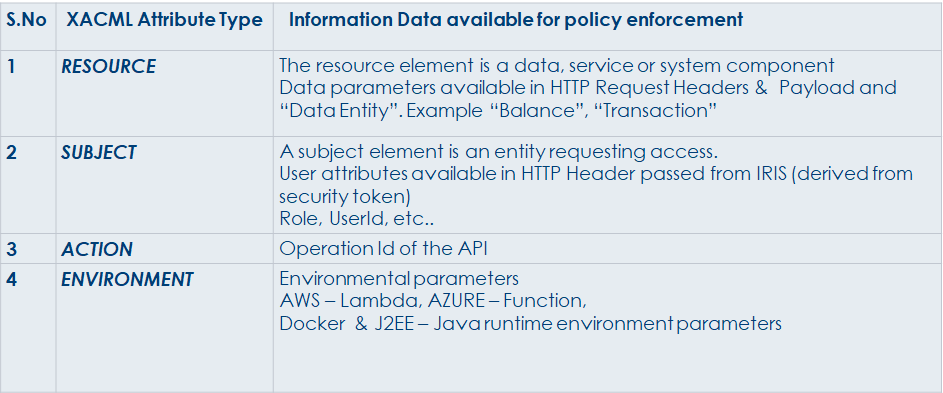
Apart from the API layer, Microservice Framework provides an infrastructure to apply the Record Level Access check at the query execution layer of the Microservices. You can restrict access to the records by defining entity attributes based policy using OBLIGATIONS at the XACML policies.
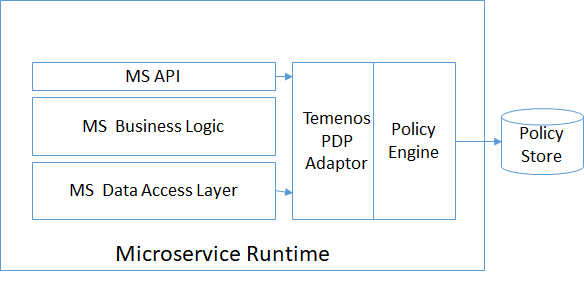
Policy Decision Policy (PDP) Engine provides infrastructure to evaluate applicable policy and returns an authorization decision to the application to enforce the decision at right enforcement point.
AuthzForce (OW2) is used as PDP engine for out of the box support. An adapter, available for AuthzForce, is used for implementing policies in Microservices.
Apart from the adaptor, below components’ generic implementations are provided as a part of common library
- Information Point
- Decision Point & Obligations
In this topic
