Deploying Service Request Microservice on Docker
This section explains how to deploy the Service Request microservice on Docker. To do so, you must perform the following tasks:
Deployment Artefacts
The folder structure of the Service Request microservice package is available as a single release bundle. For example, ms-servicerequest-package-docker-<release_number>.zip.
Prerequisites
Ensure that you meet the following prerequisites before deploying Service Request microservice on Docker.
- Install the Docker engine on your deployment environment. For more information about the installation, click here.
- Turn on the Linux containers in Docker.
Deployment of Service Request Microservice on Docker
To deploy Service Request Microservice on Docker, follow these steps.
- Extract the
ms-servicerequest-package-docker-<release_number>.zipfile.The extracted package contains the configuration files of Docker and the respective bat and sh files.
- To setup in-house Kafka instance for enabling the Service Request microservice and to communicate with Service request Fabric App:
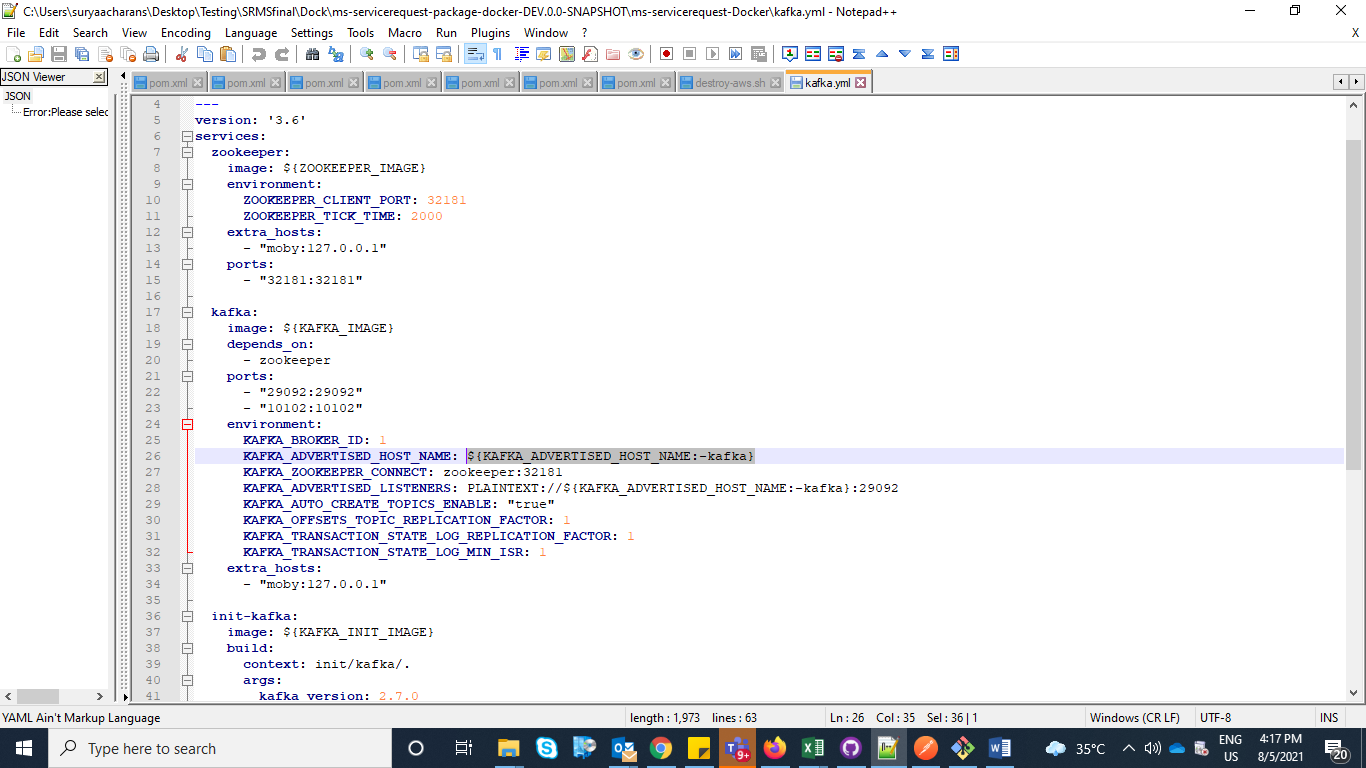
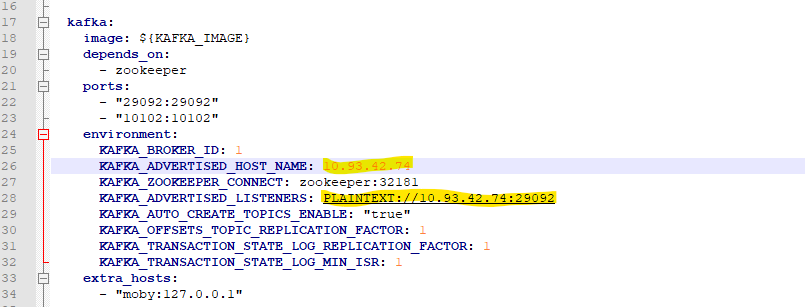
- Navigate to <INSTALLATION_FOLDER>\ms-servicerequest-Docker folder and open kafka.yml. Update the KAFKA_ADVERTISED_HOST_NAME and KAFKA_ADVERTISED_LISTENERS parameters to configure the Public IP and Port (the externally accessible host address and port) of the machine or server (where Kafka instance is being setup)
Mongo DB
- Enable JWT Authentication and XACML in ms-servicerequest-mongo.yml.
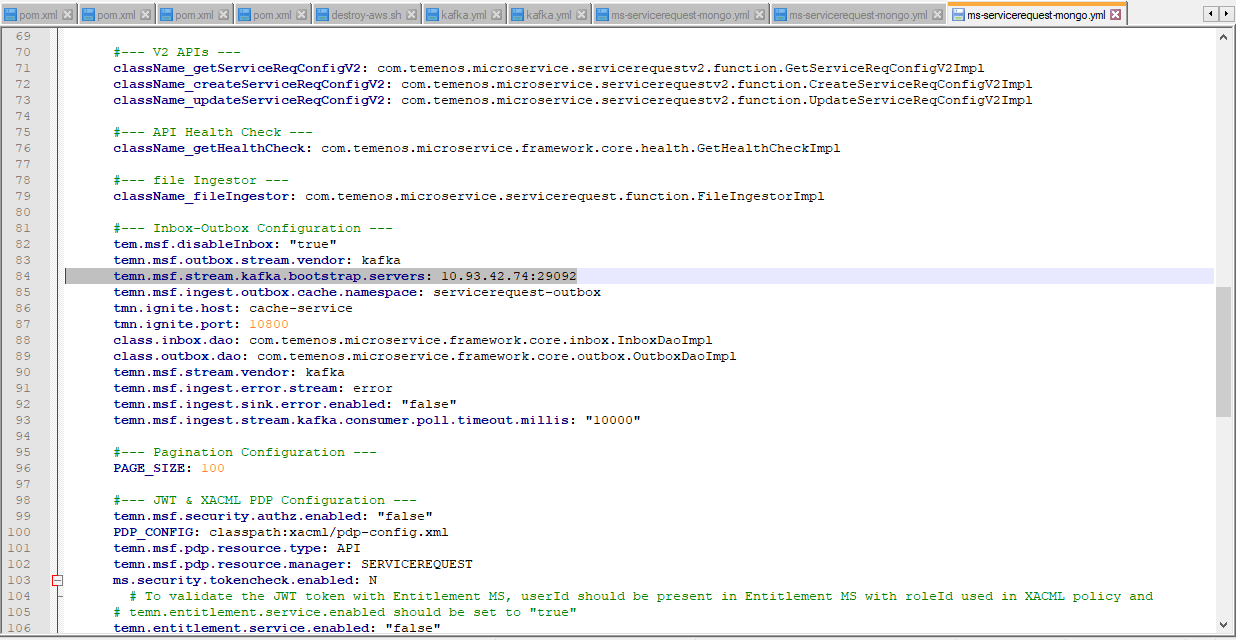
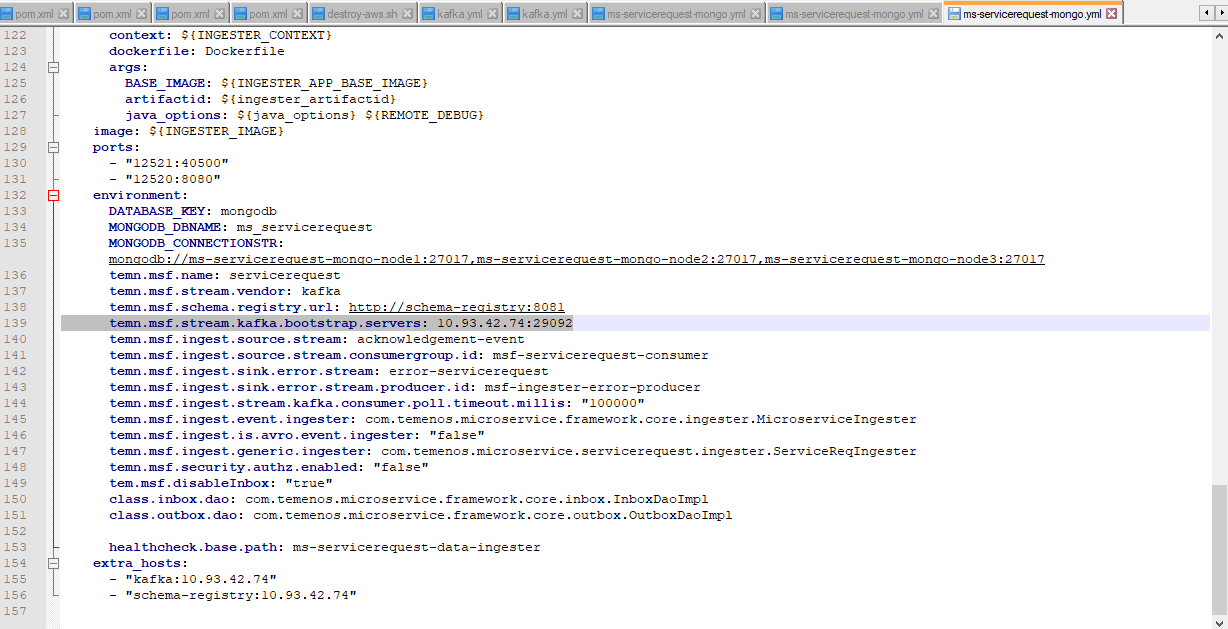
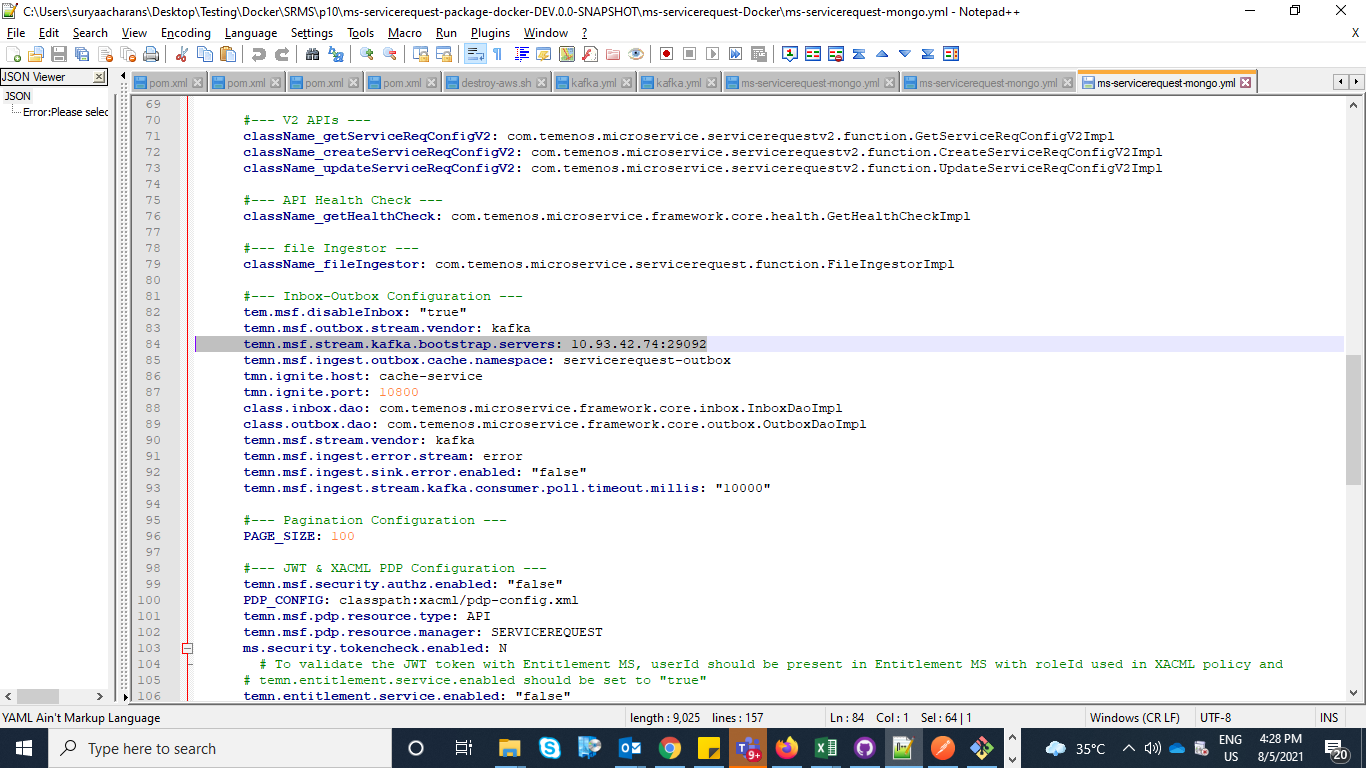
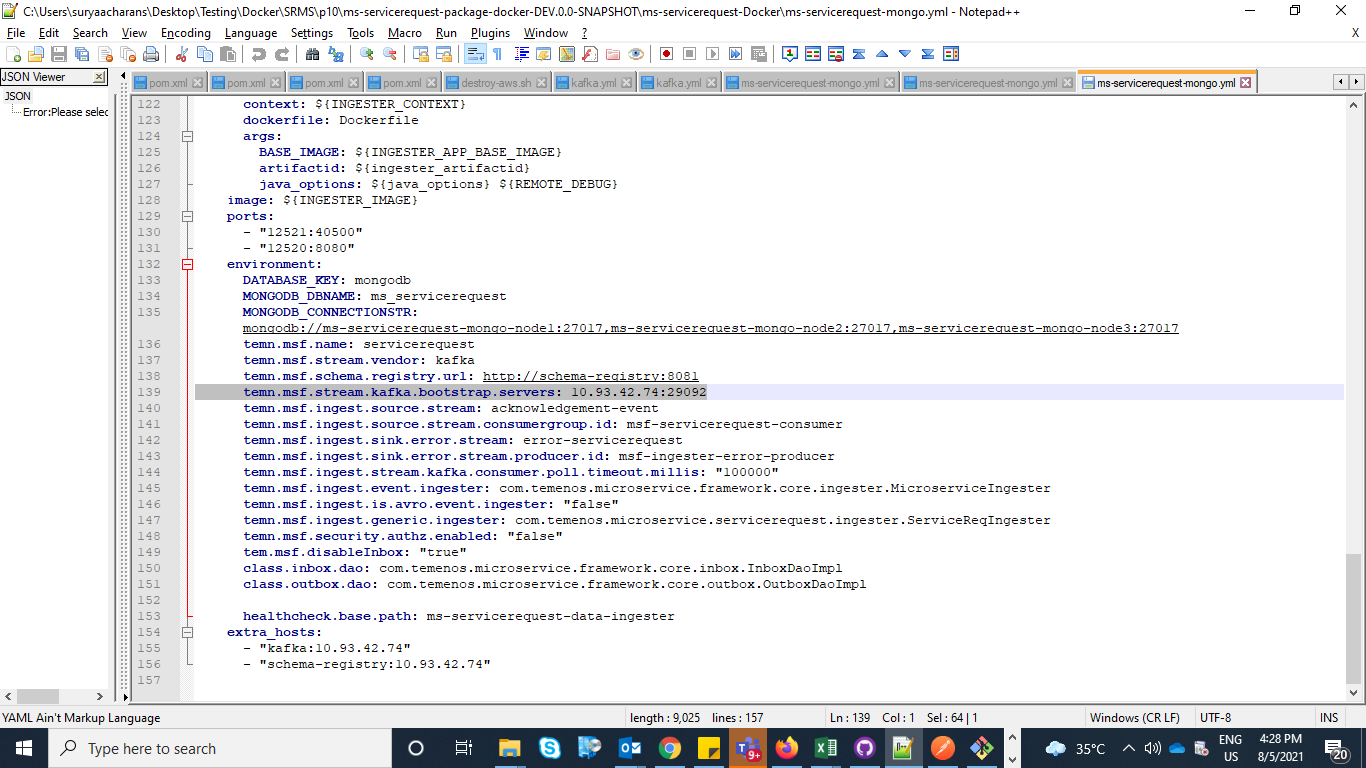
- Navigate to <INSTALLATION_FOLDER>\ms-servicerequest-Docker folder and open ms-servicerequest-mongo.yml. Execute temn.msf.stream.kafka.bootstrap.servers kafka to set the Host IP and Port of the Kafka instance in both API and INGESTER container definitions.
In Ingester/Environment

- Navigate from the command prompt to the directory where the .bat and .sh files are available and execute the below command which creates an image and docker container for the image.
- For Windows: ms-servicerequest.bat up --build -d
- For Linux: ms-servicereqeust.sh up --build –d
- After the successful deployment, the database, collections, and the reference data(master data) are loaded into the mongo database for service request microservice.
- Once the Service Request microservice is up and running, APIs in the package can be tested.NOTE:
The structure of the URL of APIs is as follows.
Base Path: http://<IP_ADDRESS>:<PORT>/<context-root>/api/<version>/. For example, http://localhost:8310/ms-servicerequest-api/api/v1.0.0/.
The resource path of the endpoint is available in the swagger document of the respective APIs. A sample endpoint of the Service Request could be http://localhost:8310/ms-servicerequest-api/api/v1.0.0/orders/serviceRequestConfigurations.
Postgre SQL
- Enable JWT Authentication and XACML in ms-servicerequest-postgresql.yml.
- Navigate to <INSTALLATION_FOLDER>\ms-servicerequest-Docker folder and open ms-servicerequest-postgresql.yml. Execute temn.msf.stream.kafka.bootstrap.servers kafka to set the Host IP and Port of the Kafka instance in both API and INGESTER container definitions.
- Navigate from the command prompt to the directory where the .bat and .sh files are available and execute the below command which creates an image and docker container for the image.
- For Windows: ms-servicerequest-postgresql.bat up --build -d
- For Linux:ms-servicerequest-postgresql.sh up --build -d
- After the successful deployment, the database, collections, and the reference data(master data) are loaded into the postgre sql database for service request microservice.
- Once the Service Request microservice is up and running, APIs in the package can be tested.NOTE:
The structure of the URL of APIs is as follows.
Base Path: http://<IP_ADDRESS>:<PORT>/<context-root>/api/<version>/. For example, http://localhost:8310/ms-servicerequest-api/api/v1.0.0/.
The resource path of the endpoint is available in the swagger document of the respective APIs. A sample endpoint of the Service Request could be http://localhost:8310/ms-servicerequest-api/api/v1.0.0/orders/serviceRequestConfigurations.
Undeployment
To stop and delete the existing container, execute the below command from the location where the servicerequest docker is started.
MongoDB
- For Windows : ms-servicerequest-mongo.bat down
- For Linux : ms-servicerequest-mongo.sh down
Postgre SQL
- For Windows: ms-servicerequest-postgresql.bat down
- For Linux: ms-servicerequest-postgresql.sh down
In this topic
