Consent (Disclaimer and Terms & Conditions)
This doc explains the consent for the Disclosures and Terms & Conditions addressing the legal and GDPR requirements.
A Disclosure is any type of legal definition, which includes facts and/or information which can be a short text or a link which leads to a detailed document.
Terms & Conditions (T&C) is the overall rules set in a contract between the Financial Institution (FI) and the customers for the services provided by the FI. It defines and regulates the business relationship. It includes a short text or a link which leads to a full detailed document hosted somewhere else. Terms and Conditions vary in accordance to multiple variables such as Selected Products, End-User’s Profile and specific attributes such as Interest Rate.
To initiate the application either as a Prospect, or as an Existing customer or a Related party must abide and provide your consent in the login screen of the Origination App.
All the consents display in each screen as part of the application submission are applicable to all the below journeys:
- Retail Onboarding
- SME Onboarding
- Retail Lending
- SME Lending
NOTE: All the consents received on the login screen is stored for Main Applicant (party ID/prospect ID) under the application ID in ODMS.
Multiple Consent on Sign-in Page
System administrator will have the capability to display the multiple Consent check boxes that display on the login screen. You must select all the check boxes to provide your consent, without which you cannot proceed to the further screens. The consents are as follows:
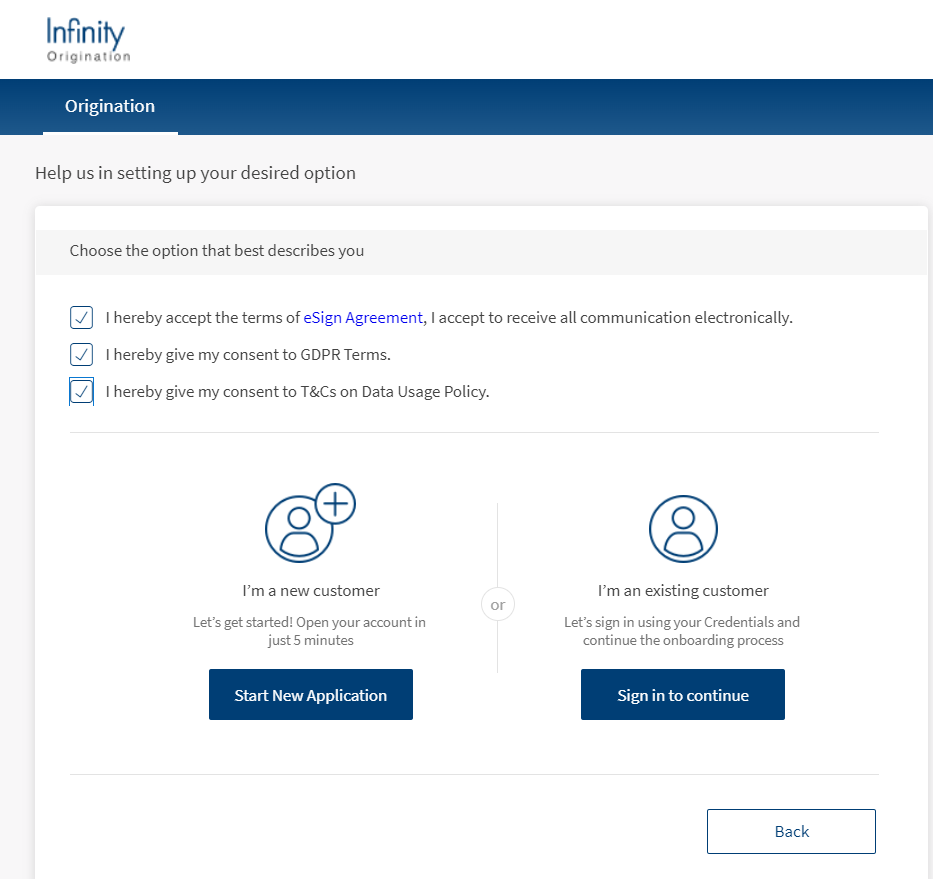
• I hereby accept the terms of the eSign Agreement, I accept to receive all communication electronically.
• I hereby give my consent to GDPR Terms
• I hereby give my consent to T&Cs on Data Usage Policy.
Consent by Main Applicant
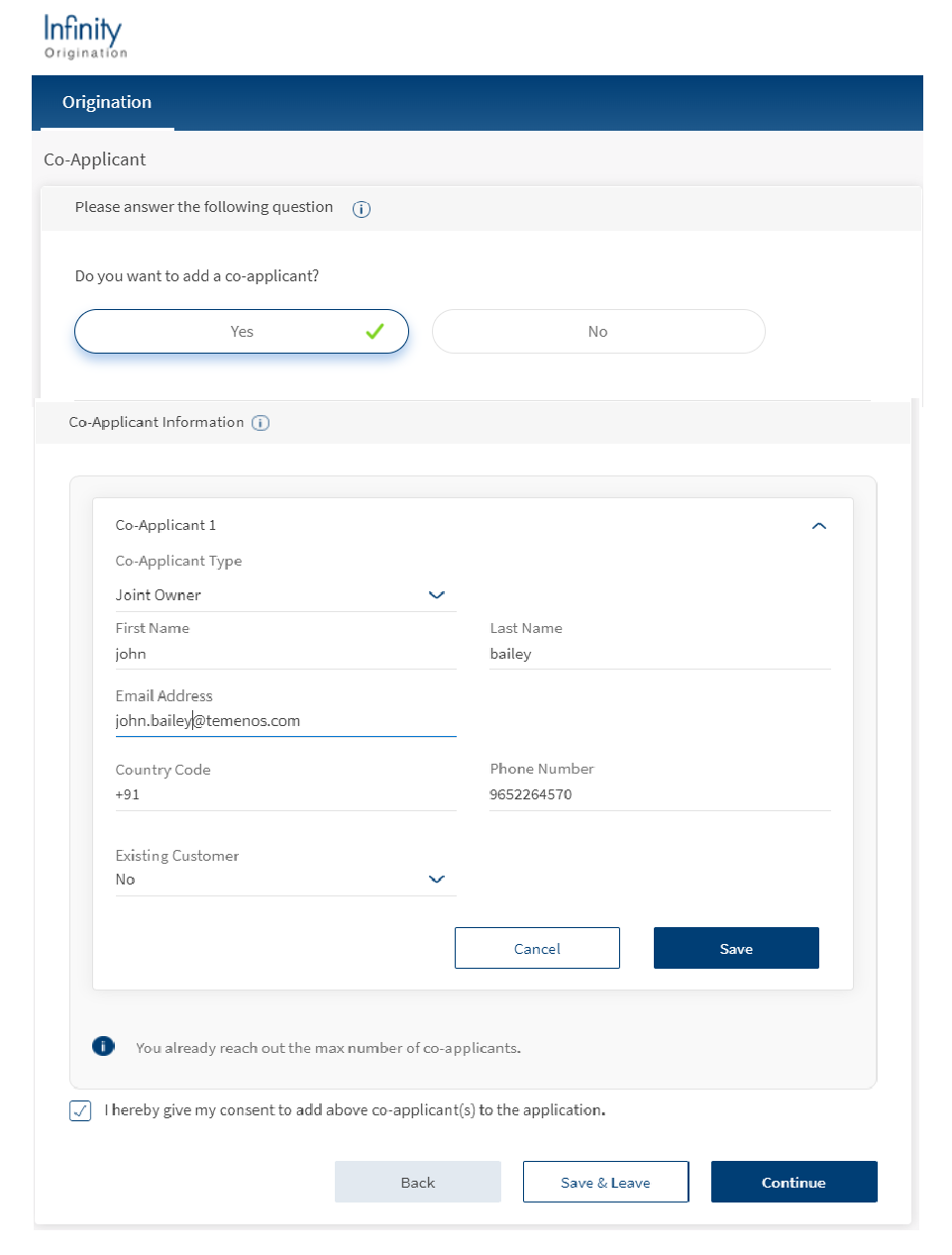
When main applicant has to add a co-applicant in the Co-applicant screen, Main applicant must select the checkbox to proceed to next screen as I hereby give my consent to add above co-applicant(s) to the application.
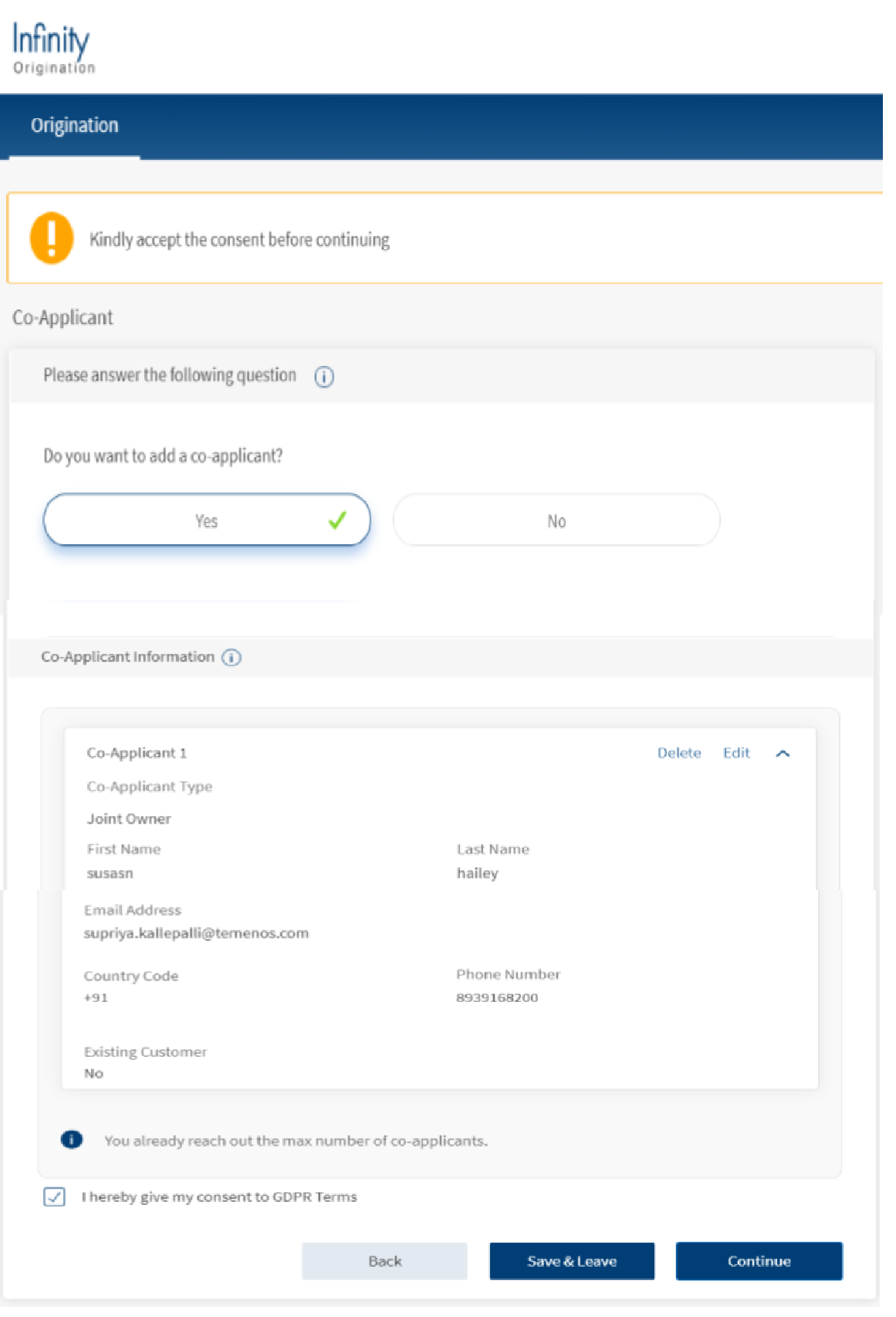
NOTE: All the consent you provide on this page, is stored for main-applicant (party ID) under the application ID in ODMS.
Consent by Co-Applicant
When Co-applicant receives an invite from the main applicant. Co-applicant must select the checkbox to accept the invite to proceed to next screen. The consent is as follows:
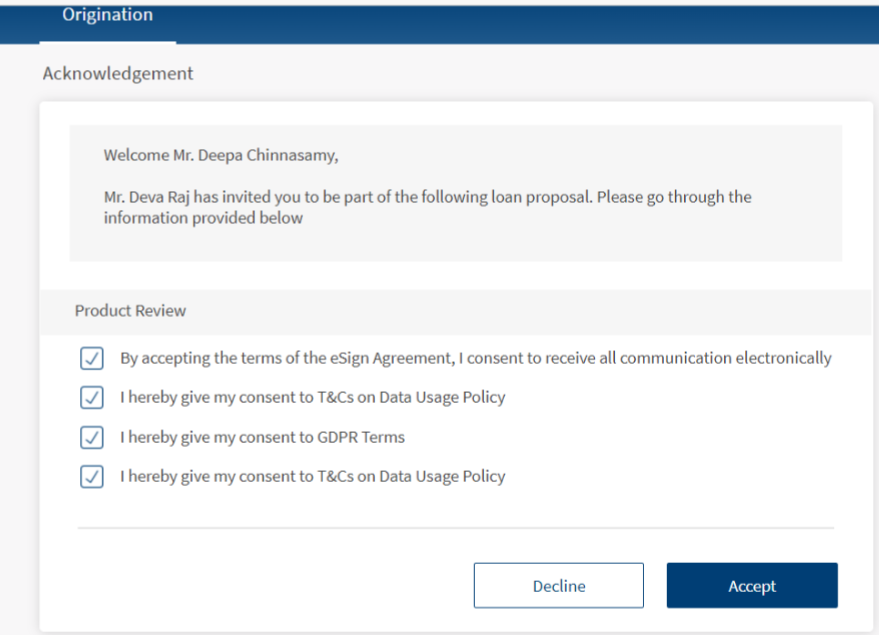
- I hereby accept the terms of eSign Agreement, I accept to receive all communication electronically.
- I accept to be added as as co-applicant in this application with the main applicant.
- I hereby give my consent to GDPR Terms
- I hereby give my consent to T&Cs on Data Usage Policy.
NOTE: All consent received on the login page is stored for the co-applicant (party ID) under the application ID in ODMS.
Consent by Main Applicant in Related Party
When Main applicant has to add a Related party in the Related party screen, Main applicant must select the checkbox to proceed to next screen as I hereby give I hereby give my consent to add above related party(s) to the application.
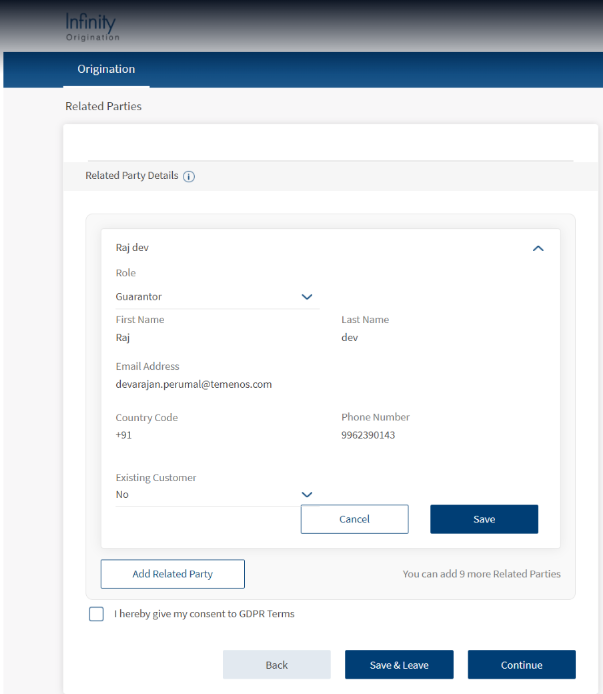
NOTE: All the consent provided by the main applicant on login page stores for main-applicant (party ID) under the application ID in ODMS.
Consent by Related Party
When related party receives from the main party, related party must select the checkbox consents shown on the acknowledge screen to proceed to the further sections. The consent is as follows:
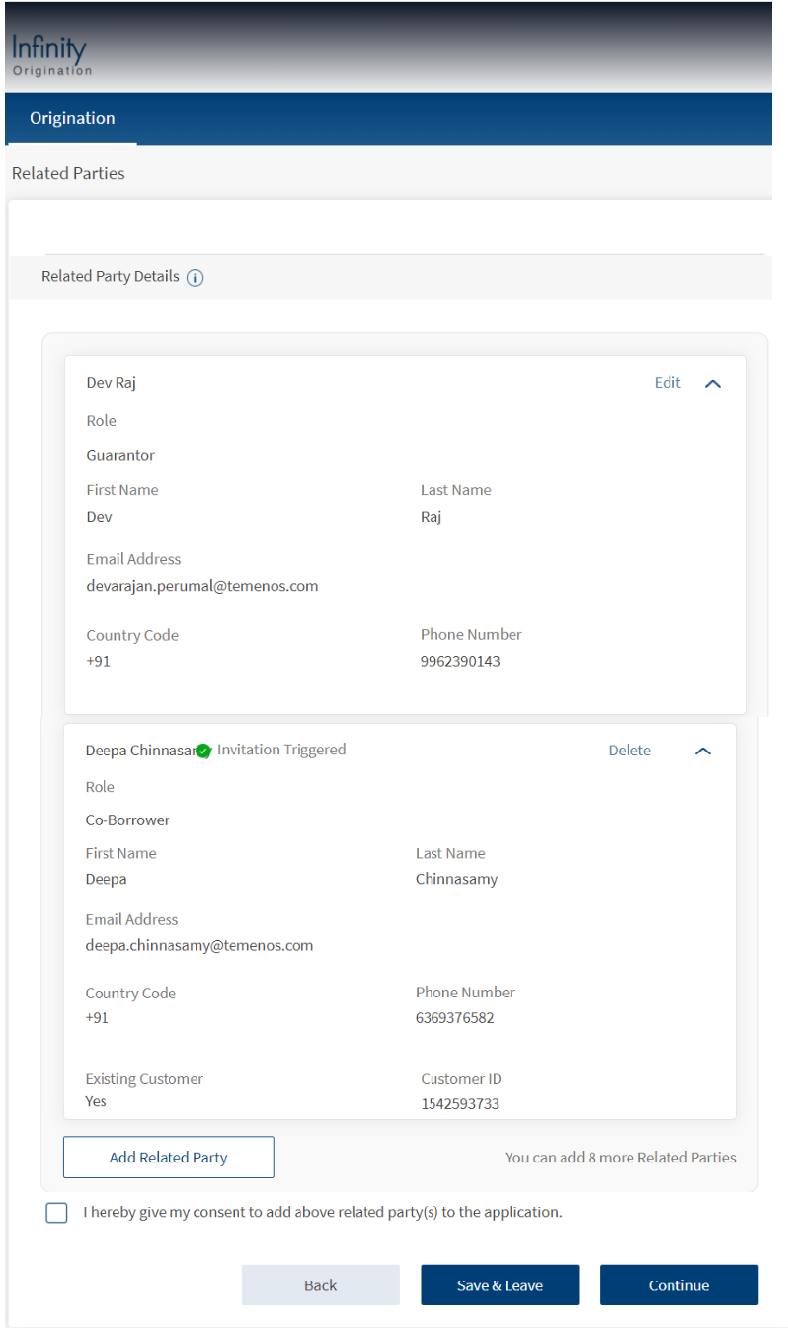
- I hereby accept the terms of eSign Agreement, I accept to receive all communication electronically
- I accept to be added as as related party in this application with the main applicant
- I hereby give my consent to GDPR Terms
- I hereby give my consent to T&Cs on Data Usage Policy
NOTE: All the consents received on the login page store for related party (party ID) under the application ID in ODMS.
Consent Mode
System administrator has the capability to store the consent Mode either of below while storing the consents in ODMS.
- Generic consent : If you select the checkbox explicitly, then consent mode is stored as Explicit Consent.
- Explicit consent: Consents such as Terms &Conditions and Disclaimer which display as static text display on the screen and no checkbox displays but the consent is captured automatically on navigation to the next screen, that consent mode is stored as Generic Consent in ODMS.
Store consent in ODMS
All the consent received from Prospects and Existing customers in Retail and SME application are captured in the Origination App along with some metadata into ODMS as below.
- Consent ID
- Application ID
- Party ID /Prospect ID (All Parties in an application)
- Consent Mode: Generic Consents, Explicit Consent
- Consent: Contents given by all respective parties
- Version ID of each consent
- Date and Time of Consent
Consent Expiry in ODMS/OPMS
System administrator has capability to store all consents in the Application ID as long as the ODMS/OPMS application data is available. When the ODMS and OPMS Application data is archived, all the consent data must also be archived.
The number of days to store the consents in ODMS/OPMS is configurable and bank must allow to configure the different expiry date for each consent.
Mode of Consent
System Administrator will have the capability to manage the disclosure and T&C and configure the consent type with following options:
- Generic : Informative static text displays on the screen and you need not do any further action
- Explicit : Check Box displays on the screen and you must select the checkbox to provide the explicit consent
Resume Application
When you have already provided your consent and want to resume an application, all the consent is recorded and even if the version of the disclosure/Terms and Conditions changes or expires, you need not provide the consent again.
Change Description of T&C
System administrator will have the capability to manage consent, disclosure and T&C using Spotlight If there is a change in the description or content of the created consent, disclosure or T&C using spotlight T&C, the same should reflect in the respective Origination App screen.
Copying consents ODMS to OPMS
Post successful submission of an application in Origination app, all the consent received in the login screen for each applicant (Main applicant and all co-applicants) is copied from ODMS to OPMS against the application ID
System administrator will have the capability to record each of the provided consent which includes some meta data related to it, into OPMS which includes:
- Consent ID (from ODMS)
- Application ID (from ODMS)
- Consent Provider (Consent name of the Party ID /Prospect ID from ODMS, Once the party is verified, consent name displays from Party Microservice)
- Consent Mode: Generic Consents, Explicit Consent (from ODMS)
- Consent: All the contents given by all the respective parties (from ODMS)
- Version ID of each consent (from ODMS)
- Date and Time of Consent (from ODMS)
The below table lists out the Consents, Terms & Condition codes in the different modules in the Origination App
| Code | Screen(s) | Consent |
|---|---|---|
Onboarding_GDPR_Disclaimer | frmExistingCustomer | I hereby give my consent to GDPR Terms |
| Onboarding_DataUsage_Disclaimer | frmExistingCustomer | I hereby give my consent to T&Cs on Data Usage Policy |
Onboarding_RetailApplicant_Disclaimer | frmCoApplicantSection | I hereby give my consent to add above Co-applicant(s) to the application |
Onboarding_eSign_Disclaimer | frmExistingCustomer | I hereby accept the terms of the eSign Agreement, I accept to receive all communication electronically. |
Onboarding_CoApplicant_Disclaimer | Co-applicant Invite Page | I accept to be added as Co-applicant in this application with the main applicant |
| Onboarding_SMEApplicant_Disclaimer | frmCoApplicantSection | I hereby give my consent to add above related party(s) to the application |
Onboarding_RelativeParty_Disclaimer | Related Parties Invite Page | I accept to be added as a related party in this application with the main applicant |
Components
The Consent section contains the following list of components:
| Component Name | Instance Name |
|---|---|
| com.com.nuo.TermAndCondition | TermsAndCondition |
Experience APIs
The following APIs are shipped as part of this feature:
| API | Description |
|---|---|
| updateTermsAndConditions | This API retrieves the consents in ODMS. |
In this topic
