MenuGroup Utility
Overview
The MenuGroup Utility file helps a developer configure the dynamic App Menu items of the Data Aggregation component. It centralizes the methods that configure the widget properties of the Container of the Data Aggregation component. The MenuGroup Utility file is available under the modules/ require folder of the Infinity application.
NOTE: The MenuGroup Utility file is used inside the Mobile Banking application.
MenuGroup Utility Methods
The MenuGroup Utility file contains the following methods.
- MenuGroup JSON
- checkEntitlementsAndType Method
- isEntitled Method
- checkContextType Method
- setError Method
- Handle Menu Group Item Navigation
MenuGroup JSON
The MenuGroup Utility file configures the default input JSON structure used by the Data Aggregation component. The MenuGroup JSON has a parent-child structure with the following ten menu groups.
- accountServices
- transfers
- myBills
- wealth
- approvals & requests
- tradeFinance
- chequeManagement
- alertsMessages
- helpSupport
- settings
Each menu group item in MenuGroup JSON has the properties given below.
| Key | Description |
|---|---|
| type |
|
| menuId |
Programmatic name of the Menu group item. |
| name |
Name for each menu group item and the i18n value. |
| icon |
Sets the default icon. |
| parentId |
The grouping param used in all menu group items. |
| parent |
Parent name for each menu group item and the i18n value. |
| notificationDot |
Boolean value to enable notifications for each menu group item. |
| notificationsCount | Sets the number of notifications for each menu group item. |
| weight | Sets the order of display of each menu group item child. |
| entitlements | Sets the permissions required to display each menu group item. |
| entitlementsOperation |
|
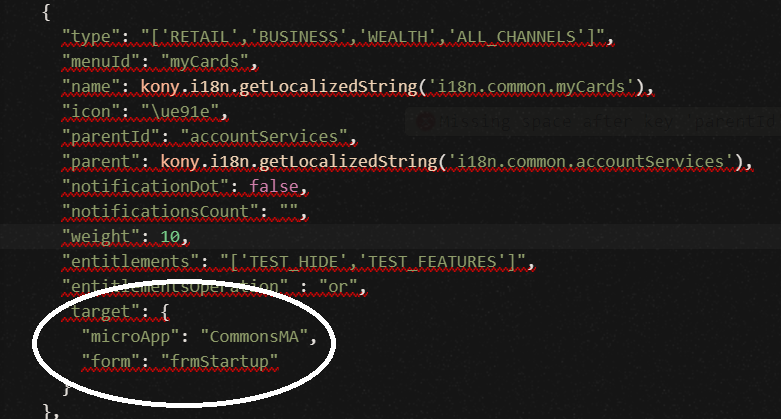
| target | JSON object containing the destination form and the microapp that the application navigates to with the click of the menu group item. |
Here is a sample of the Constant declaration provided in the MenuGroup Utility file.
    /**@member {Array}  Contains the list for menu group items */
[{
        "type": "['RETAIL','BUSINESS','WEALTH','ALL_CHANNELS']",
        "menuId": "myCards",
        "name": kony.i18n.getLocalizedString('i18n.common.myCards'),
        "icon": "\ue91e",
        "parentId": "accountServices",
        "parent": kony.i18n.getLocalizedString('i18n.common.accountServices'),
        "notificationDot": false,
        "notificationsCount": "",
        "weight": 10,
        "entitlements": "['TEST_HIDE','TEST_FEATURES']",
        "entitlementsOperation": "or",
        "target": {
            "microApp": "CommonsMA",
            "form": "frmStartup"
        }
    },
    {
        "type": "['RETAIL','BUSINESS','WEALTH','ALL_CHANNELS']",
        "menuId": "exchangeRates",
        "name": kony.i18n.getLocalizedString('i18n.kony.exchangeRates.ExchangeRatesHeader'),
        "icon": "\ue941",
        "parentId": "accountServices",
        "parent": kony.i18n.getLocalizedString('i18n.common.accountServices'),
        "notificationDot": false,
        "notificationsCount": "",
        "weight": 15,
        "entitlements": "['TEST_FEATURES']",
        "entitlementsOperation": "or",
        "target": {
            "microApp": "CommonsMA",
            "form": "frmStartup"
        }
    },
    ...
];
The following sample code shows how to incorporate MenuGroup JSON from the Form Controller.
define(['MenuGroupUtility', 'ComponentUtility'], function(MenuGroupUtility, ComponentUtility) {
    return {
        onNavigate: function() {
            let contextType;
            ...
            let entitlements = {
                "features": configManager.getUserFeatures(),
                "permissions": configManager.getUserPermissions()
            };
            ...
            if (
                !this.componentUtility.isEmptyNullUndefined(
                    userAttributes.CustomerType_id
                ) &&
                configManager.isCombinedUser !== "true"
            ) {
                switch (userAttributes.CustomerType_id) {
                    case "TYPE_ID_BUSINESS":
                        configManager.isSMEUser = "true";
                        break;
                    case "TYPE_ID_RETAIL":
                        configManager.isRBUser = "true";
                        contextType = "['RETAIL']";
                        break;
                }
            }
            let wealthPermissions =
                entitlements.features.includes("WEALTH_WATCHLIST_INSTRUMENT_CREATE") ||
                entitlements.features.includes("WEALTH_WATCHLIST_INSTRUMENT_VIEW");
            if (userAttributes.CustomerType_id !== "TYPE_ID_BUSINESS") {
                if (wealthPermissions && configManager.isCombinedUser !== "true") {
                    contextType = "['RETAIL','WEALTH']";
                } else if (wealthPermissions && configManager.isCombinedUser) {
                    contextType = "['RETAIL','BUSINESS','WEALTH','ALL_CHANNELS']";
                }
            } else {
                contextType = "['RETAIL','BUSINESS']";
            }
            this.footerMenuUtility = new FooterMenuUtility();
            let menuData = this.menuGroupUtility;
            menuData = this.checkEntitlementsAndType(menuData, entitlements, contextType);
            this.view.menuGroup.setContext(menuData);
        }
    };
});
checkEntitlementsAndType Method
This method checks the entitlements and channel type for each menu group item.
| Parameter | Value |
|---|---|
| Input parameter |
|
|
How to Consume from Form Controller |
checkEntitlementsAndType: function(menuData, entitlements, contextType) {
    var scope = this;
    try {
        let menuDataEntitled = [];
        ...
        for (let menuItem = 0; menuItem < menuData.length; menuItem++) {
            isMicroAppPresent = true; //!scope.componentUtility.isEmptyNullUndefined(configManager) ? configManager.isMicroAppPresent(menuData[menuItem].target.microApp) : true;
            ...
            if (isMicroAppPresent && isEntitled && hasContextType) {
                menuDataEntitled.push(menuData[menuItem]);
            }
        }
        return menuDataEntitled;
    } catch (err) {
        scope.setError(err, "checkEntitlementsAndType");
    }
},
|
|
Return Type |
|
isEntitled Method
This method checks whether the input entitlements satisfy the permission.
| Parameter | Value |
|---|---|
| Input parameter |
|
|
How to Consume from Form Controller |
isEntitled: function(
    userPermissions,
    entitlements,
    entitlementsOperation
) {
    var scope = this;
    try {
        if (userPermissions.length === 0) {
            return true;
        }
        let entitlementFlag = false;
        for (let index = 0; index < userPermissions.length; index++) {
            if (
                entitlements.features.includes(userPermissions[index]) ||
                entitlements.permissions.includes(userPermissions[index])
            ) {
                entitlementFlag = true;
                if (entitlementsOperation === "or") {
                    break;
                }
            } else {
                entitlementFlag = false;
                if (entitlementsOperation === "and") {
                    break;
                }
            }
        }
        return entitlementFlag;
    } catch (err) {
        scope.setError(err, "isEntitled");
    }
},
|
|
Return Type |
Returns a Boolean value. If the value is true, the input entitlements satisfy the permission. |
checkContextType Method
This method checks the input type and the channel type from the Context data object.
| Parameter | Value |
|---|---|
| Input parameter |
|
|
How to Consume from Form Controller |
checkContextType: function(userContextType, contextType) {
    var scope = this;
    try {
        if (userContextType.length === 0) {
            return true;
        }
        let typeFlag = false;
        for (let index = 0; index < userContextType.length; index++) {
            if (contextType.includes(userContextType[index])) {
                typeFlag = true;
                break;
            }
        }
        return typeFlag;
    } catch (err) {
        scope.setError(err, "checkContextType");
    }
},
|
|
Return Type |
Returns a Boolean value. The menu group item has a context type if the value is true. |
setError Method
This method handles any error that occurs in the component. This method passes the error object information from the component to the Segment Template controller.
| Parameter | Value |
|---|---|
| Input parameter |
JSON object contains the following keys.
|
|
How to Consume from the App Level Widget Template Controller |
var errordata = {
	"level": "FormController",
	"method": "method",
	"error": errorMsg
};
this.view.menugrp.setError(errordata);
|
|
Return Type |
NA |
Handle Menu Group Item Navigation
This method binds the navigation callback actions for each menu item. These callback actions set the destination form for each menu constant. A developer must configure the target property in the MenuGroupUtility file to achieve default navigation. In the menu items where the default navigation does not apply, the developer can customize the navigation for a menu item based on the menu ID, as shown in the image below.
| Parameter | Value |
|---|---|
| Input parameter |
NA |
|
How to Consume from Form Controller |
preShow: function() {
    ...
    scope.view.menuGroup.onRowClick = this.onBindRowClick.bind(scope);
}

onBindRowClick: function(segData) {
    var scope = this;
    try {
        let informationPC = kony.mvc.MDAApplication.getSharedInstance().getModuleManager().getModule({
            "appName": scope.componentUtility.microAppConstants.ABOUTUS,
            "moduleName": "InformationUIModule"
        });
        switch (segData.menuId) {
            case "contactUs":
                applicationManager.getPresentationUtility().showLoadingScreen();
                let informationUIModule = kony.mvc.MDAApplication.getSharedInstance().getModuleManager().getModule({
                    appName: scope.componentUtility.microAppConstants.ABOUTUS,
                    moduleName: "InformationUIModule"
                });
                informationUIModule.presentationController.showContactUsPage();
                break;
                ...
            default:
                let navManager = applicationManager.getNavigationManager();
                navManager.navigateTo({
                    "appName": segData.target.microApp,
                    "friendlyName": segData.target.form
                });
        }
    } catch (err) {
        scope.setError(err, "onBindRowClick");
    }
},
|
|
Return Type |
None |
In this topic
