Unified Transfers Flow (UTF)
Unified Transfers Flow (UTF) provides the capability for the customers to initiate a transfer or payment from online or mobile banking. Customers can move money efficiently between their own accounts or send money to other accounts, with minimum clicks for the transfer or payment operations. You can save time by choosing an already saved beneficiary from the list.
The application supports the following:
- Transfers to user's own accounts in the same bank
- Transfers to other members of the same bank
- Transfers to other banks
- International transfers
- P2P Transfers
- Add, Edit, or Remove beneficiaries
- Manage Transactions
Menu path:
- OLB: Accounts Dashboard > Unified Transfers Flow
- MB: Hamburger menu > Unified Transfers Flow
Business Process Diagram - Transfer
UX Overview
The Unified Transfers feature provides different options for the customers to initiate transfer from online or mobile banking.
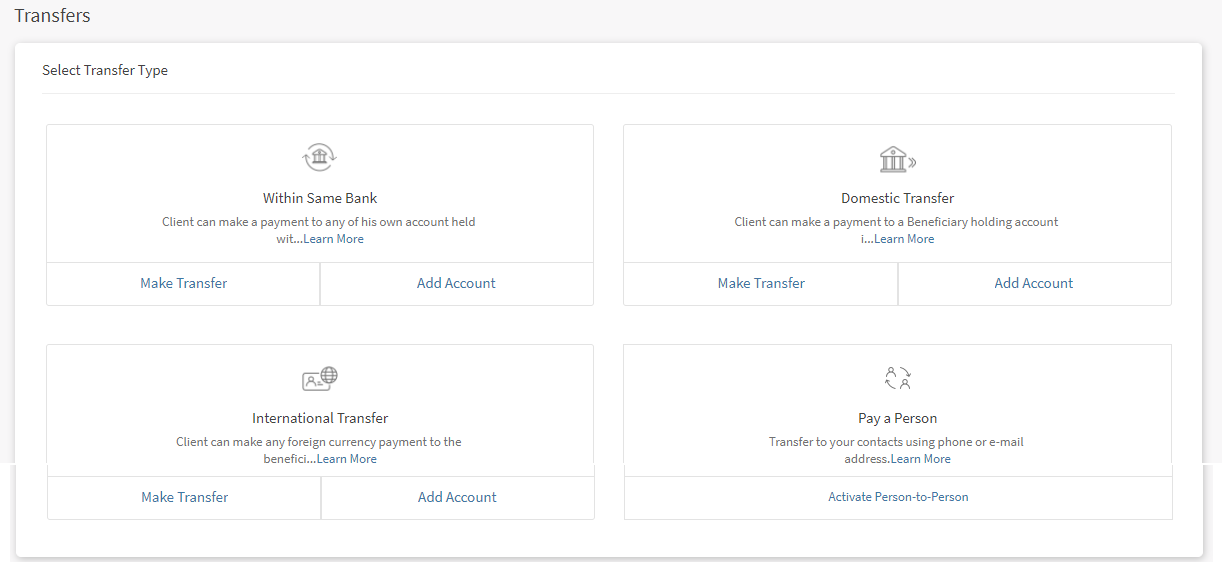
The Payments and Transfers feature displays the following tabs:
- Make Transfer. Initiate a payment to other accounts within the same bank, to other bank accounts, to international accounts, and to P2P accounts.
- Add New Beneficiary: Add members as beneficiaries to perform transfer in the same bank, other banks, international banks, and p2p. You can add the following beneficiaries:
- Add Same Bank Account. You can add a beneficiary who has an account within the bank by providing the details such as account number, account beneficiary's name, and nickname.
- Add Other Bank Account. You can add a beneficiary who has an account in another bank (domestic) by providing the details such as bank name, account number/IBAN, account beneficiary's name, and nickname.
- Add International Account. You can add a beneficiary who has an account in an international bank by providing the details such as SWIFT/BIC code, account number, account beneficiary's name, and nickname.
- Add P2P Account. You can add a P2P beneficiary to transfer money using the person's email ID or mobile number.
- Manage Transactions. You can manage your transactions performed within the same bank or with the other banks.
In this topic
